
Robotic Arm Simulator
A live 3D digital twin of the Fairino FR5 six-axis collaborative robot. Move it joint by joint or by its tool, teach points by dragging the arm, write programs graphically or in Lua, and run them in real production cells — safely, on an ordinary PC.
What you can do
Manual control
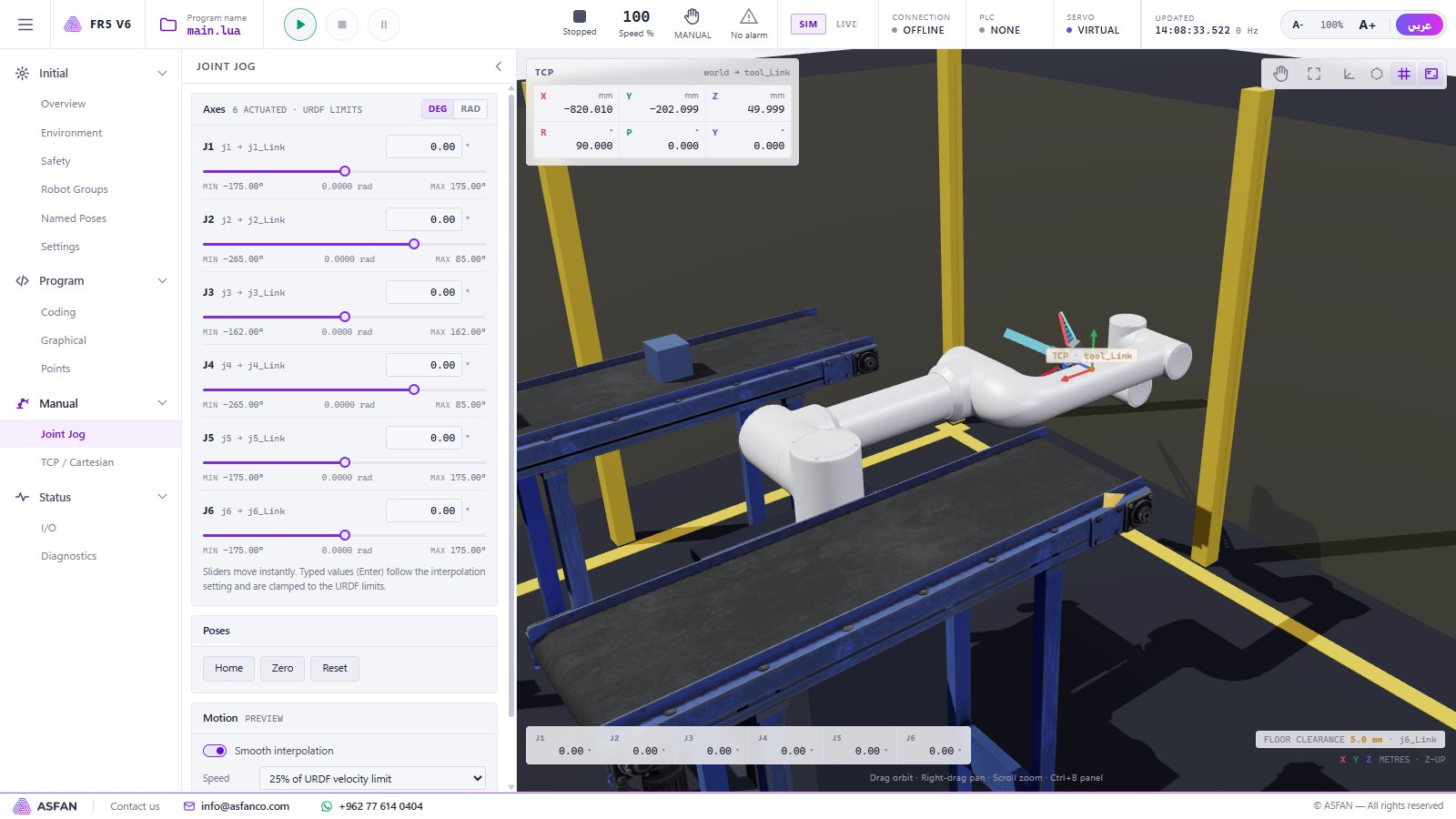
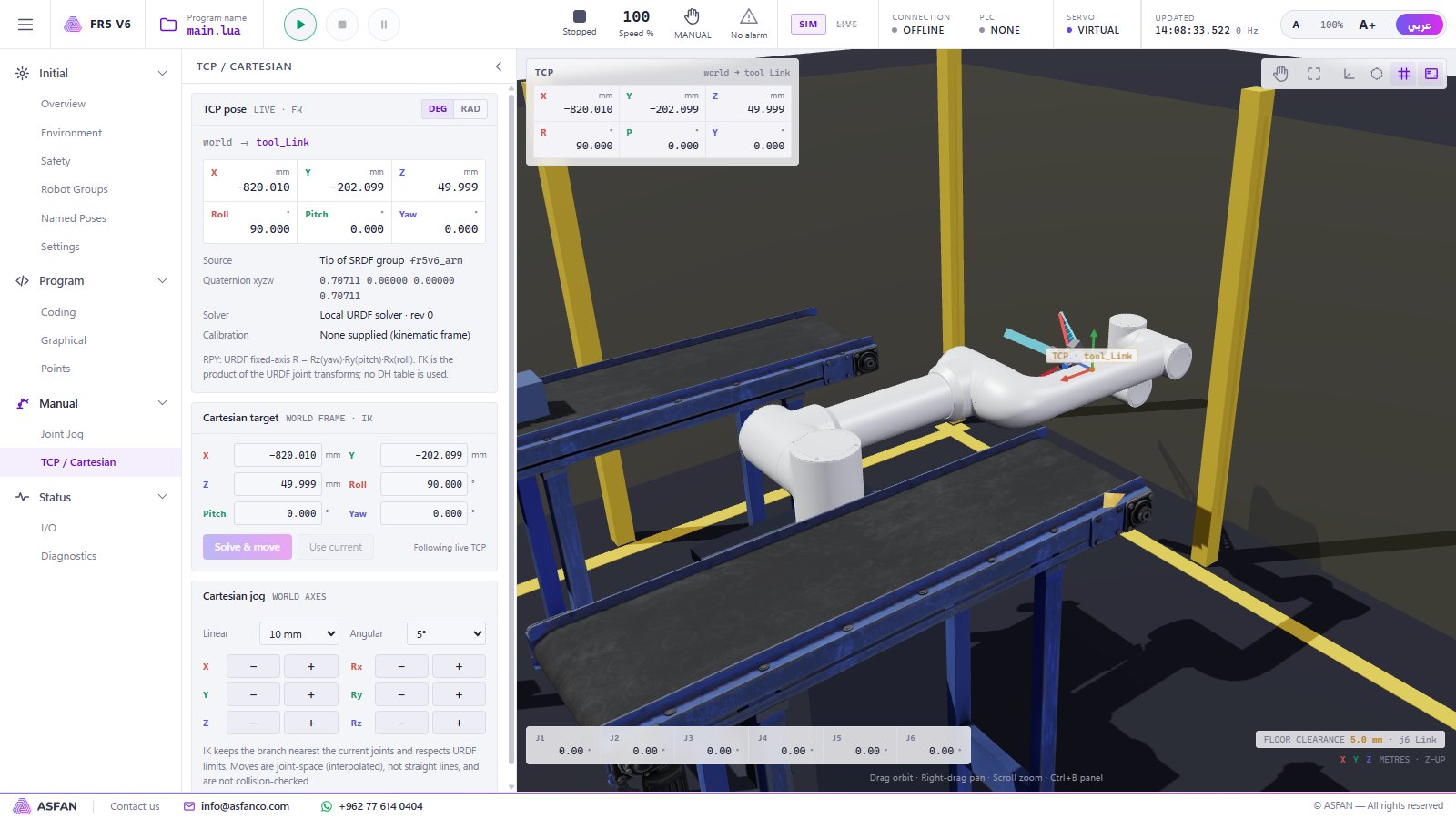
Joint Jog with a slider per axis, Cartesian (TCP) jog in X, Y, Z and rotation, and inverse kinematics that keeps the solution nearest the current pose.
Teach points
Record positions with one key (R), preview and re-teach them, or switch on Drag Teach and move the arm with the mouse in the 3D view.
Program graphically
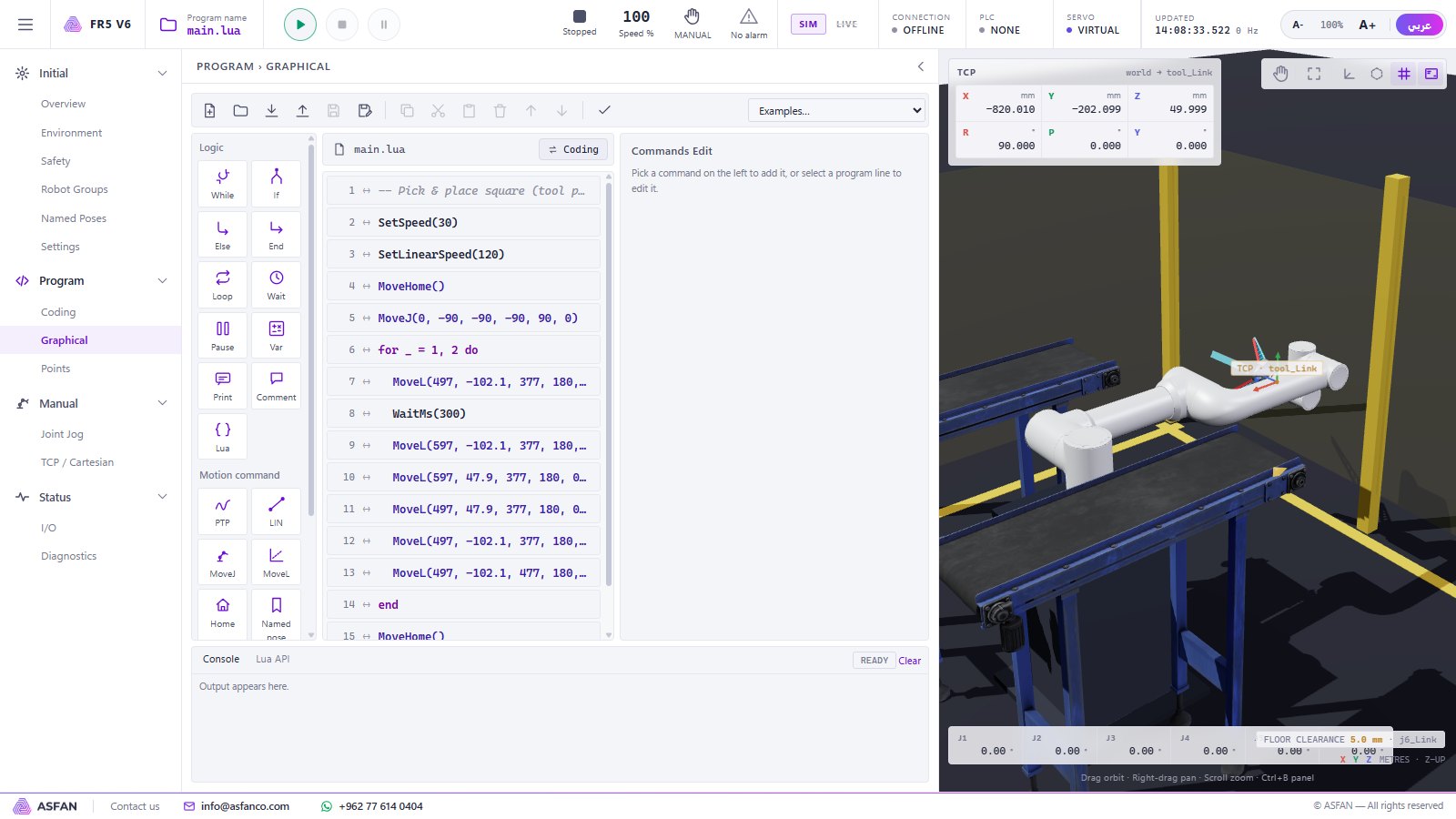
Build programs from a command list: PTP, LIN, MoveJ, MoveL, Home, named poses, loops, conditions, waits and I/O — no typing.
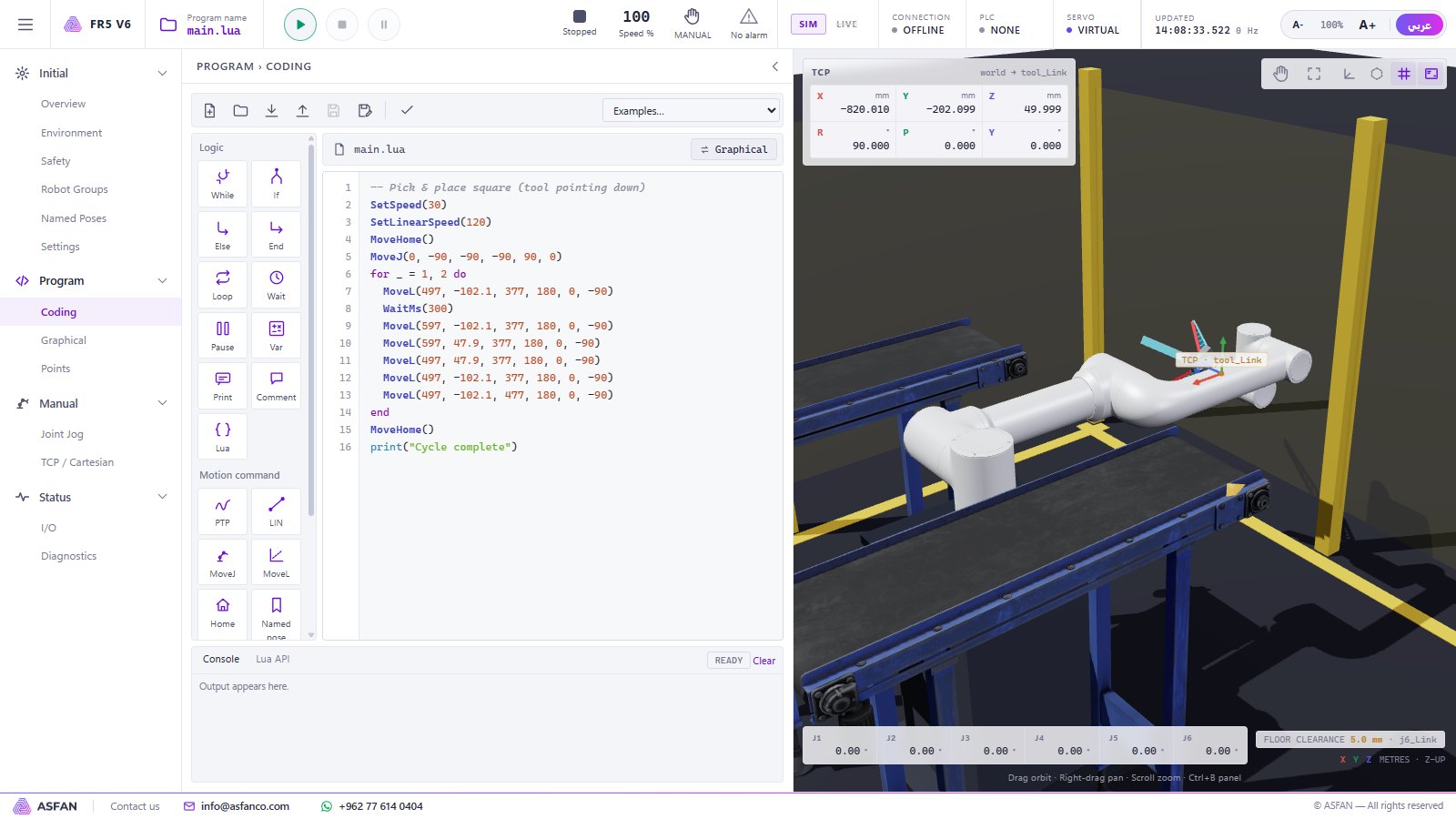
Program in Lua
The same program as code, with Fairino-style commands, syntax check, examples and import/export of .lua files.
Production cells
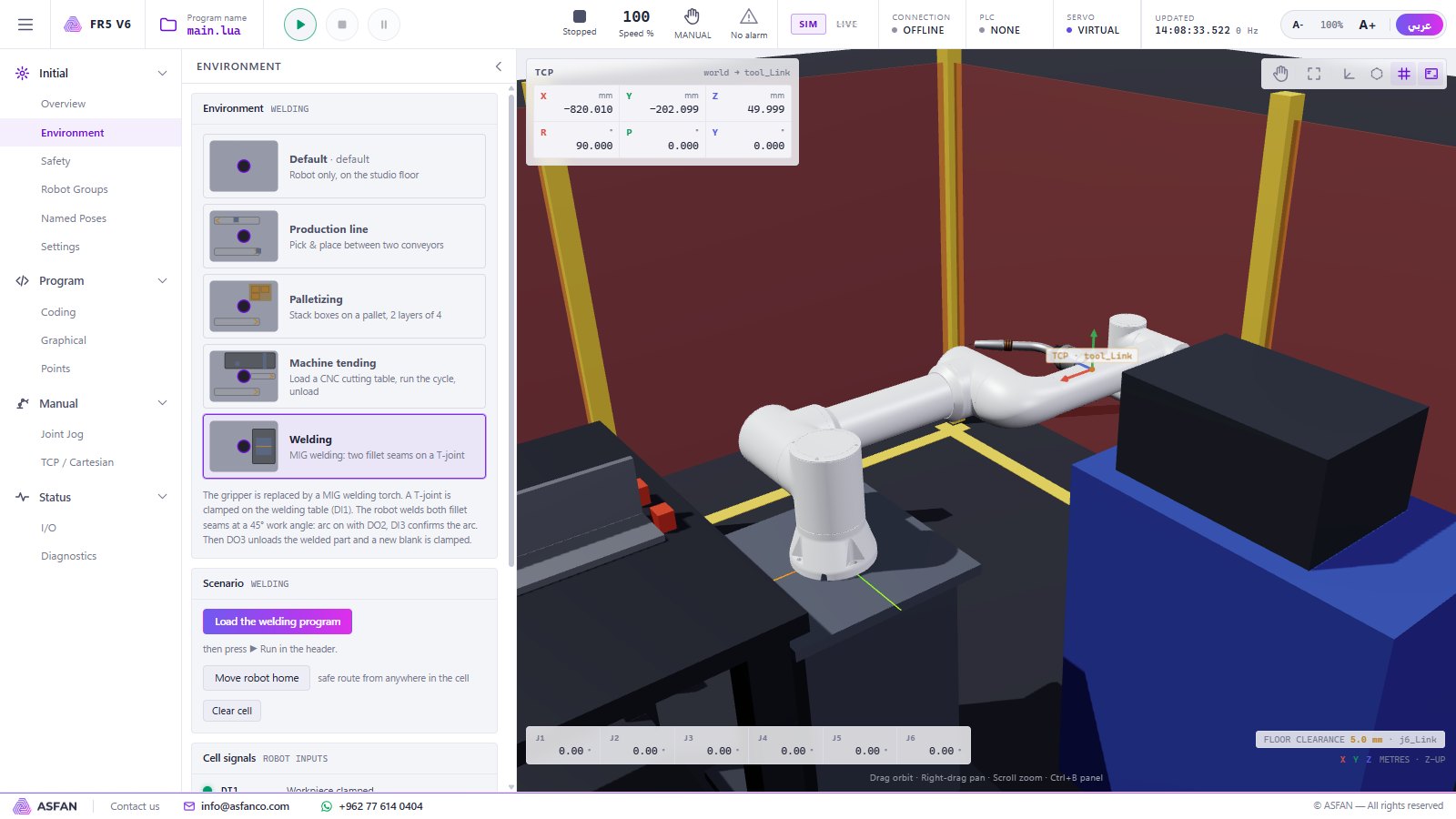
Palletizing, MIG welding, CNC machine tending and a two-conveyor production line, each with its own signals and a ready program.
Safety & I/O
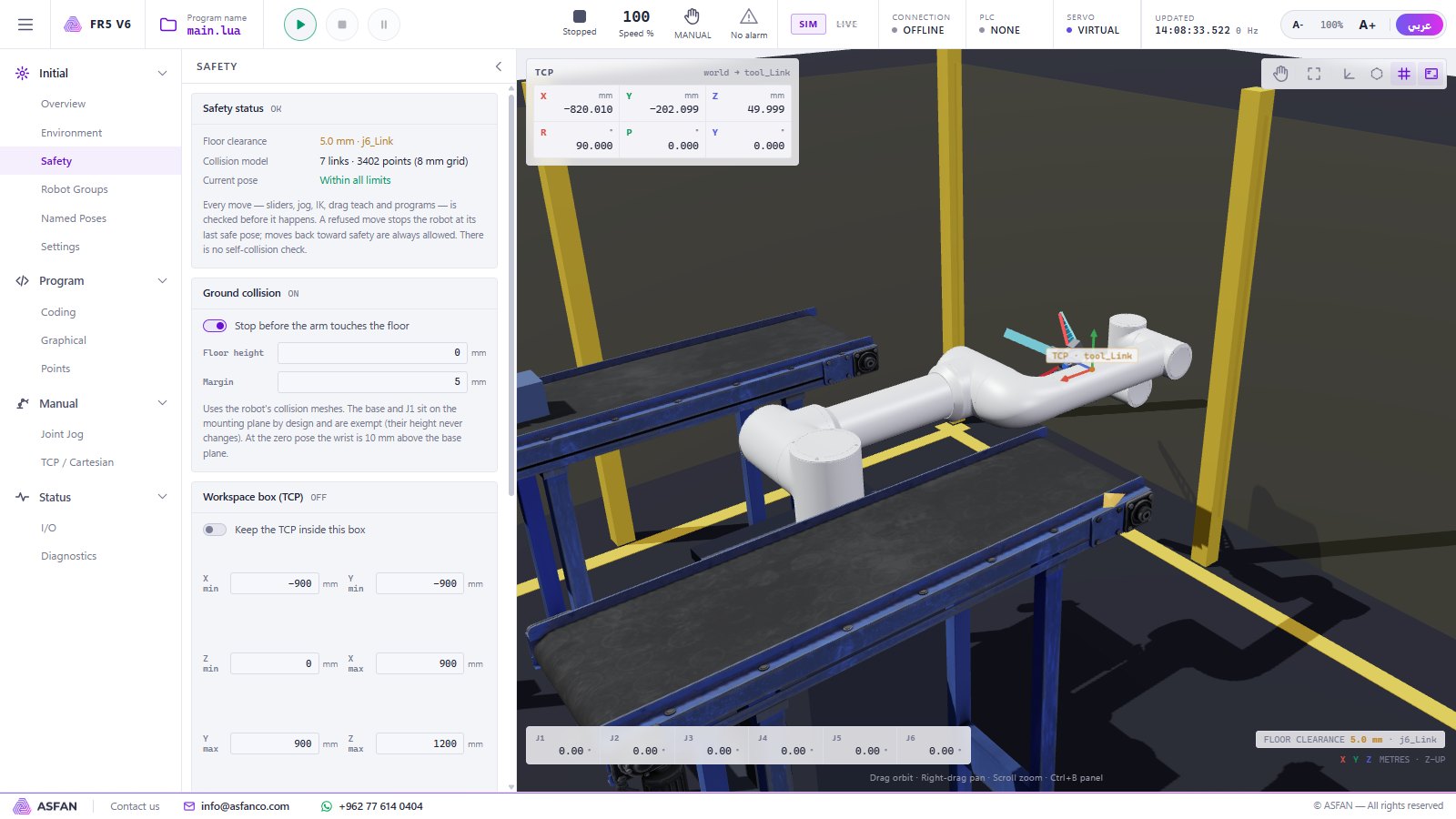
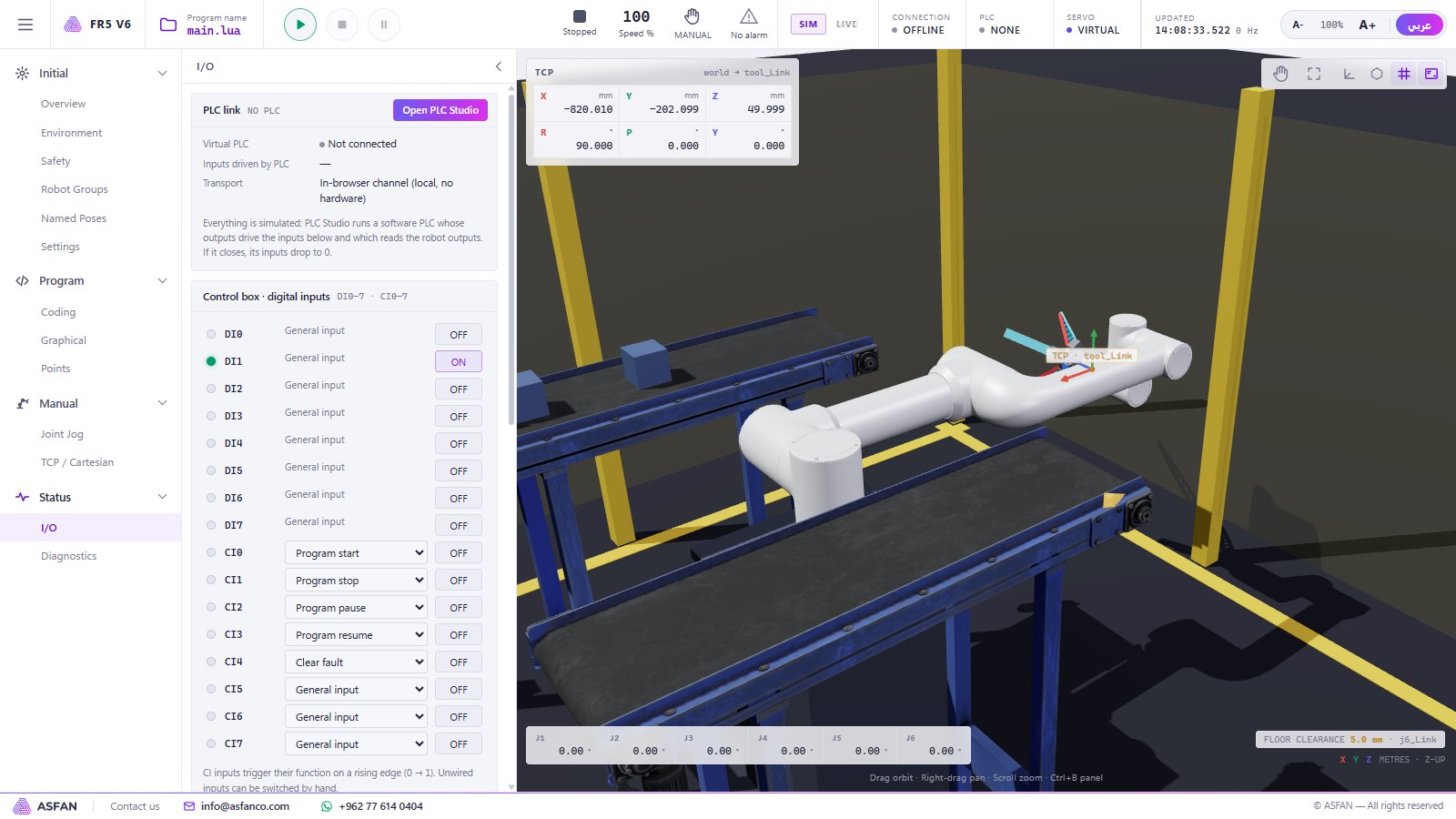
Workspace box, joint soft limits, speed limits and floor clearance stop unsafe moves; a virtual control box with DI/DO, CI/CO and tool I/O.
Four production cells, ready to run
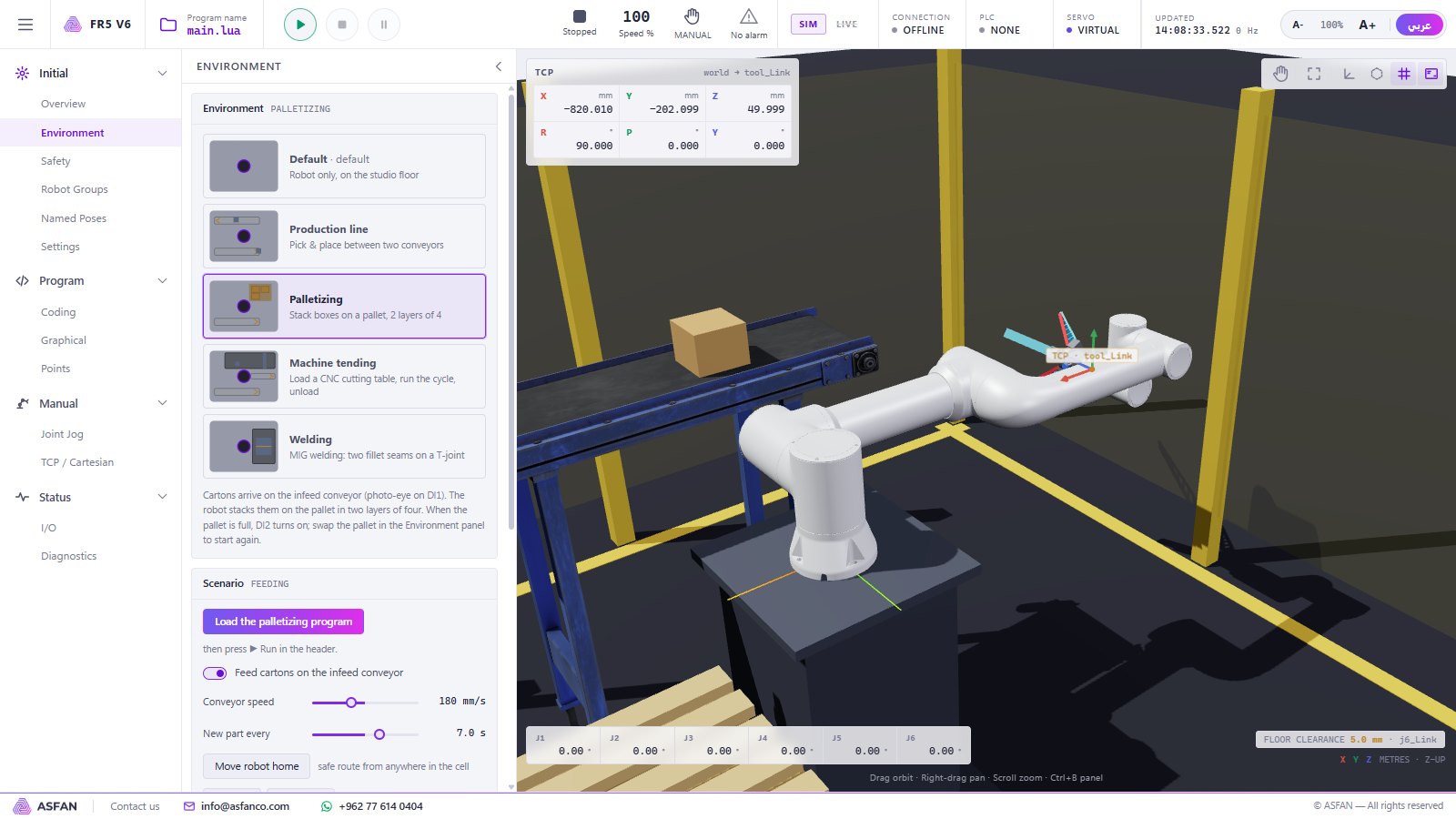
Palletizing
Cartons arrive on the infeed conveyor and are stacked on a pallet in two layers of four.
Signals: DI1 carton ready · DI2 pallet full
MIG Welding
A MIG torch welds two fillet seams on a T-joint at a 45° work angle.
Signals: DI1 clamped · DO2 arc on · DI3 arc established · DO3 unload
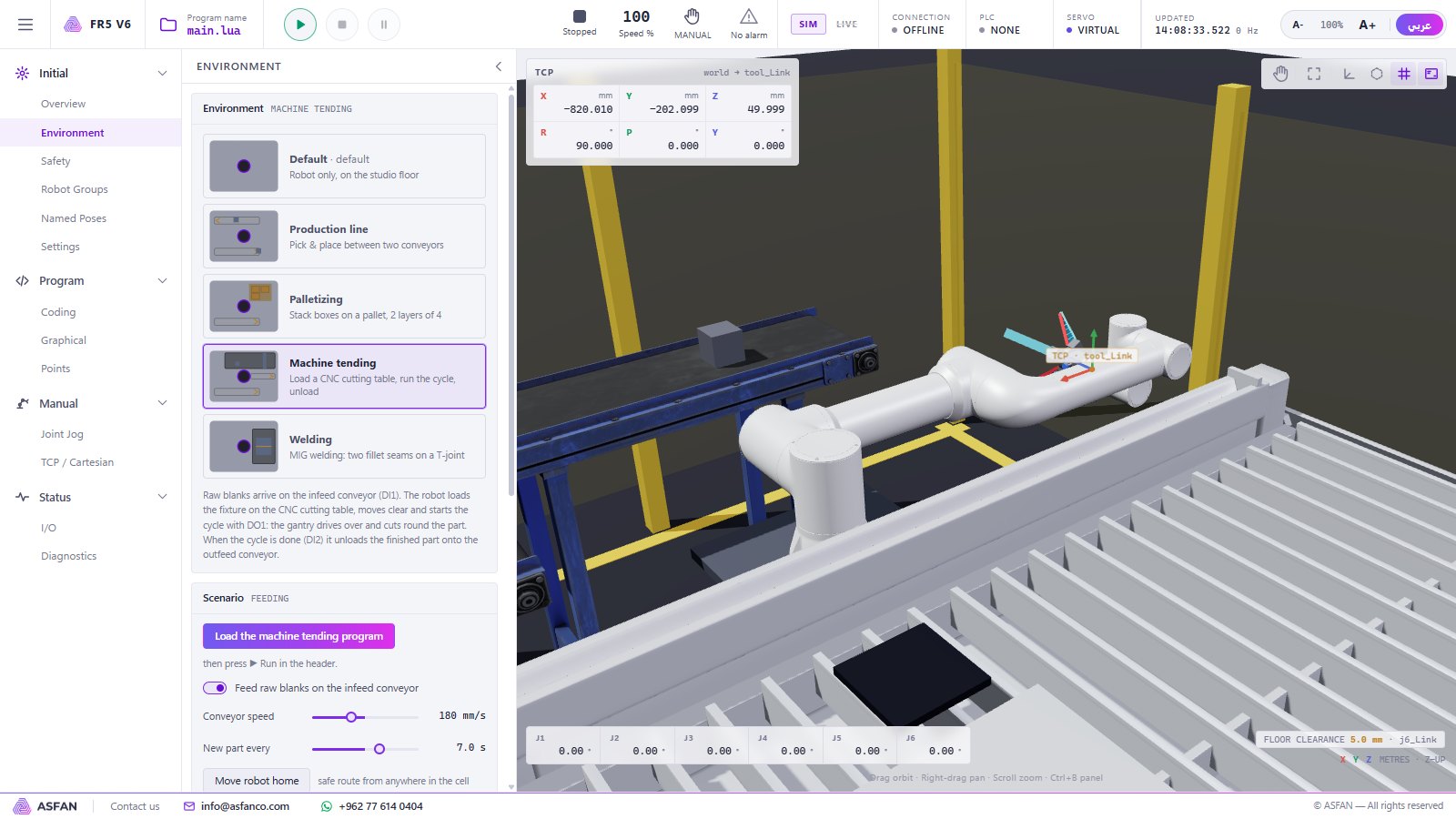
Machine Tending (CNC)
The robot loads a CNC cutting table, starts the cycle and unloads the finished part.
Signals: DI1 blank ready · DO1 cycle start · DI2 cycle done
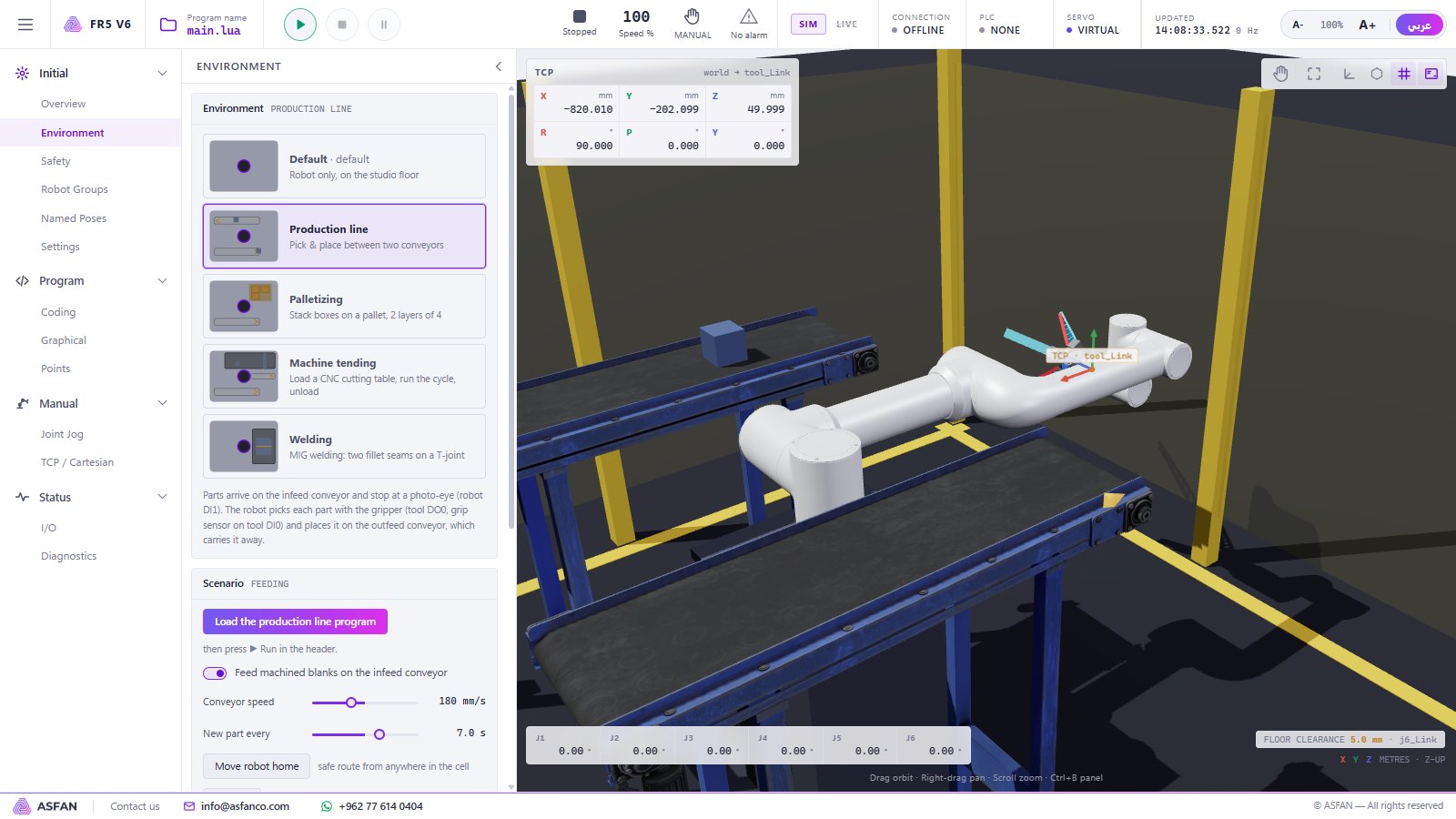
Production Line
Parts stop at a photo-eye, the gripper picks each part and places it on the outfeed conveyor.
Signals: DI1 part at pick position · tool DO0 gripper · tool DI0 grip sensor
Program it graphically or in Lua
Main commands
- Command
- What it does
PTP(point, speed%)- Joint move to a taught point
Lin(point, mm/s)- Straight-line move to a taught point
MoveJ(j1 … j6)- Joint move to angles
MoveL(x, y, z, rx, ry, rz)- Straight-line move to a pose
MoveHome() · MovePose(name)- Home or a named pose (safe route in a cell)
SetDO · WaitDI · SetToolDO · WaitToolDI- Control-box and tool I/O
WaitMs · Pause · print- Timing, hold and console output
Example · Lua
SetSpeed(30)
MoveHome()
for _ = 1, 2 do
  MoveL(497, -102.1, 377, 180, 0, -90)
  WaitMs(300)
  MoveL(597, -102.1, 377, 180, 0, -90)
end
print("Cycle complete")A closer look
Real screens from version 0.3.1. Click a screenshot to enlarge it.
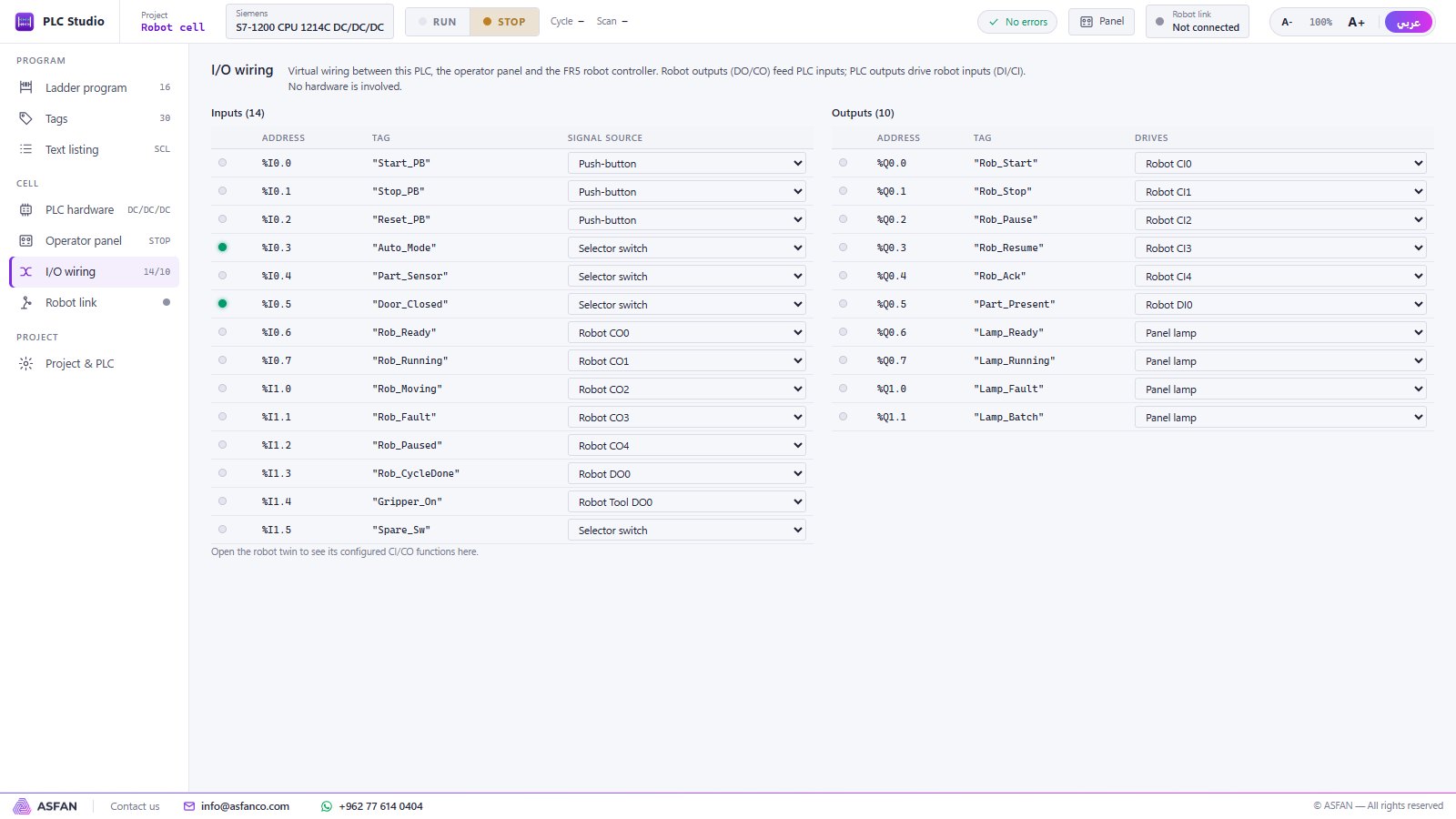
Works with the PLC
Add the Industrial section and a PLC starts, pauses and supervises the robot through the same I/O handshake used on real lines.
Robotic license — Monthly or Annual
Not sure yet? Install the 14-day trial first — no key, no payment, no account.
Robotic
Robotic Arm Simulator: jog, teach, programming, four production cells, safety.
Contact us
for current pricing · Monthly or Annual
Request Robotic License- Monthly — renewed every month, ideal for a semester or pilot
- Annual — one payment for 12 months
- Free automatic updates while the license is active
- Reminder 7 days before the license ends
- Multi-PC pricing for labs and classrooms
User manual
User manual
Full user manual — 21 pages covering both simulators, every page, the Lua commands, the PLC instructions and a robot + PLC tutorial.
Common questions
Put a complete automation cell in your lab
Install the 14-day trial today, or talk to our team about a Robotic, Industrial or Complete license for your university, training centre or company.