
ASFAN VR LMS · Learning Management System for Virtual Reality
Train in virtual reality.
Evaluate with real data.
ASFAN VR LMS connects VR headsets to a complete learning platform. Students put on the headset and complete immersive training experiences, and the moment a session ends, the system generates a detailed performance report so instructors can evaluate every learner objectively, without watching over their shoulder.
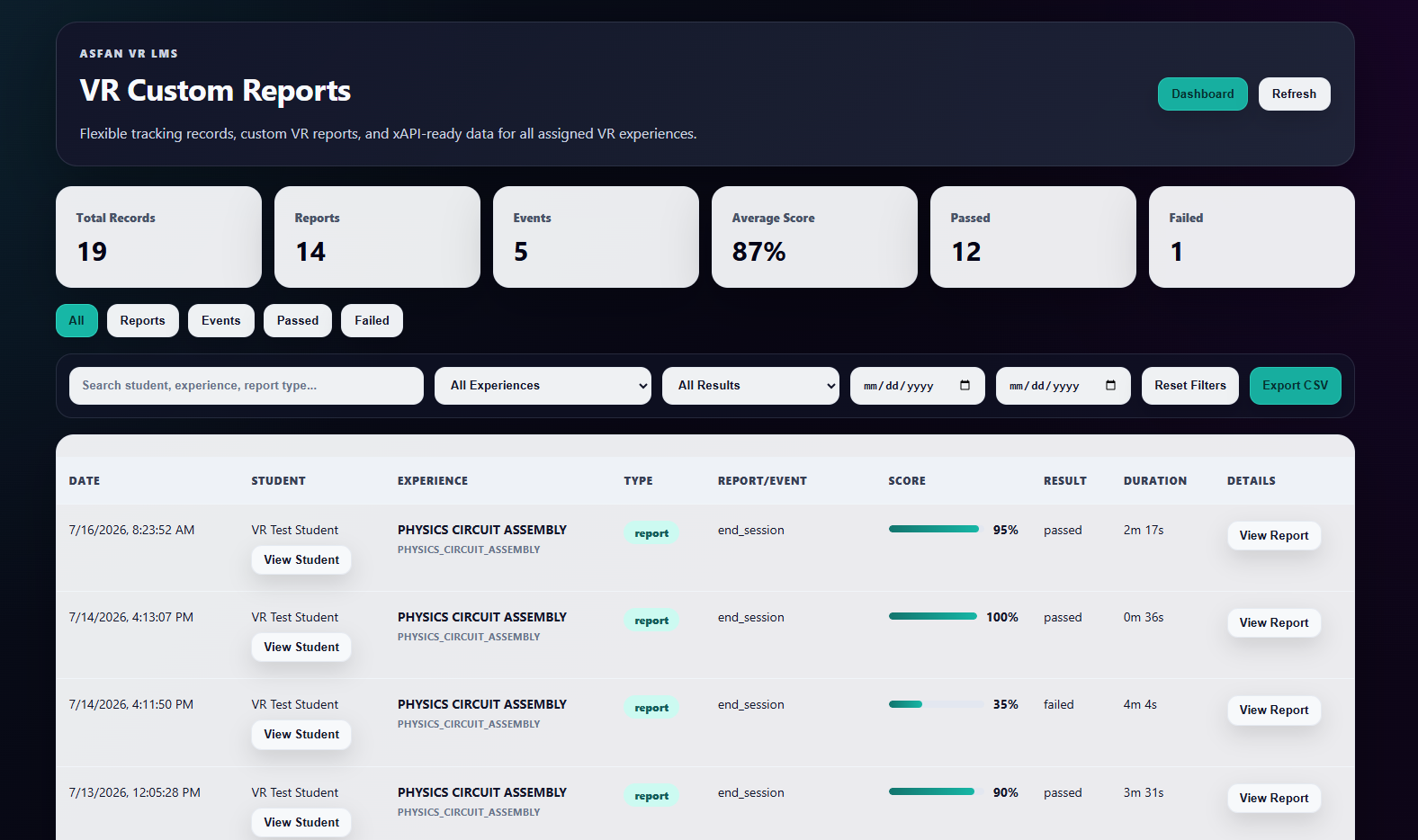
VR Custom Reports — every training session recorded, scored, and ready to export.
From headset to report in five steps
The full training loop is automated: no manual grading, no lost results.
1. Pair the headset
The student links a Meta Quest or PC VR device to their account with a one-time pairing code, entered once, directly from the VR app.
2. Launch the experience
From My Courses, each assigned experience starts with a secure, time-limited launch token, valid for 10 minutes and generated per session.
3. Train inside VR
While the student works through the experience, the platform tracks attempts, progress, and every meaningful event in real time.
4. The report writes itself
When the session ends, a detailed report is generated automatically: final score, pass or fail result, total duration, and the tracked steps behind them.
5. The instructor evaluates
Teachers review results from their dashboard, filter by student, experience, or date, export to CSV, and leave notes the student sees on their own dashboard.
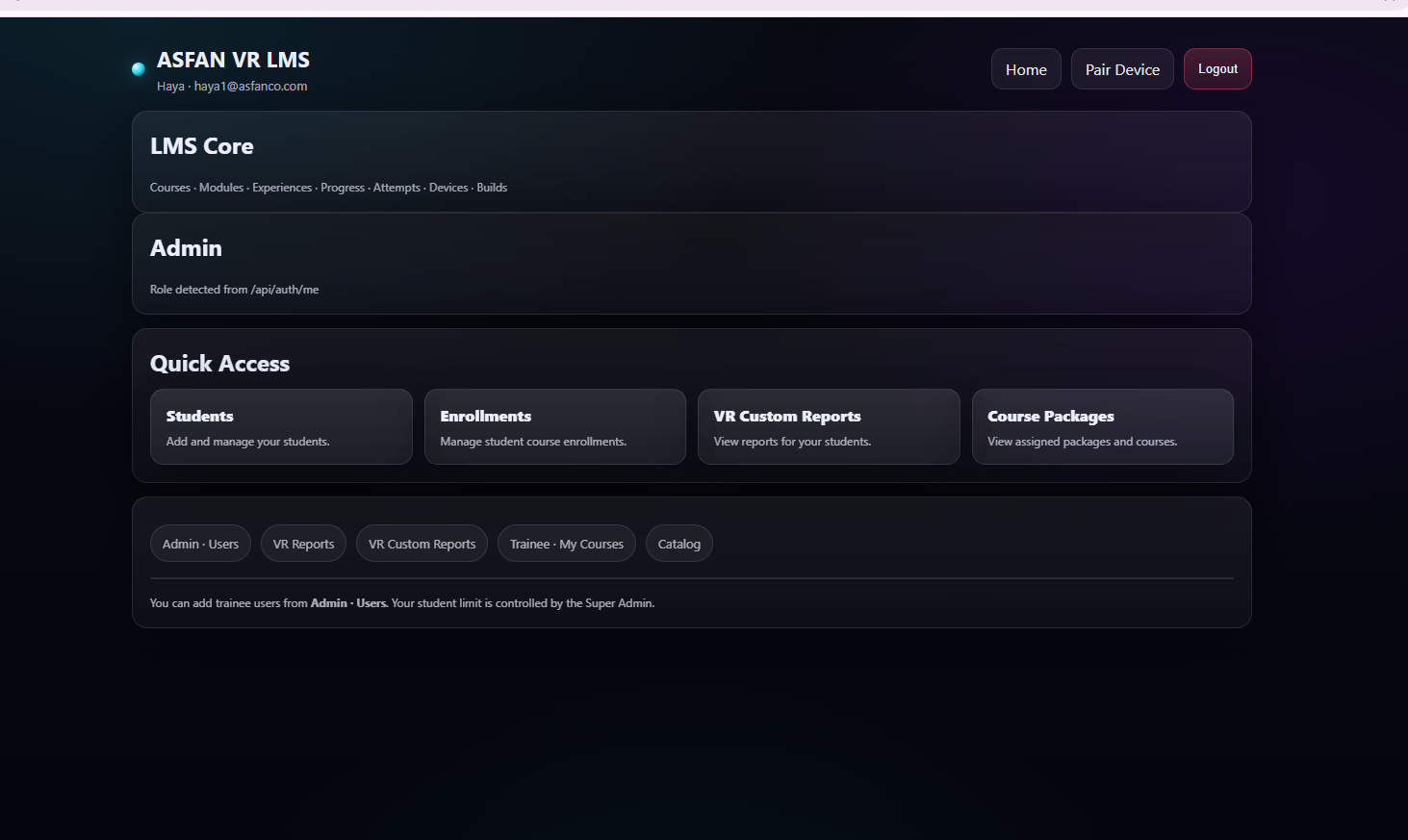
Teacher — students, enrollments, and reports in one place.
A dedicated dashboard for every role
Access is role-based: each account signs in to exactly the tools it needs, nothing more, nothing missing.
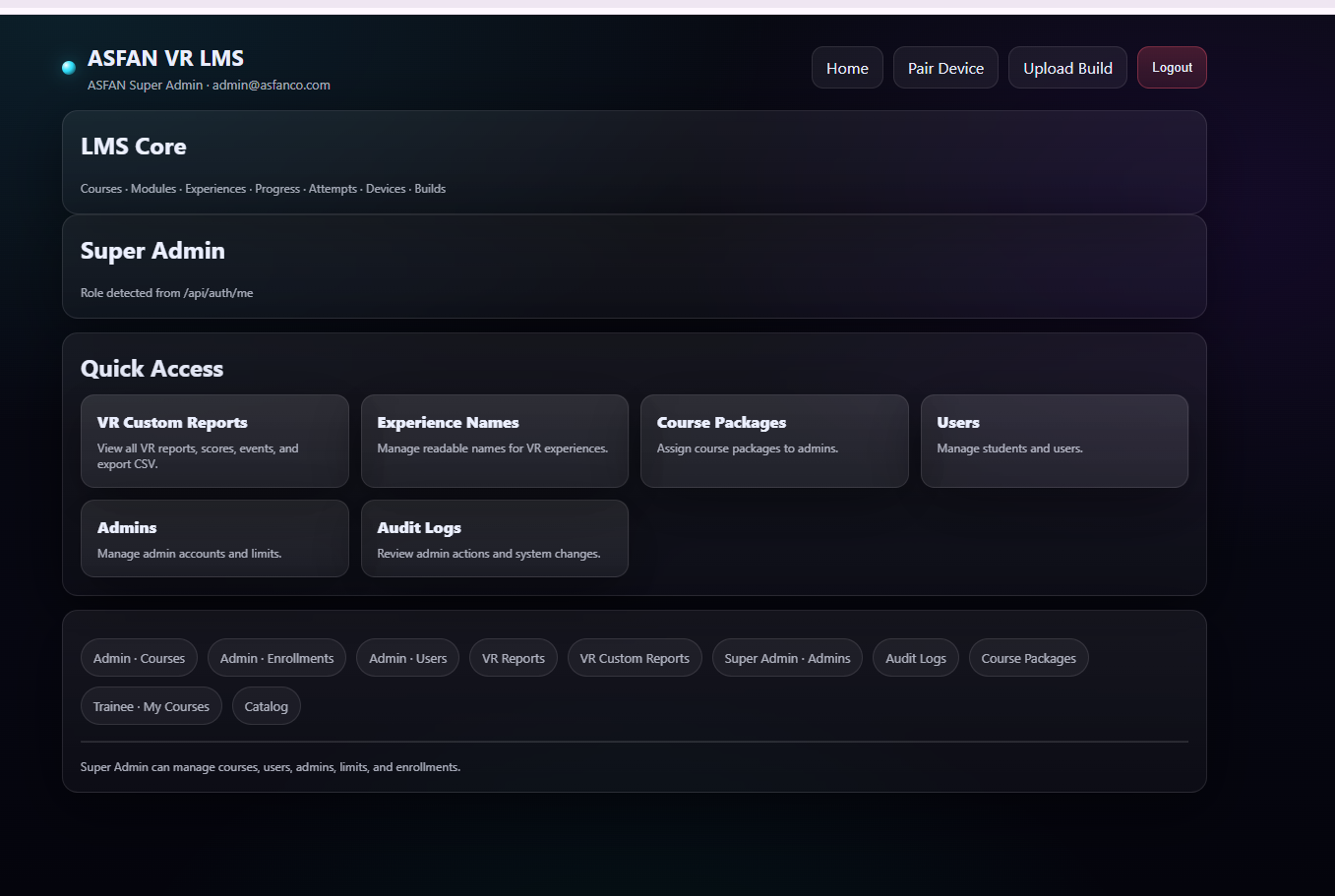
Run the whole platform
Full operational control over the organization, its people, and its VR content.
- Manage admin accounts, student limits, and subscriptions
- Upload VR builds, Quest APK and PC, and link them to experiences
- Assign course packages and manage the course catalog
- View all VR reports across the platform and export CSV
- Audit logs of every admin action and system change
Manage your classroom
Everything an instructor needs to run VR training and grade with evidence.
- Add and manage your own students
- Enroll students into VR courses in seconds
- Review each student’s session reports and scores
- Leave notes that appear on the student’s dashboard
- Track assigned course packages
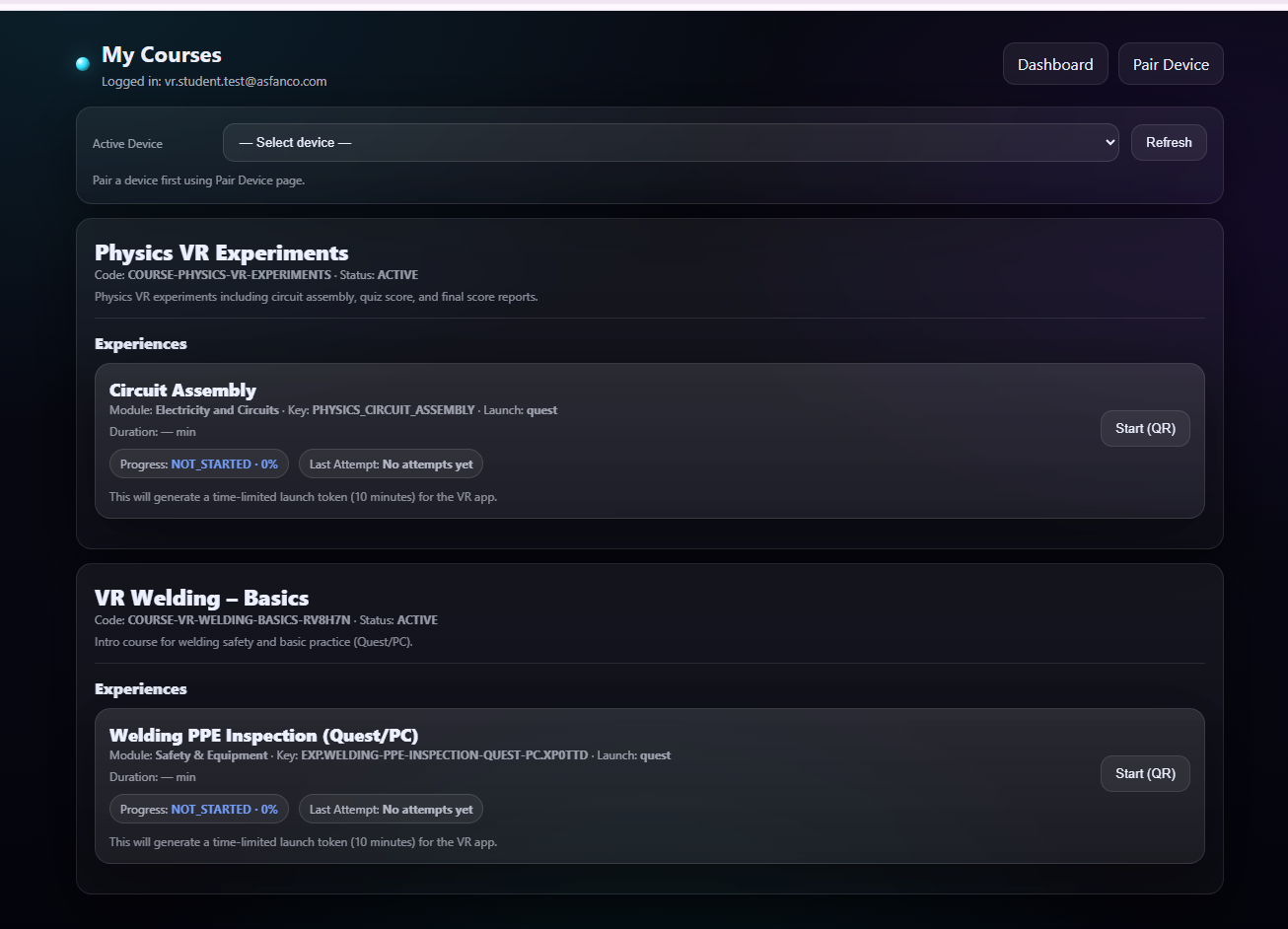
Put on the headset and go
A focused view of assigned training and personal progress.
- Open assigned VR courses and launch experiences with a QR code
- Track scores, best results, and training time
- Read teacher notes and personalized recommendations
- See progress per experience: passed, in progress, or not started
Grading that runs on evidence, not guesswork
Both sides see the same truth: instructors get a filterable record of every session, and students get a clear picture of their own performance.
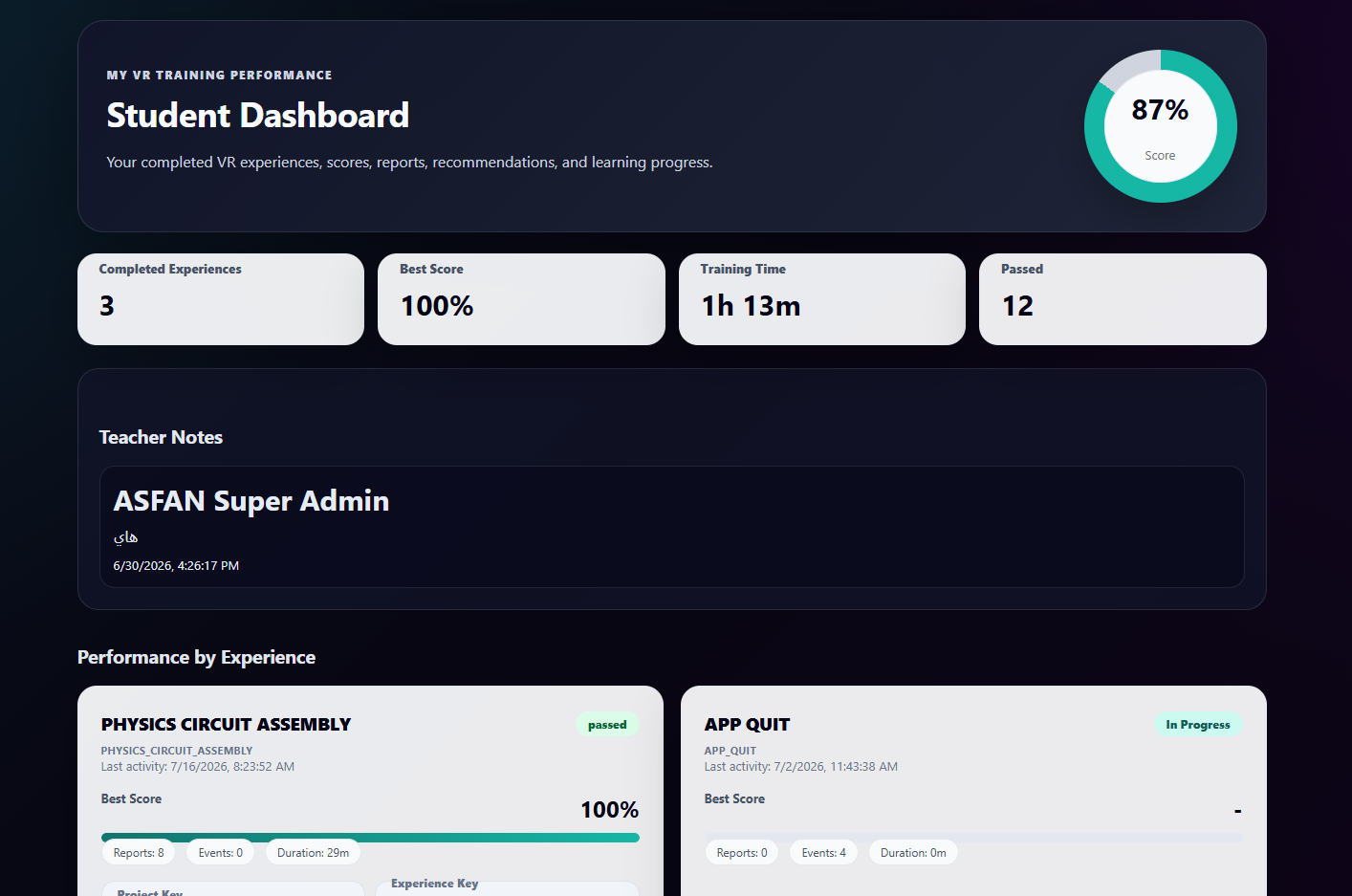
Student view: overall score, training time, teacher notes, and per-experience results.
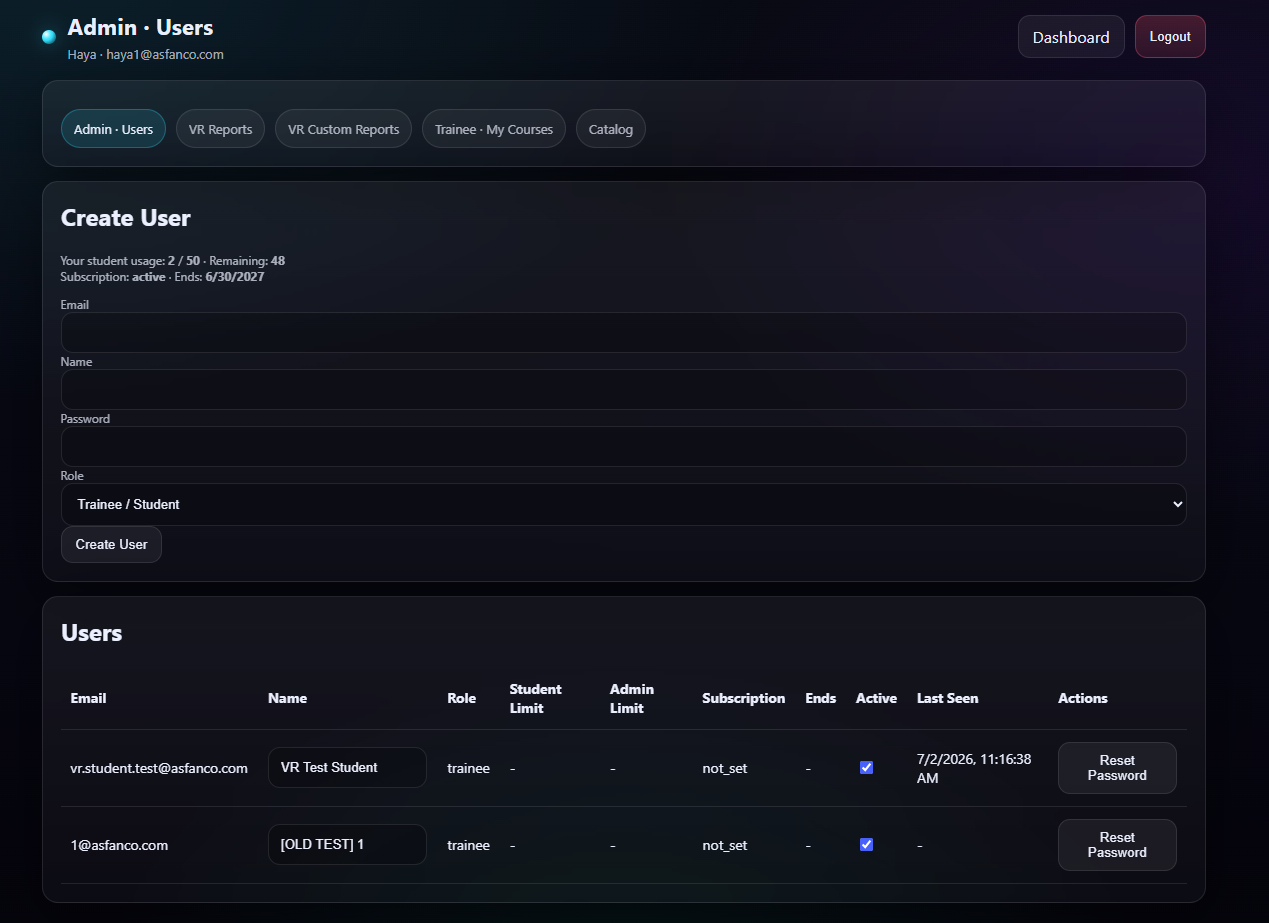
Admin view: manage users, roles, student limits, and subscriptions.
Filter everything
By student, experience, result, type, or date range, then reset in one click.
Export CSV
Take scores and events into Excel or your reporting pipeline.
xAPI-ready data
Tracking records follow a flexible, standards-friendly format.
Drill into any session
Open the full report behind every row: score, result, duration, events.
Built VR-first, end to end
Quest & PC VR builds
Upload APK or PC builds per experience, with platform, channel, and version control.
Secure QR launch
Experiences start with time-limited launch tokens: no shared passwords in the lab.
Role-based access
Super admin, teacher, and student each get their own dashboard and permissions.
Automatic reports
Every session ends with a scored, timestamped report, generated without any manual step.
Performance analytics
Averages, pass rates, best scores, and training time, per student and per experience.
Audit logs
A reviewable trail of admin actions and system changes across the platform.
Course packages
Bundle courses into packages, assign them to admins, and manage subscription limits.
Teacher notes
Feedback and recommendations flow straight to the student’s performance page.
Ready to bring VR LMS to your training program?
Deliver interactive VR courses, track progress automatically, and evaluate learners with real data, on a platform built for your organization.
We welcome your questions, do not hesitate to contact us
- Create virtual reality and augmented reality experiences at the best prices
- Equipping engineering laboratories with the best equipment
- Virtual tours with 360° technology and also feature that you can see them through just one link
Client & Visitor Reviews
Share your experience, feedback, or opinion about this page content.
Write a Review
Latest Reviews