
Fire Protection Digital Twin
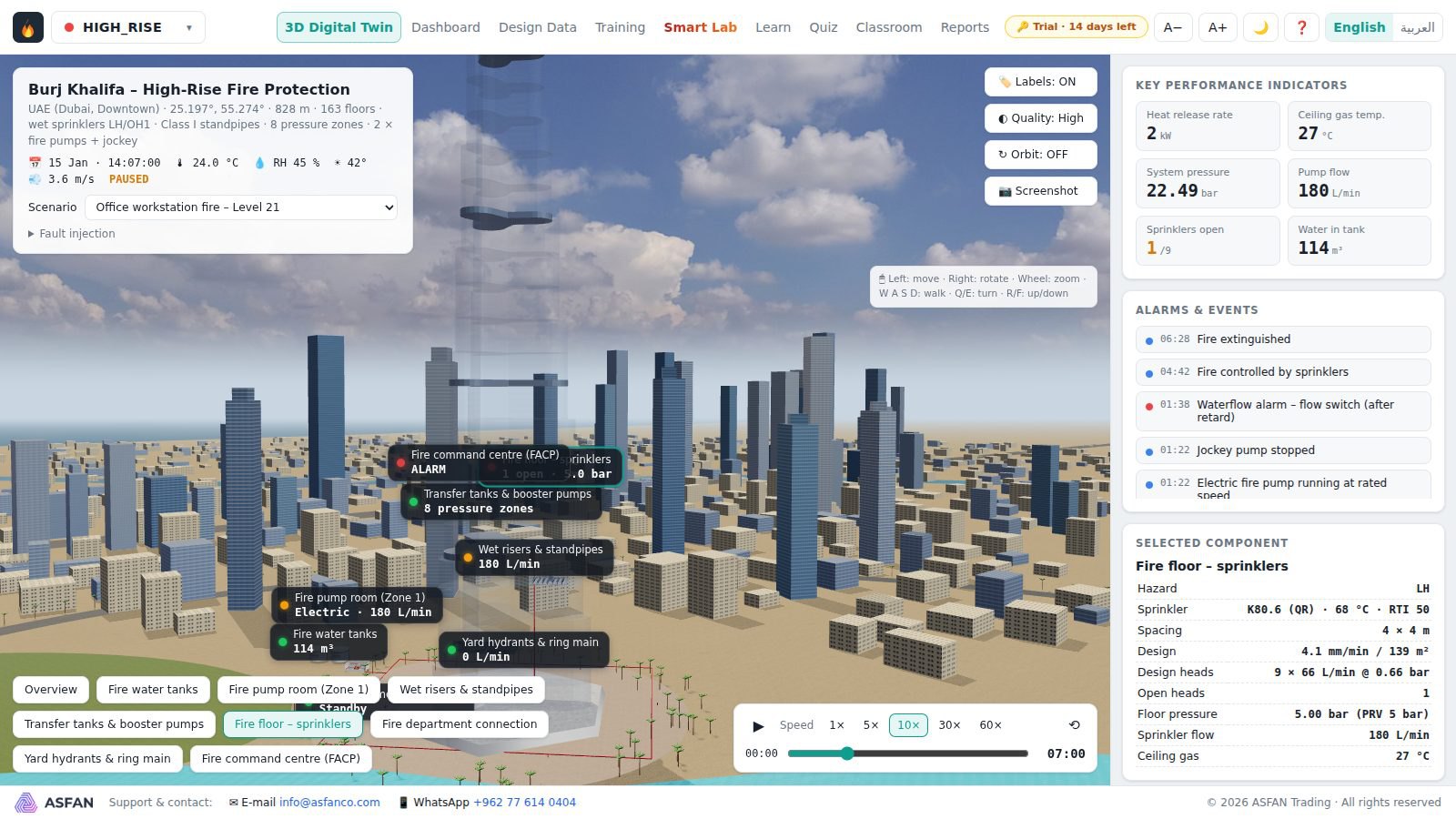
An educational simulator of fire-fighting and smart fire-alarm systems. Real buildings are modelled in 3D with NFPA-based protection systems, and a physics engine runs fire growth, detection, sprinklers, pumps and water supply live on the model.
Fire systems you can run, break and fix
For universities, training centres and companies that teach fire protection and life safety.
3D Digital Twin
Complete fire scenarios in 3D, with live values on every component and fault injection: power failure, closed valve, pump failure, leaks.
Dashboard
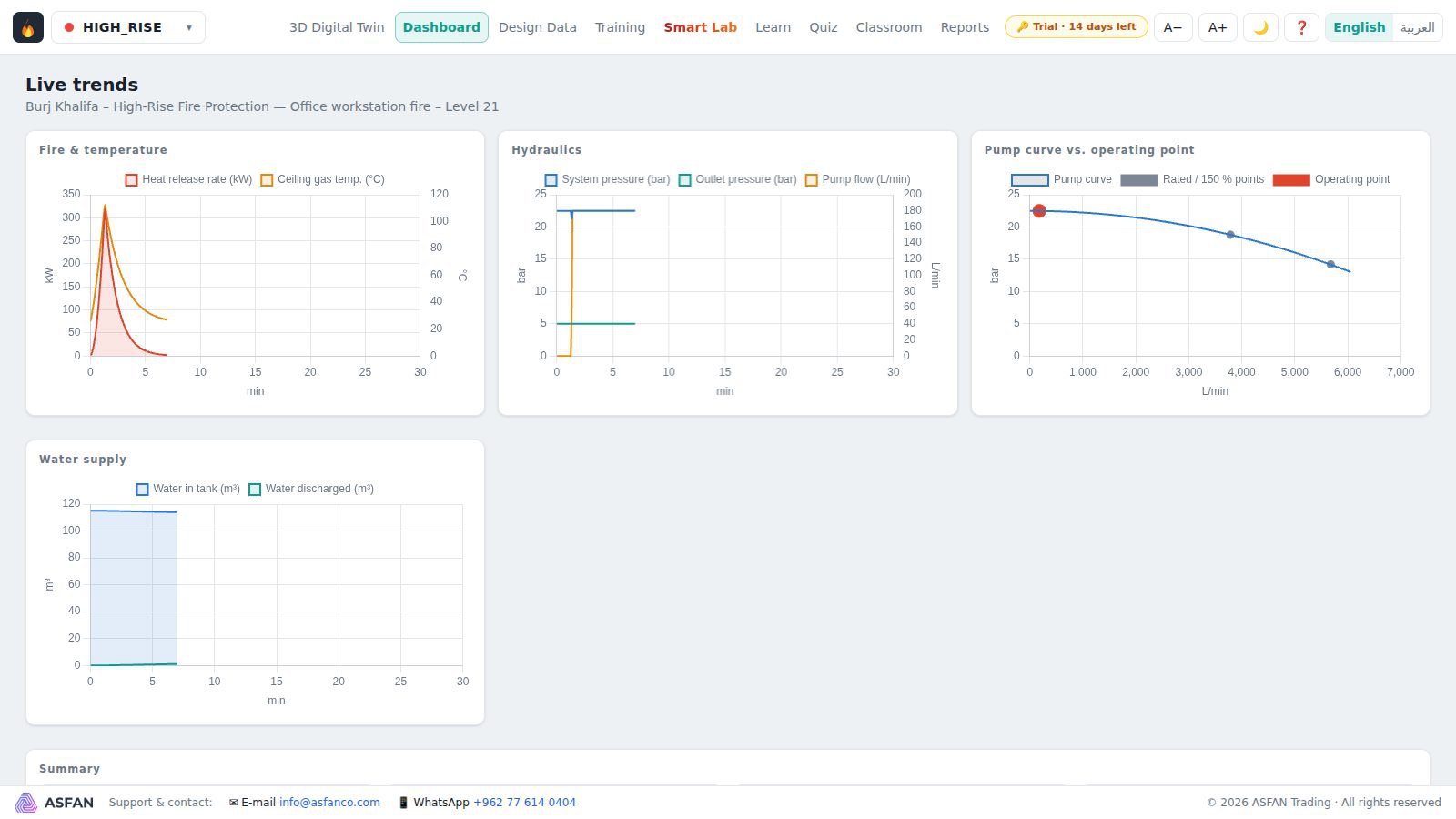
Live charts of heat release, pressure and flow, the fire-pump curve with its moving operating point, and the water, agent and foam supply.
Design Data
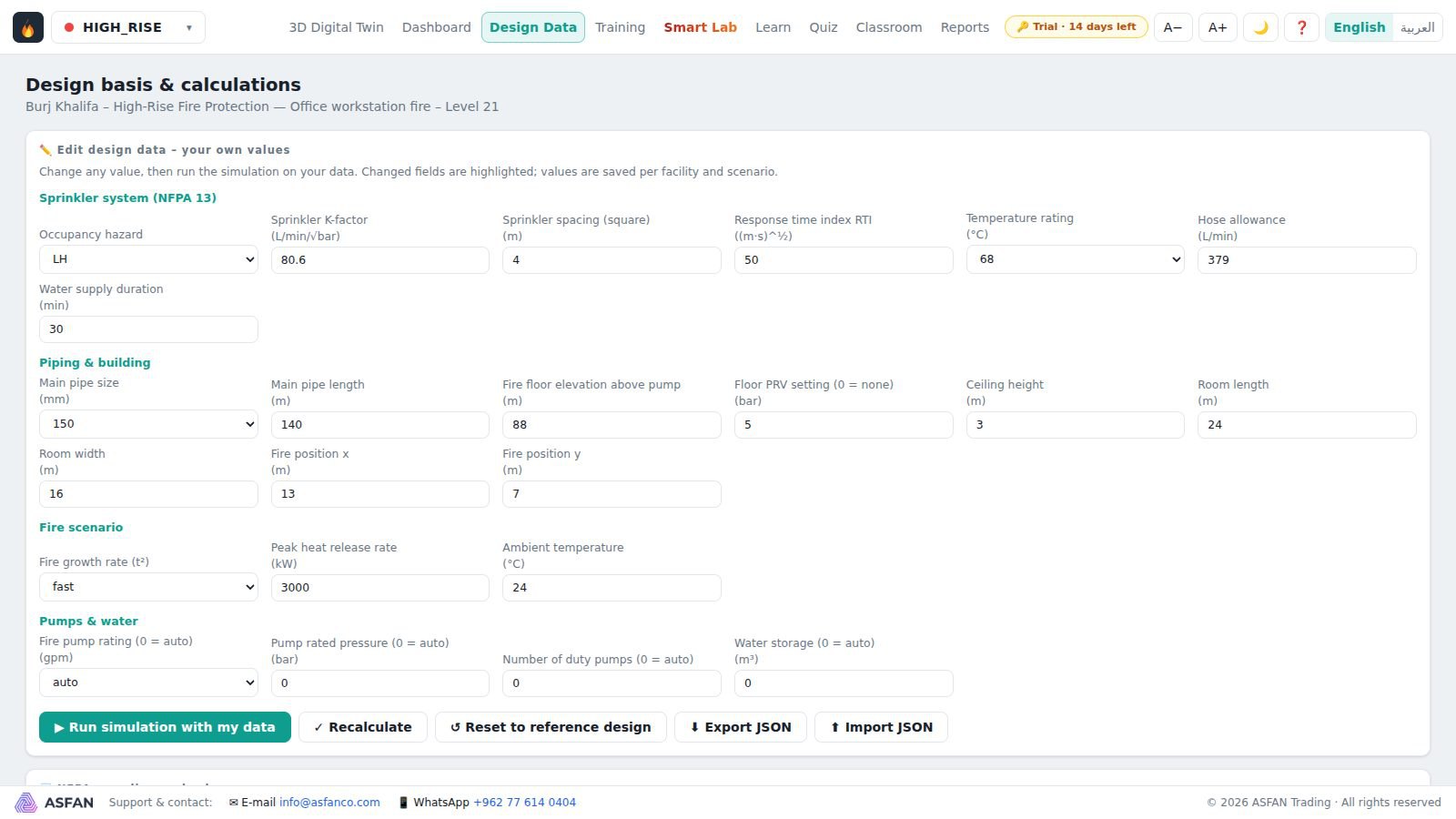
Every NFPA calculation step, editable, then run the simulation on your own design and see which compliance checks pass or fail.
Hands-on training
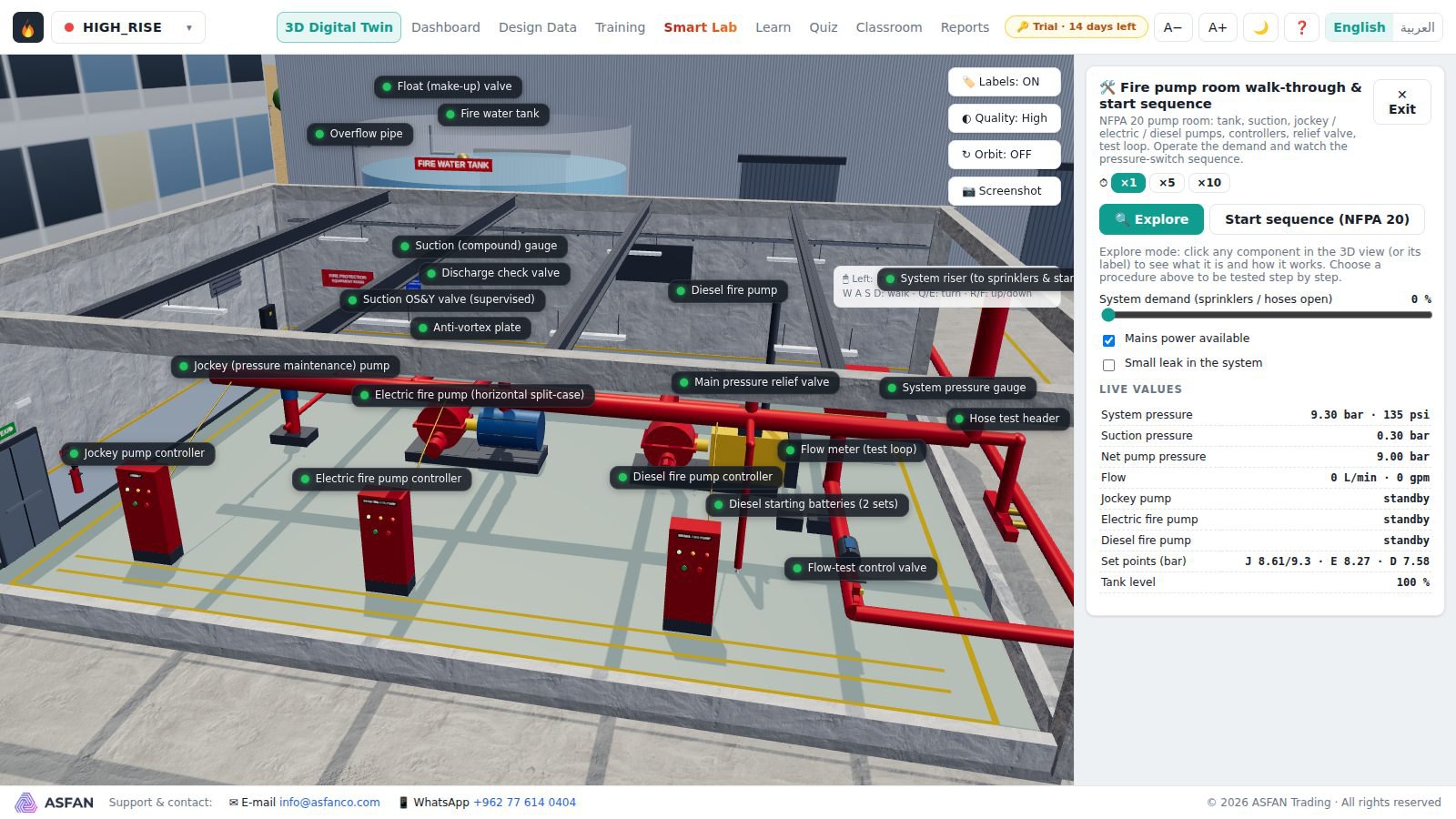
Ten interactive 3D scenes, from the fire pump room to an FM-200 room, with procedures scored step by step.
Smart Systems Lab
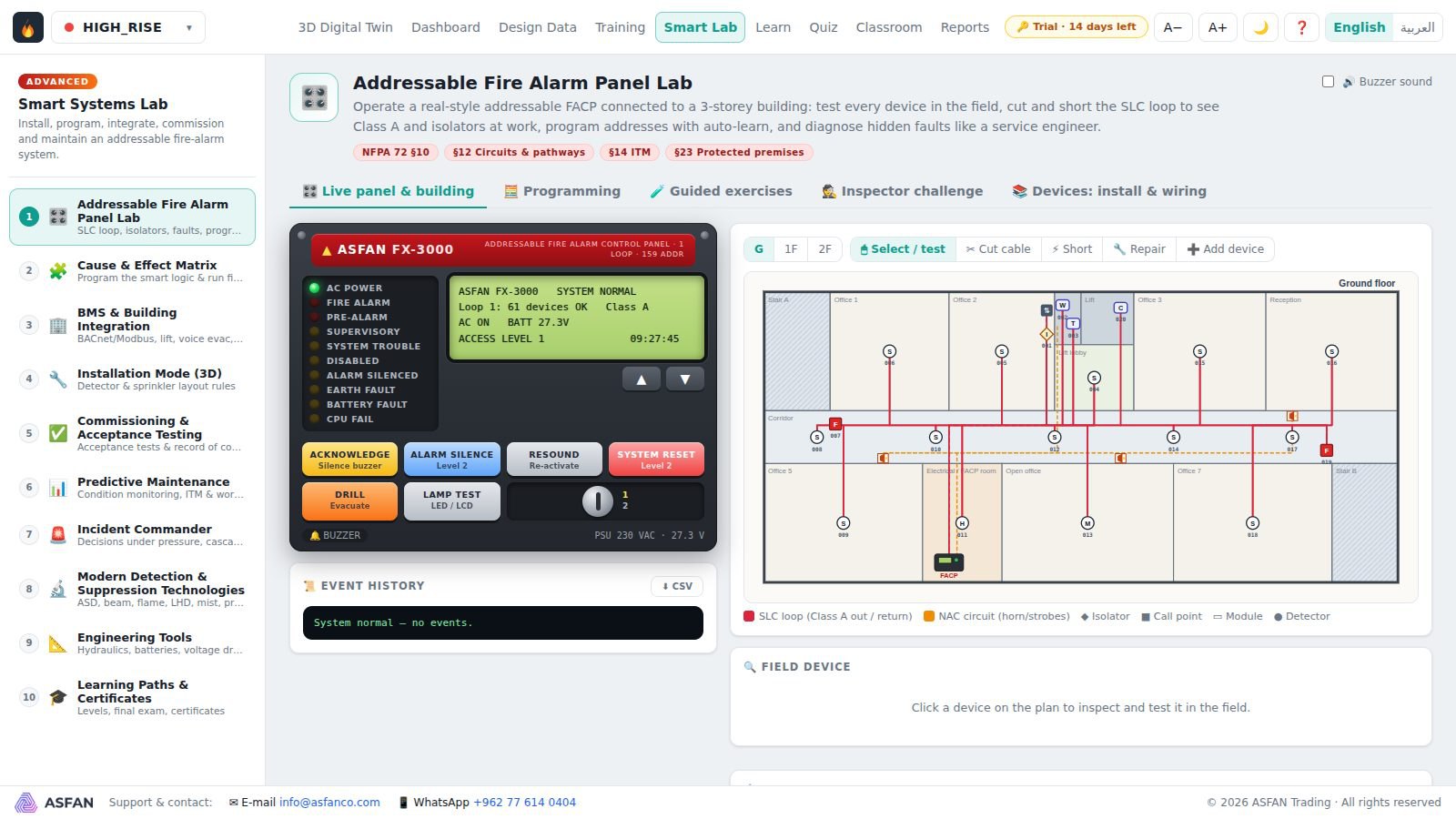
Addressable fire-alarm panel, cause and effect, BMS integration, commissioning, maintenance and incident command in one live system.
Learn, Quiz & Classroom
Illustrated bilingual lessons, quizzes with explanations, troubleshooting challenges, printable reports and certificates.
Real sites, NFPA-based systems
Five real sites, each with its own fire-protection design. You can also create your own building.
- Burj Khalifa
- High-rise fire protection: sprinklers, standpipes, fire pumps and water supply over many floors
- Aqaba port
- A port facility and its fire-fighting systems
- Amman data centre
- Clean-agent protection for rooms full of servers
- Oil tank farm
- Special hazards with foam systems
- Airport hangar
- Large-volume protection for aircraft hangars
- Your own building
- Enter the city, occupancy, floors, dimensions and sprinkler data; the design and simulation are generated automatically
See it before you install it
Real screens from version 1.1.
Install, try, activate
Download & install
Run the setup file, choose the language and click Install. A portable edition also runs without installation, from a USB stick or a lab PC.
Use the 14-day trial
The program starts as a full 14-day trial. The key badge at the top shows the days left.
Activate your license
Send us your Machine ID if the license should be tied to one computer, then load the .lic file or paste the key we send you.
Monthly or Annual, full program or a package
A license can include the full program or a package such as Sprinklers & pumps, Smart fire alarm, Special hazards or Basic awareness.
Not sure yet? Install the 14-day trial first.
Download TrialMonthly
Time-limited access, renewed every month.
Contact us
for current pricing
- Full program or the package you need
- Your data and results are kept at renewal
- Ideal for a single course or a pilot
Annual
Full access for 12 months, renewed every year.
Contact us
for current pricing
- Everything in the Monthly license
- Supervisor license for instructors
- Ideal for a full academic or training year
Training a team? Contact us or message us on WhatsApp at +962 77 614 0404.
Before you install
- Operating system
- Windows 10 or 11, 64-bit
- Processor
- Intel Core i5 (8th gen) / Ryzen 5 minimum · Core i7 / Ryzen 7 recommended
- Memory
- 8 GB minimum · 16 GB recommended
- Graphics
- DirectX 11 / WebGL 2 · a dedicated 2 GB GPU recommended
- Disk space
- About 500 MB
- Internet
- Not required; used only to check for new versions
Full user manual
Installation, activation and every screen of the program.
Common questions
More education software
Put a working fire-protection system in your classroom
Install the 14-day trial today, or talk to our team about a Monthly or Annual license for your university, training centre or company.