Runs in your browser · Windows, macOS, Linux
Design it. Program it. See it cut before you cut it.
ASFAN CNC Studio is a complete CNC workshop in your browser. Draw a part, turn it into toolpaths, and watch a realistic 3D machine cut it, all before a single chip is made on the real machine.
- No installation
- Works offline on one PC
- Files stay on your computer
- Mill · Router · Laser · Lathe
In development. ASFAN CNC Studio is still being completed and some features are not finished yet. Contact us for a live demo of what is ready today.
Why ASFAN CNC Studio
Most CNC mistakes are found too late: a broken tool, a gouged part, a crash into the vice. ASFAN CNC Studio moves that moment to your screen. CNC Studio Design draws the part and generates the toolpaths; CNC Studio Simulator runs that G-code, or any G-code you already have, on a 3D machine. One click sends a design to the simulator.
Catch errors before they cost money
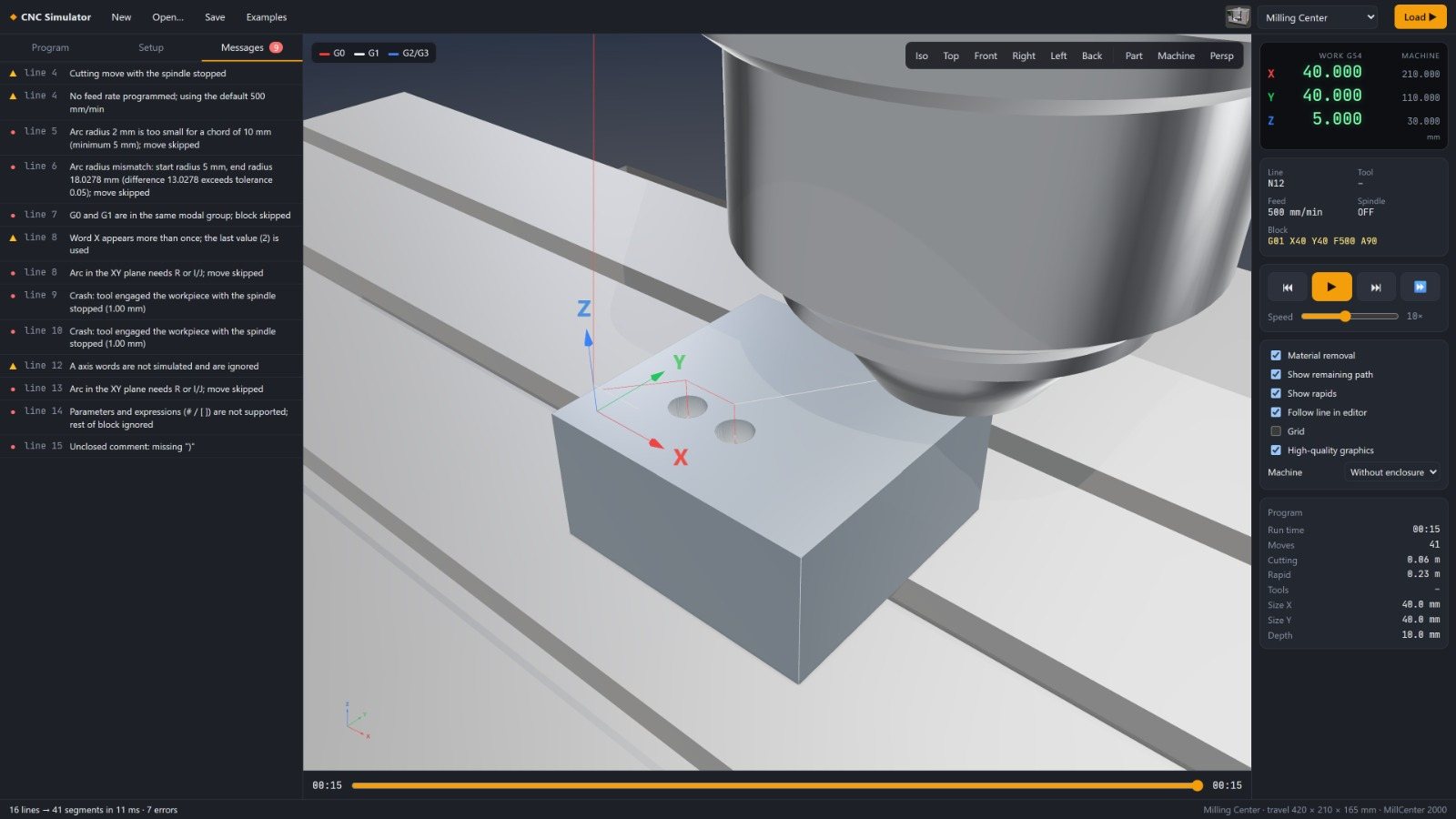
See every move, gouge and collision in 3D. Warnings point straight to the line of G-code that caused them.
From drawing to G-code in minutes
Draw, import a DXF or SVG, or trace a picture. Add a pocket, profile or V-carve and export code for your controller.
Know the job before you run it
Cycle time, cutting time, cut length, tool changes and a chip-load check for every tool, in a printable report.
Learn safely
Students practise G-code, offsets, canned cycles and macros on a virtual machine with no risk to people or equipment.
Real tools, real numbers
A built-in catalogue of standard end mills, drills, V-bits, collets and holders, with suggested feeds for each material.
Private by design
Projects, drawings and pictures are processed on your own computer. Nothing is uploaded.
Design, program, simulate
1. Design
Draw the part, or import DXF, SVG or a picture. Set the stock size, material and work zero.
2. Program
Add toolpaths: contour, pocket, drill, V-carve, laser or lathe operations. Choose your machine's post-processor.
3. Simulate
Press Simulate. Watch it cut, read the report, inspect the finished part, then export the G-code with confidence.
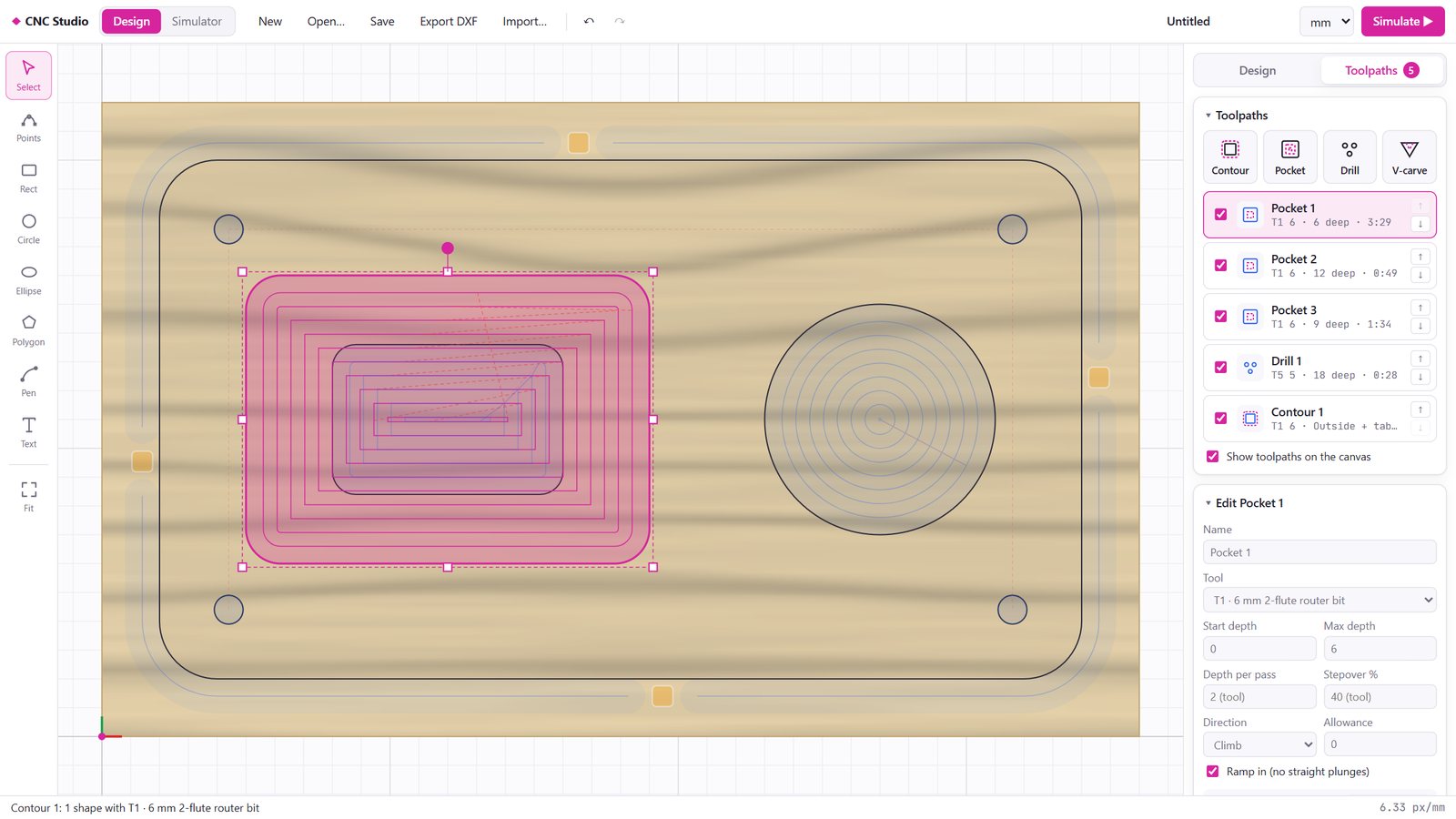
From idea to toolpath
A clean 2D CAD/CAM workspace for routers, mills, lasers and lathes.
- Drawing and editing: rectangle, circle, ellipse, polygon, pen and text tools (any TrueType/OpenType font); edit points and curves, offset outlines, round corners, combine shapes; millimetres or inches with full undo.
- Import and export: DXF and SVG drawings; trace pictures (PNG, JPG and more) into clean vector outlines; export DXF; save complete projects with their toolpaths.
- Toolpaths: contour with holding tabs and ramped entry, pocket with islands and depth steps, peck drilling, V-carve, laser cut / score / fill, and lathe face, turn, groove, drill, thread and part-off.
- Ready for your machine: post-processors for GRBL / grblHAL, Fanuc, LinuxCNC and ISO, GRBL laser mode with dynamic power, automatic feeds and speeds, and one click to open the job in the Simulator.
Watch every move
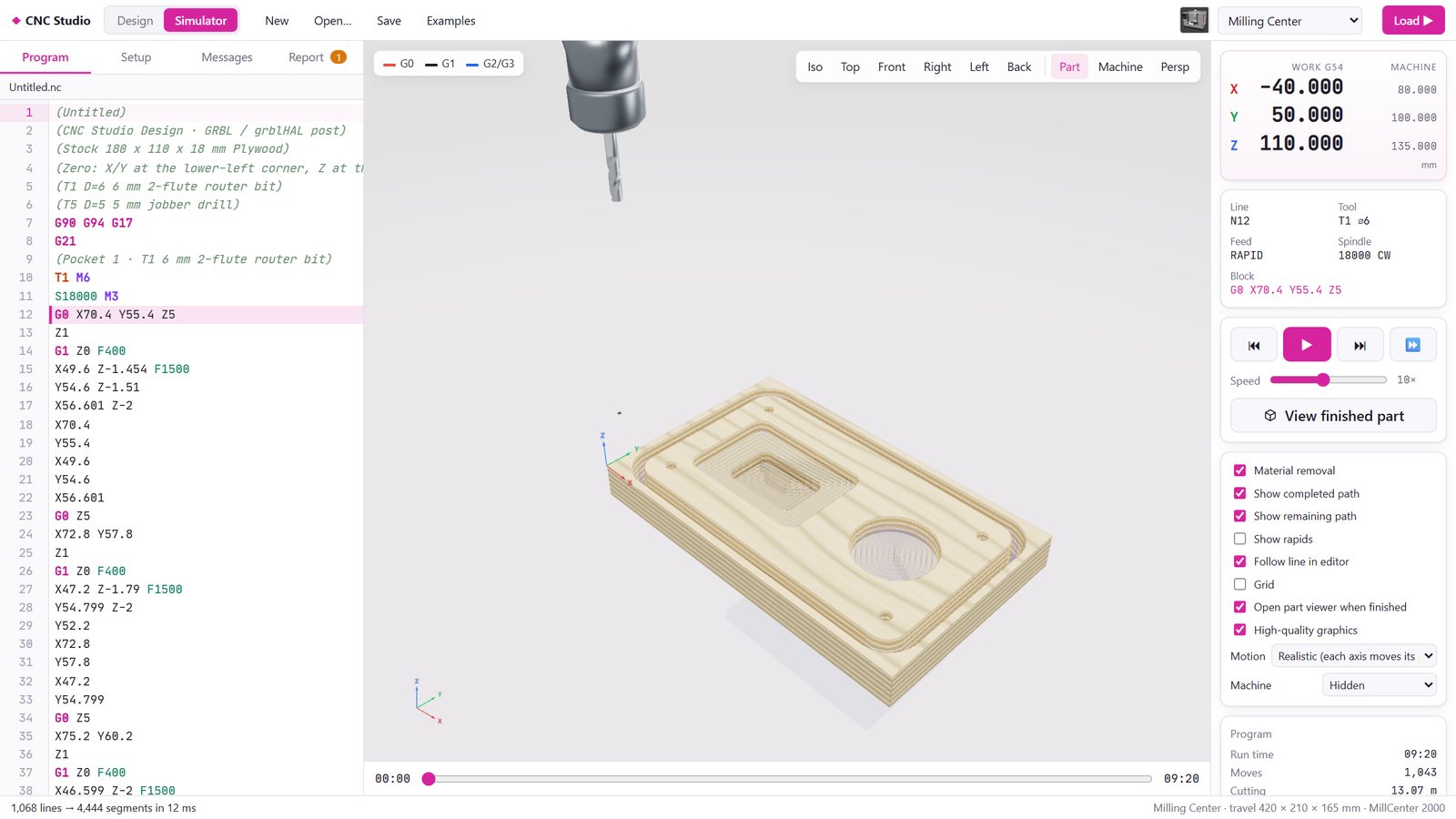
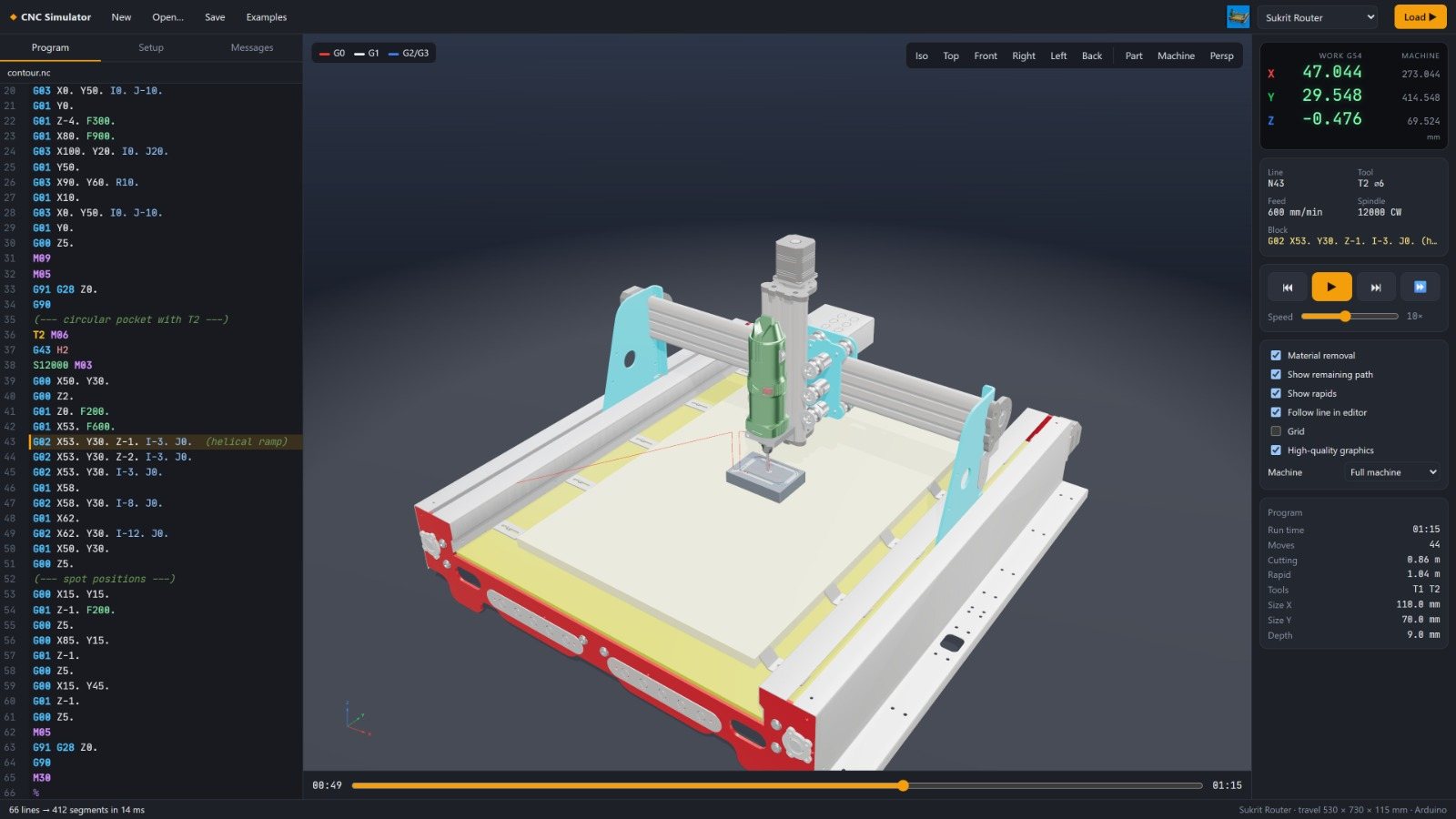
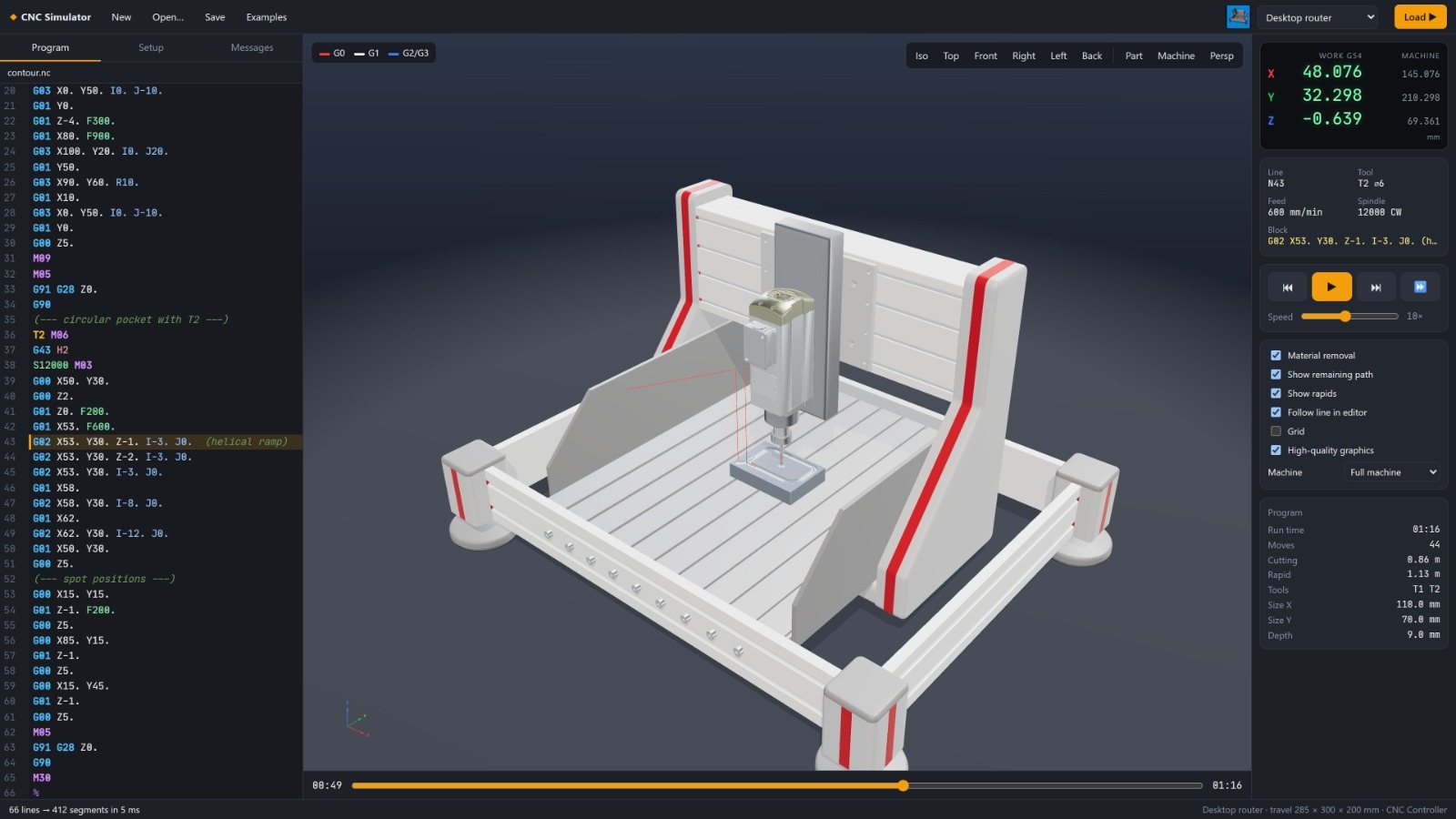
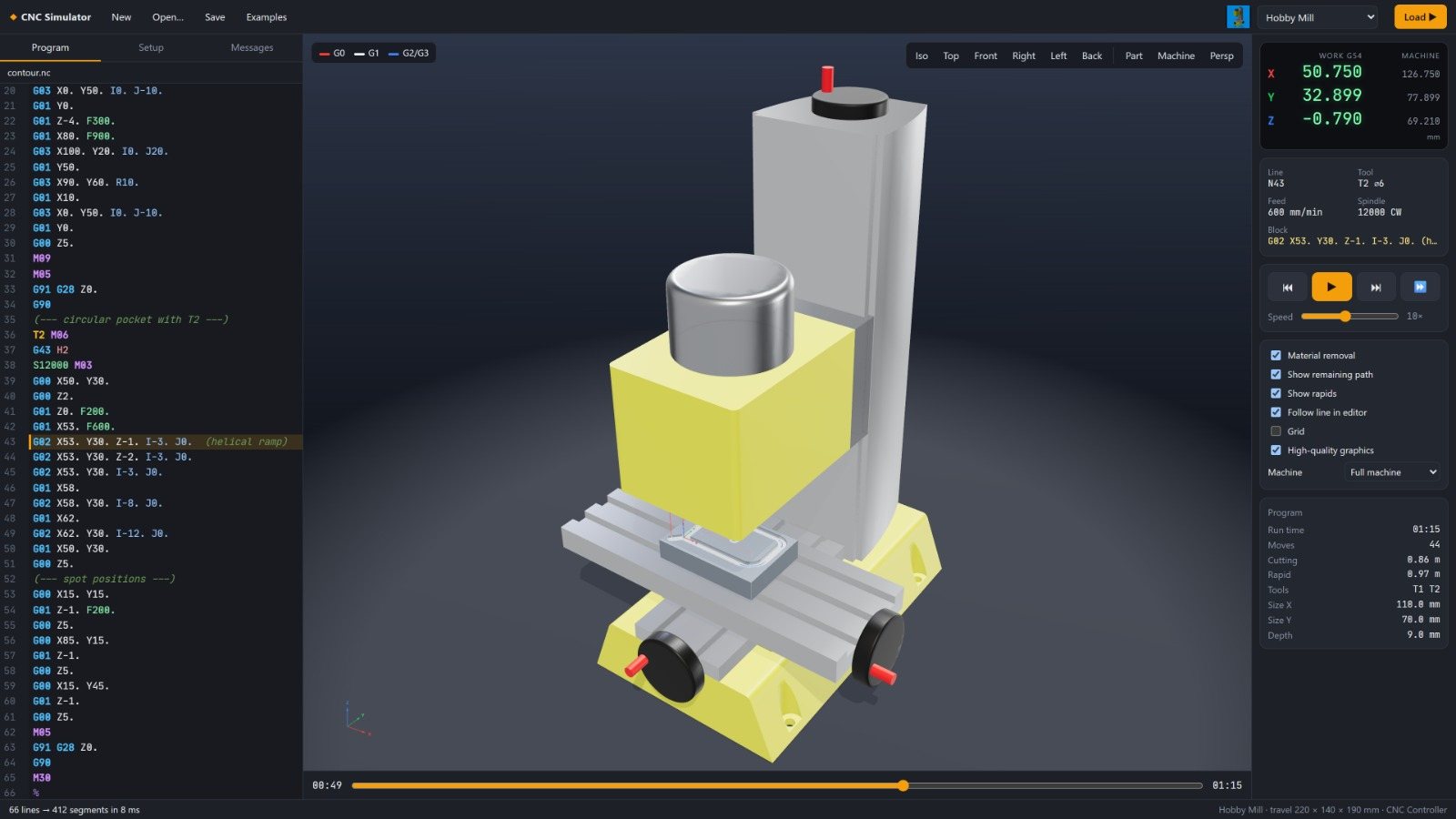
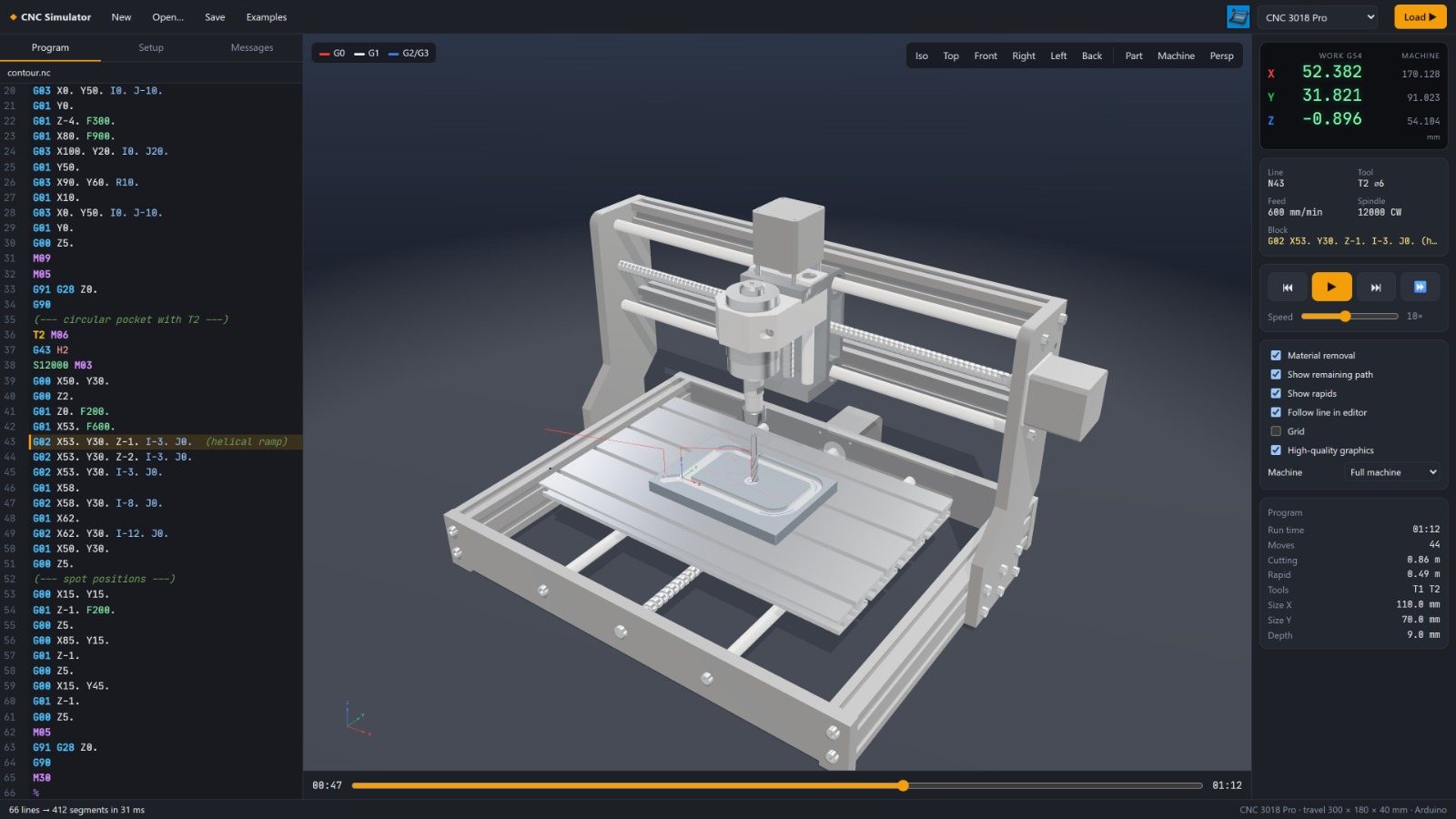
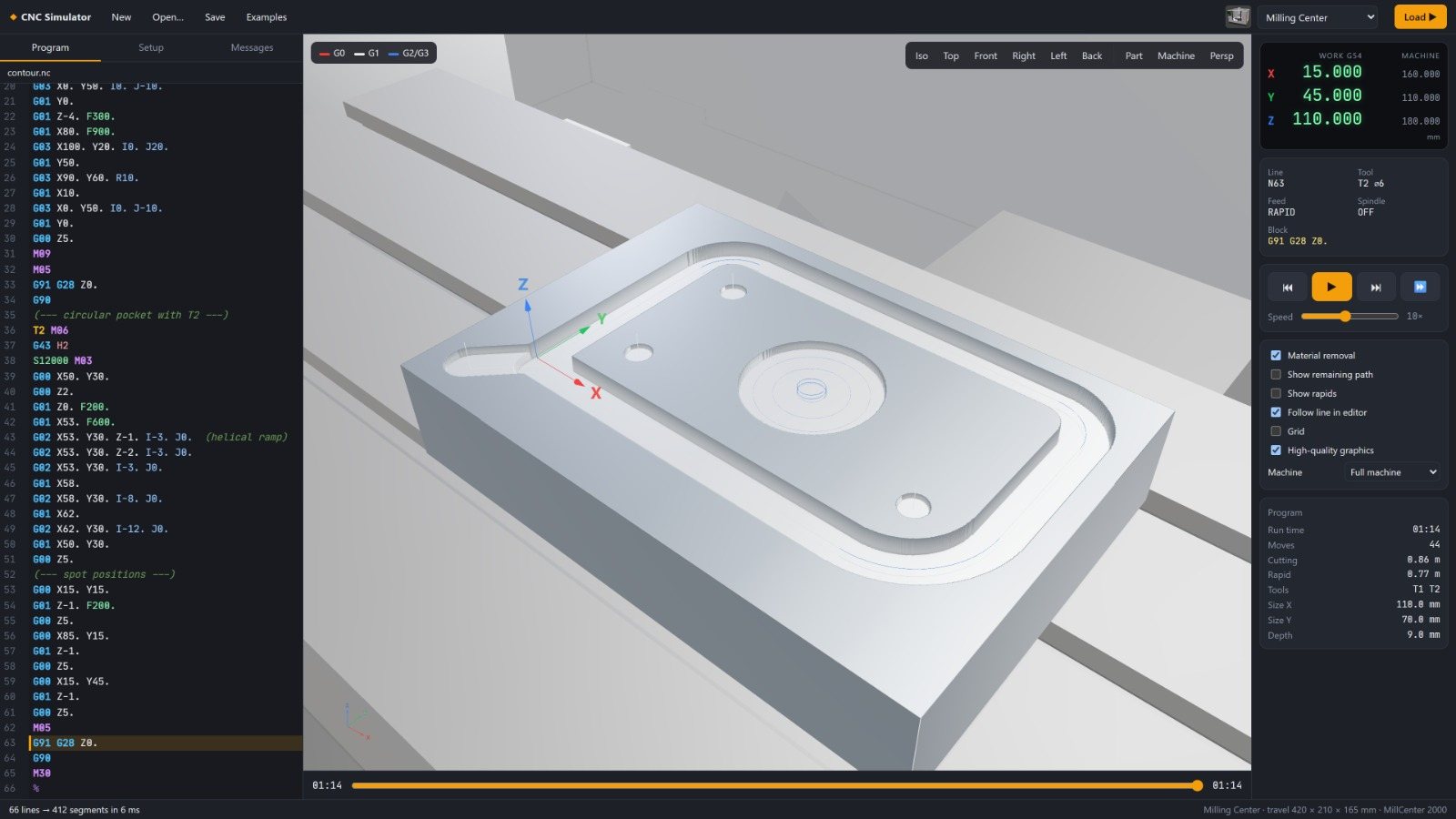
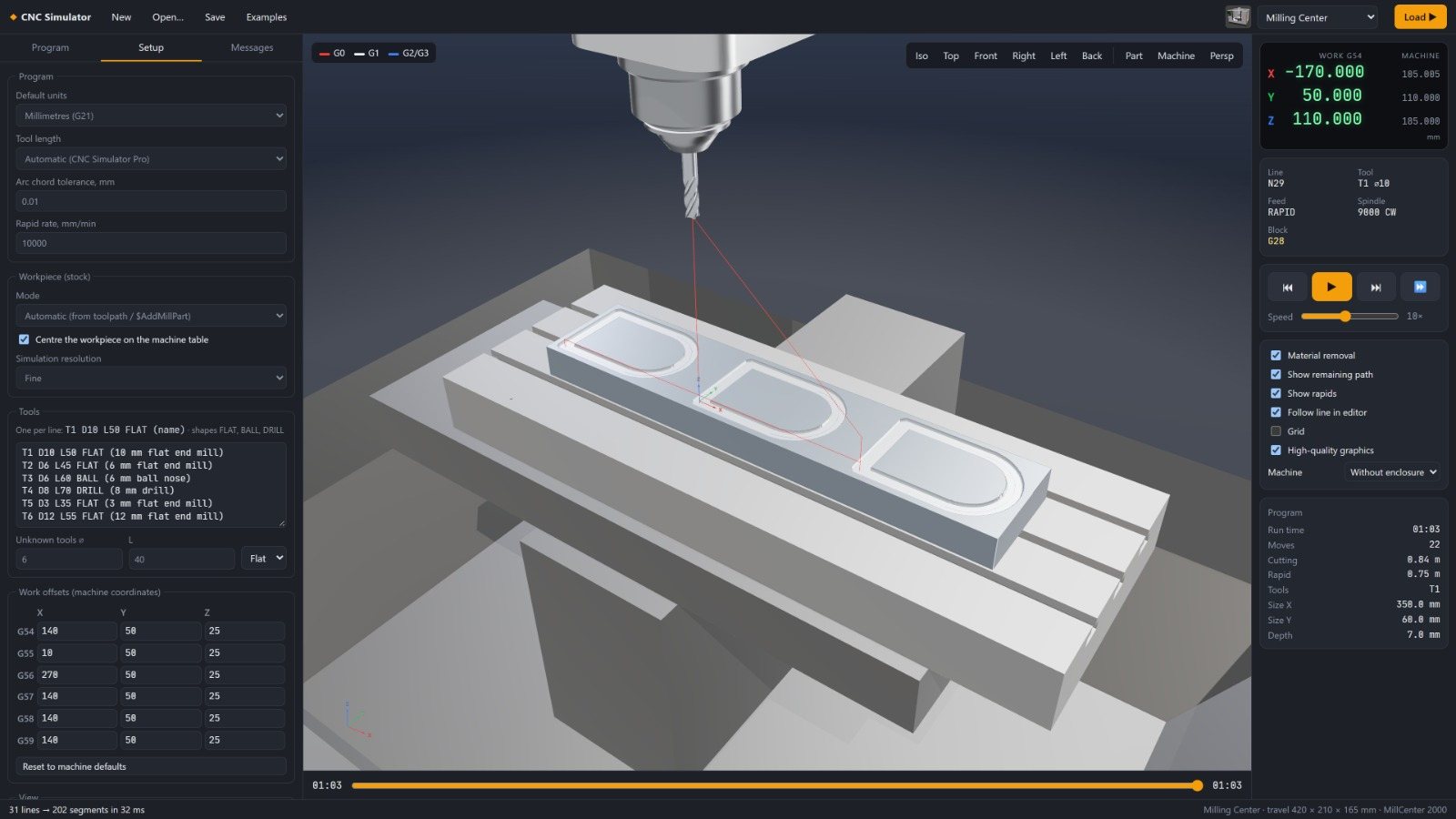
Load any G-code program and see it run on a 3D machine, with real timing and real material removal.
- Realistic simulation: moving axes, material removal with a wood, metal or plastic look, play / pause / single block, speeds from 0.25× to 1000×, and a timeline you can scrub or jump to from any line of code.
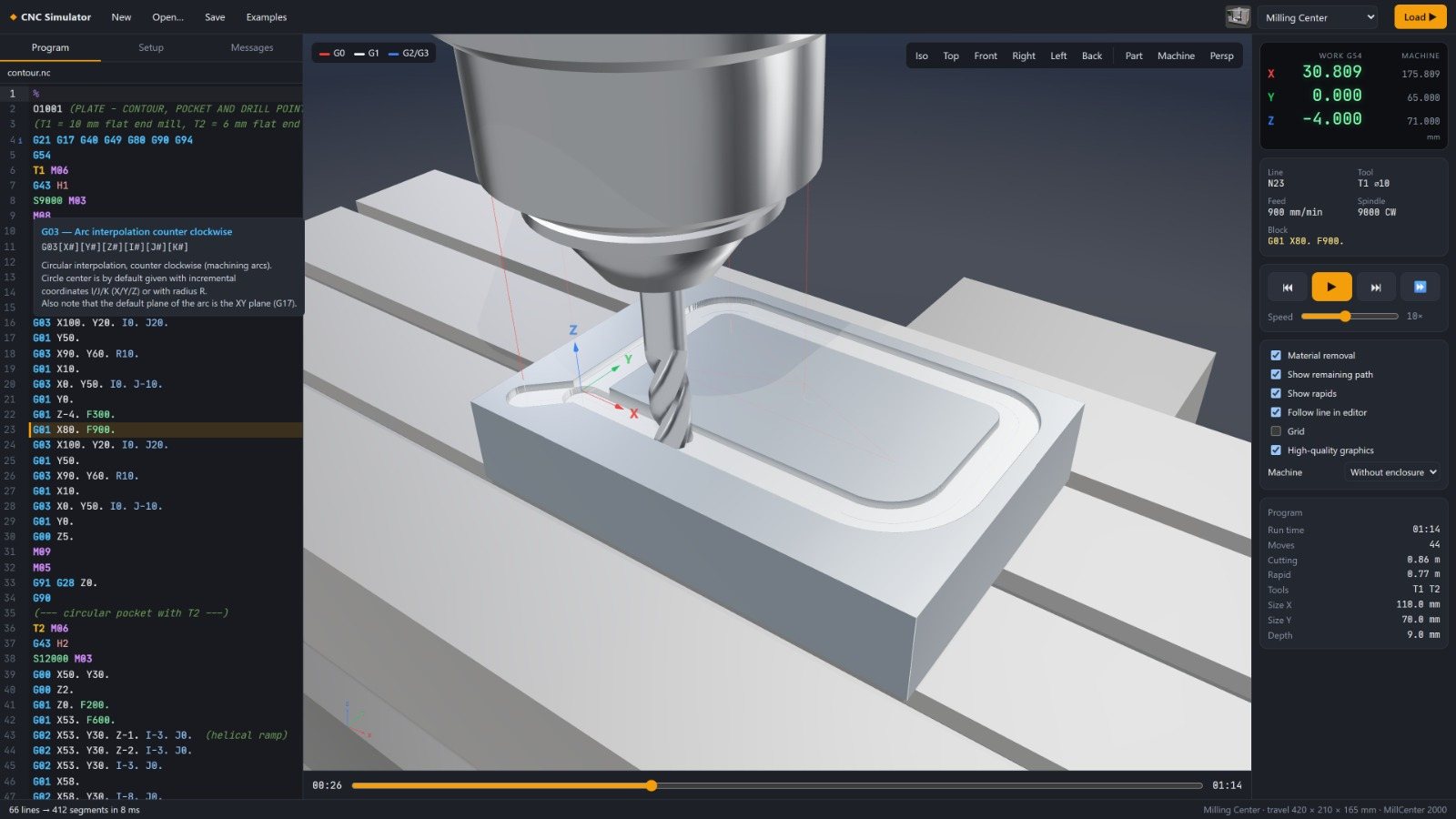
- Live readout: work and machine coordinates, feed, spindle and tool, with warnings for tool-holder and shank collisions linked to the program line.
- Professional G-code editor: syntax colouring, hover help for every code, errors and warnings in the margin, and built-in example programs.
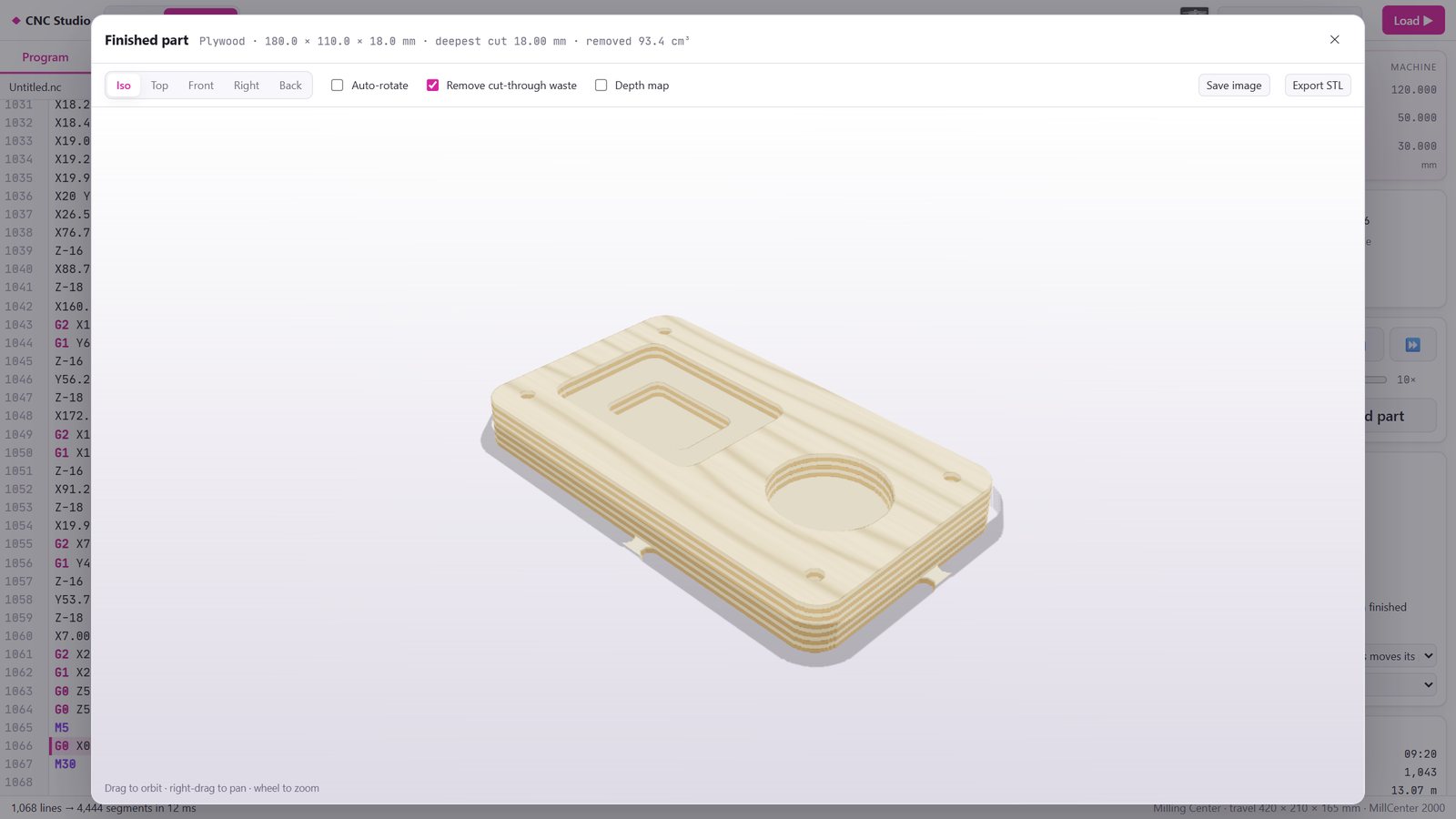
- Finished-part viewer: inspect the result from any angle, show a depth map, and export it as an image or STL.
Pick the machine on your shop floor
Each machine is a full 3D model with its own travel and controller, and the same program can be checked on any of them.
Machines supported
- Milling machines and routers
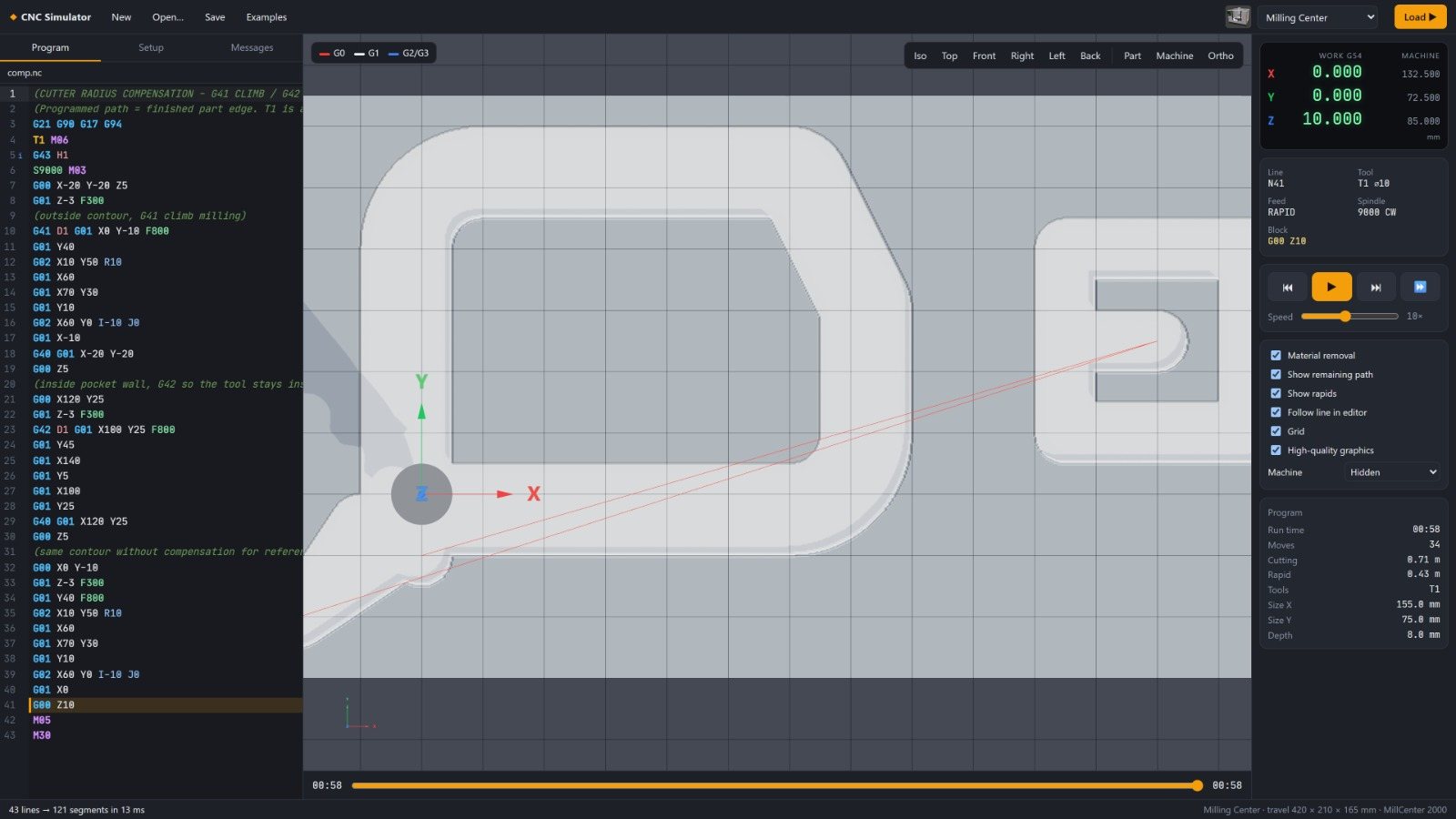
- 3-axis milling, pocketing, drilling cycles, 3D surface finishing, cutter radius compensation and tool-length offsets
- 4th axis (C rotary table)
- Indexed and continuous rotary machining
- Laser cutters and engravers
- Cutting, scoring and engraving, with power-dependent burn depth, cut-through and kerf
- Plasma and waterjet
- 2D profile cutting of sheet material
- CNC lathes
- Turning cycles G70–G76, constant surface speed, nose-radius compensation (G41/G42) and an editable tool turret
- Robot arm (teaching)
- A simple teach-in robot language for pick-and-place exercises
Speaks real G-code
- Motion
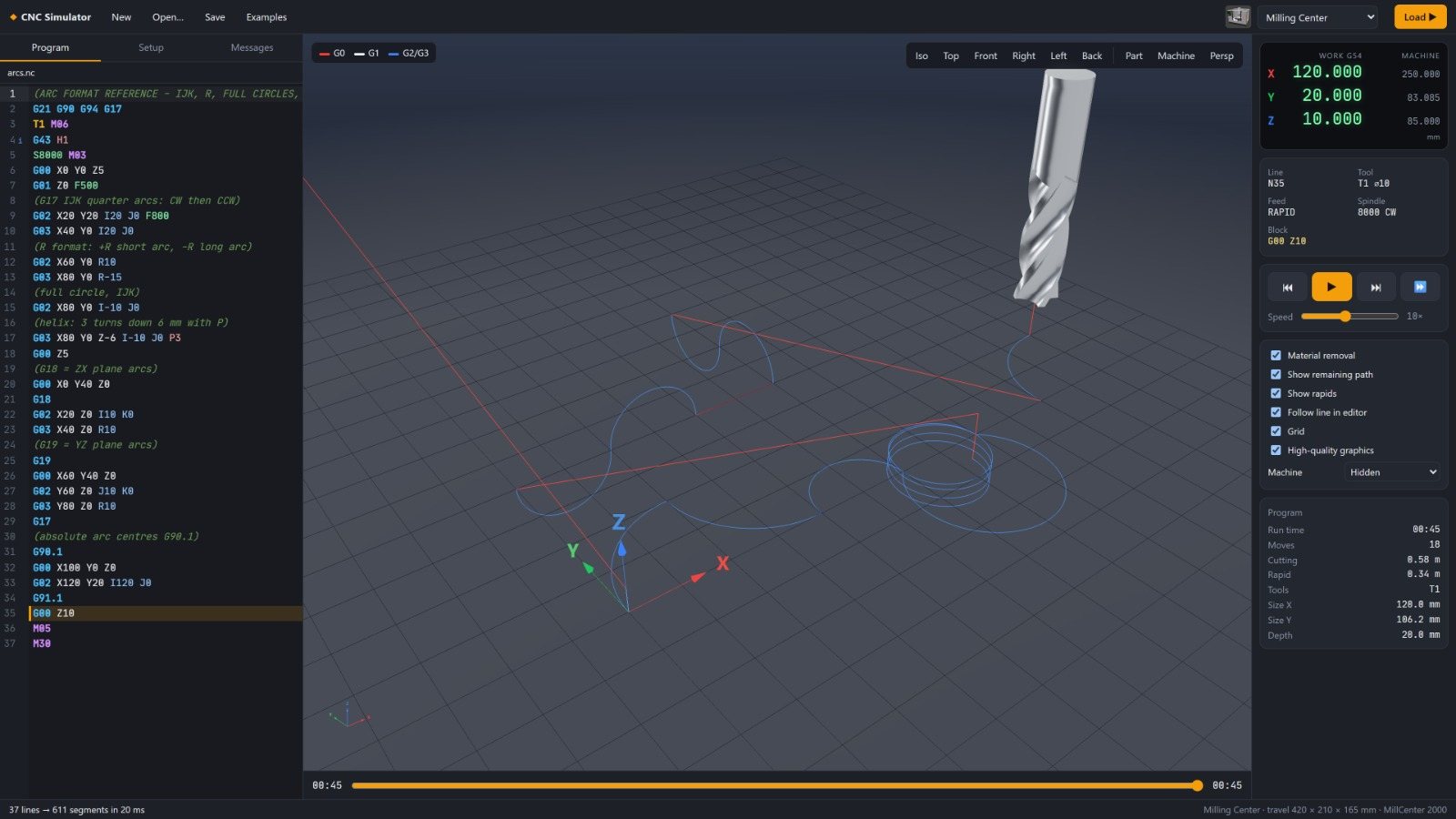
- G0, G1, G2, G3 (arcs by I/J/K or R, full circles, helices), plane selection G17/G18/G19
- Drilling cycles
- G73, G81–G86, G89 with G98/G99 return, peck depth and dwell
- Coordinates
- G20/G21, G90/G91, work offsets G54–G59, G10, G52, G53, G92, G28/G30
- Tools
- Tool changes, tool table, cutter radius compensation G41/G42, tool-length offsets G43/G44/G49
- Program flow
- Subprograms M98/M99 (also from separate files), program stop and end codes
- Macros
- Fanuc-style Macro B: # variables, expressions, IF/GOTO, WHILE/DO loops and G65 macro calls
- Lathe
- Diameter programming, G70–G76 turning, facing, grooving and threading cycles, G96/G97, G50
- Laser
- GRBL laser mode: M3/M4 with power per move
Know the job before you run it
After every simulation, the Report tab summarises the job:
- Total cycle time, split into cutting, rapid and dwell time
- Total cut length and the number of tool changes
- Cutting time, feed, spindle speed and chip load for each tool
- A clear warning when a cutter will rub or be overloaded, with advice on how to fix it
- The longest operations, each linked to their lines in the program, and export to CSV for quoting and planning
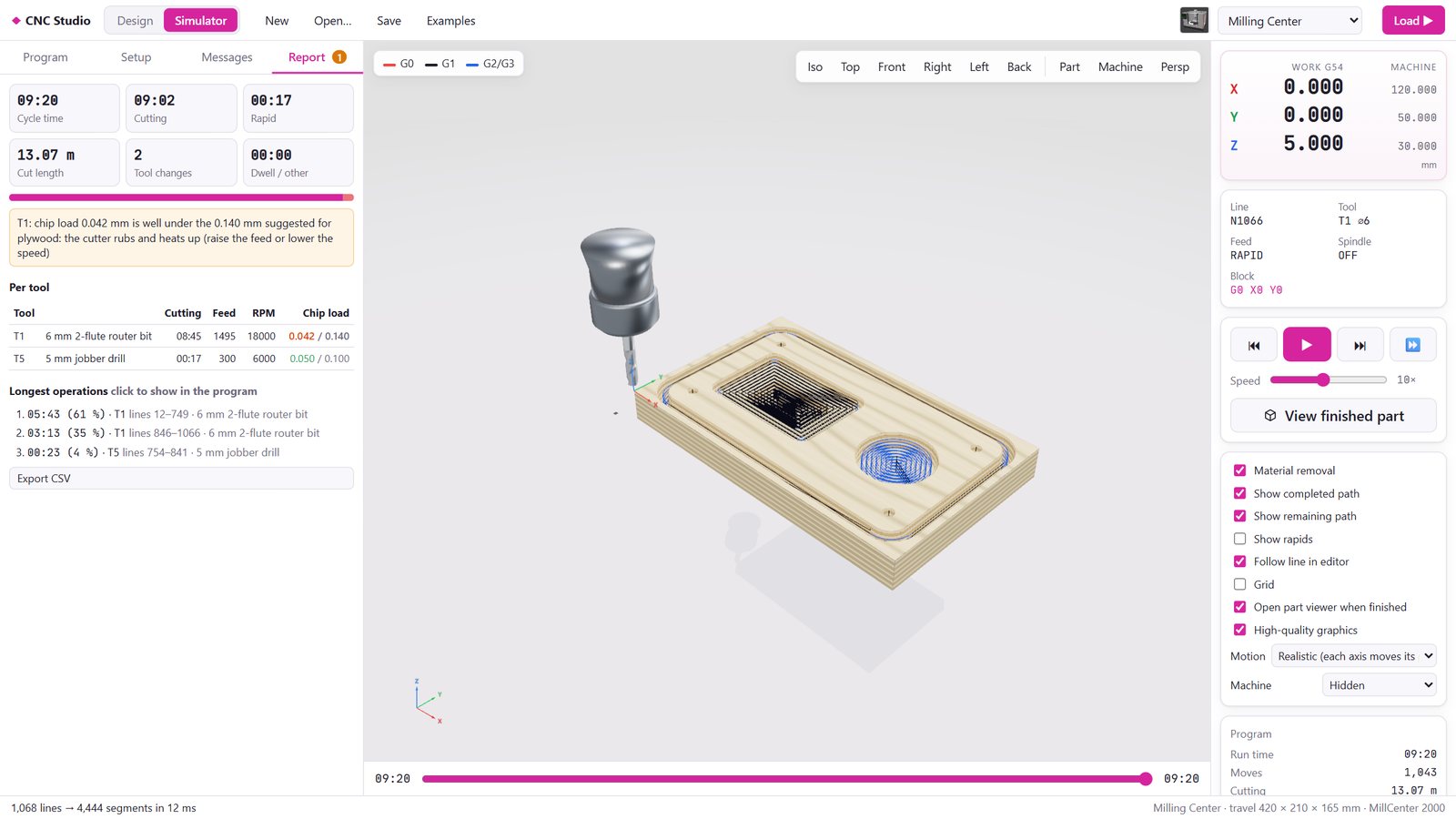
Inside the Simulator
Captured from ASFAN CNC Studio.
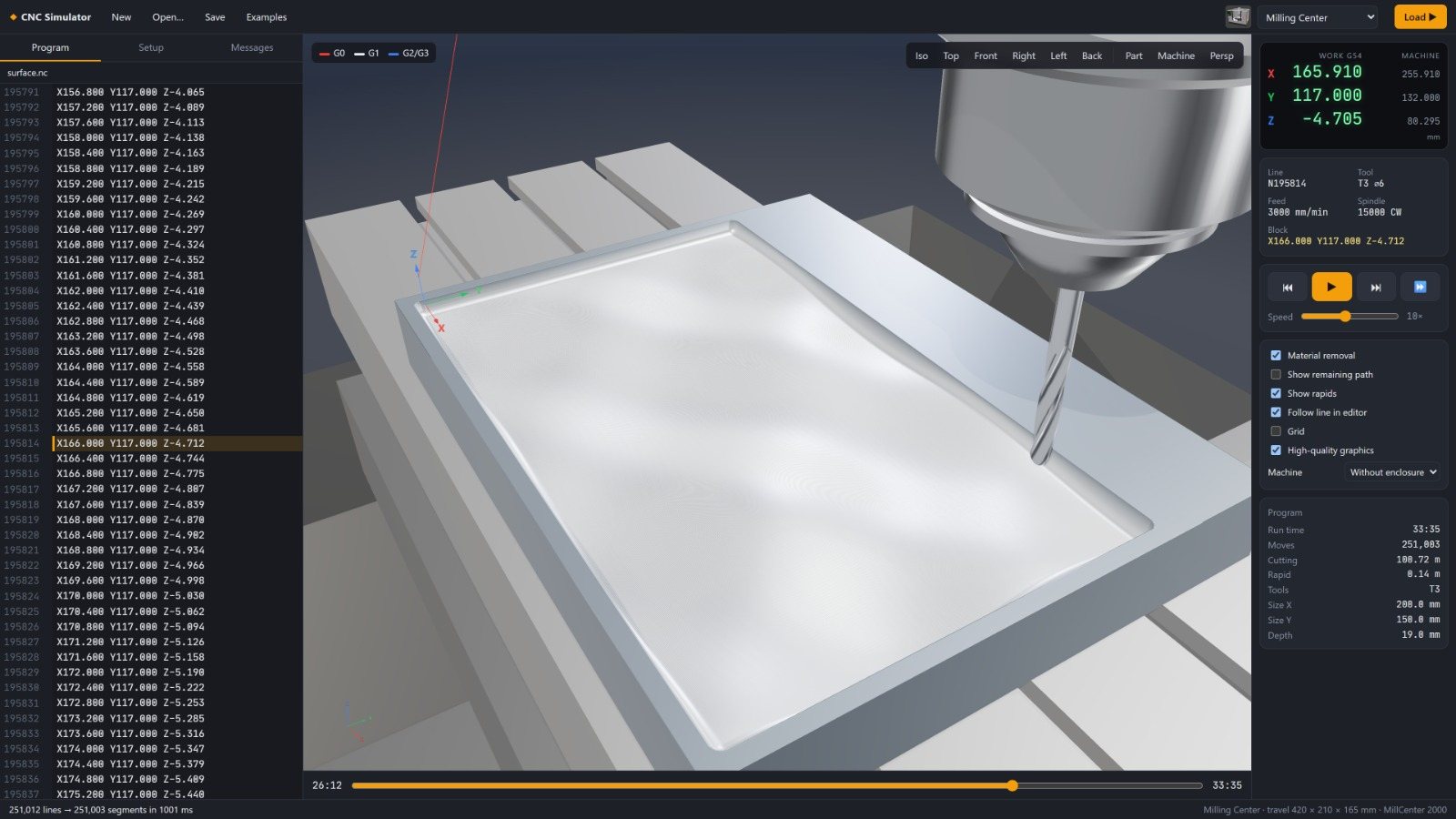
Real tools and materials
Tool catalogue
Standard end mills and ball-nose cutters (DIN 6527), twist drills (DIN 338), router bits and V-bits, ER11–ER40 collets, and BT, CAT and HSK holders. The simulator shows the real fluted tool and warns when the shank or holder touches the part.
Stock materials
Aluminium, steel, brass, hardwood, softwood, MDF, plywood, acrylic, HDPE and foam, each with its own look and suggested chip loads. Plywood even shows its layers as you cut deeper.
Built for workshops, schools and engineers
Training centres and schools
Teach CNC programming on a safe virtual machine. Every student gets a machine with no setup or wear, and no risk of a crash.
Workshops and job shops
Prove out programs before they reach the machine, estimate cycle times for quotes, and check feeds and speeds.
Makers and small businesses
Design signs, panels, boxes and engravings, and produce G-code for desktop routers and diode or CO₂ lasers.
Engineers and programmers
Check hand-written or CAM-generated code, including macros, canned cycles and lathe programs.
Technical details
- Platform
- A modern web browser (Google Chrome or Microsoft Edge recommended) on Windows, macOS or Linux
- Graphics
- Hardware-accelerated 3D (WebGL); works on standard office laptops
- Installation
- No installation required; can run fully offline on a single PC
- Privacy
- All files and pictures are processed locally and never uploaded
- File formats in
- G-code (.nc, .gcode, .ngc, .tap, .cnc, .txt and more), DXF, SVG, PNG, JPG, BMP, GIF, WebP, TTF/OTF fonts
- File formats out
- G-code, DXF, STL (finished part), PNG, CSV report, CNC Studio project files
- Units
- Millimetres and inches
Frequently asked questions
Do I need to install anything?
Can I use G-code from other CAM software?
Which machines can I generate G-code for?
Does it simulate lathes?
Can I turn a logo or picture into a cut?
Is my data safe?
Is it suitable for teaching?
Other ASFAN programs
See your next job cut before it reaches the machine
Book a live demo and we will run one of your own G-code programs or drawings in ASFAN CNC Studio.