Available now for Windows 10 / 11

Arab World Solar Kids Digital Twin

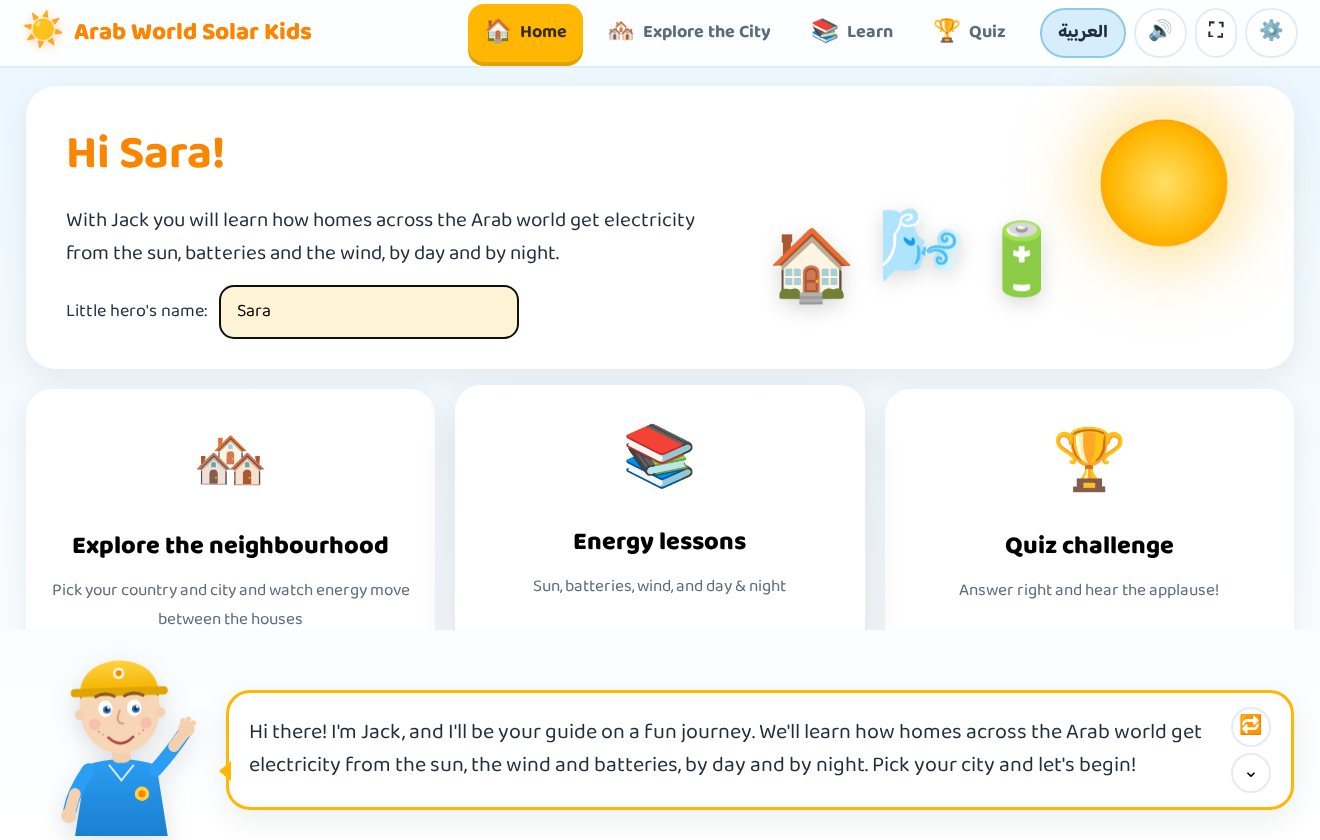
An educational program for children aged 6 to 12 that shows how homes across 22 Arab countries and 84 cities get their electricity from solar panels, batteries and wind turbines — by day and by night. A friendly guide, Jack in English or Nasouh in Arabic, walks the child through an animated neighbourhood, illustrated lessons and a quiz that ends with a certificate.

14-day free trial Arabic & English Works fully offline Version 1.2.1
Arab World Solar Kids Digital Twin — Explore the City
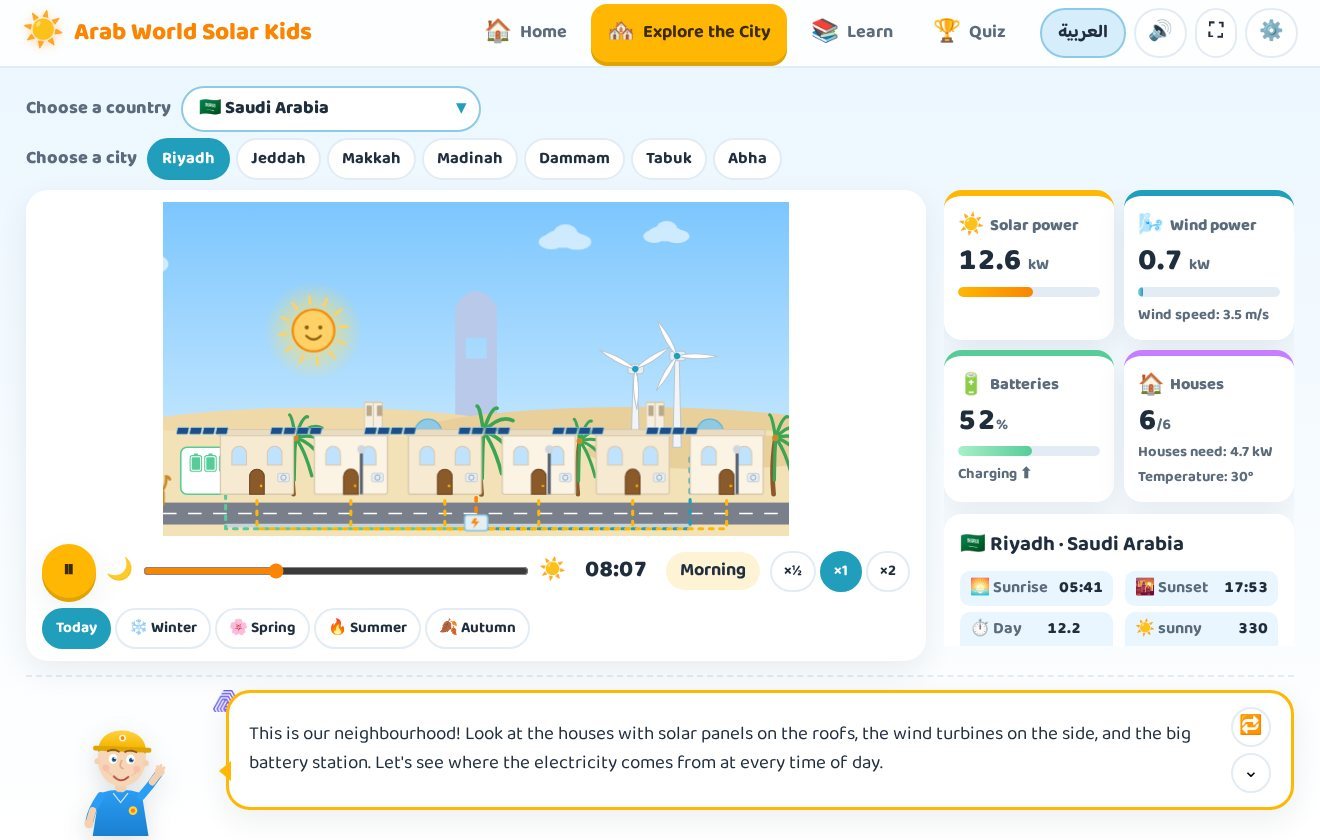
Arab World Solar Kids Digital Twin: the animated energy neighbourhood in Riyadh at 08:07 in the morning, with solar power, wind power, battery and house cards on the right
Riyadh in the morning — rooftop panels are producing 12.6 kW, the batteries are charging and all six houses are lit.
22Arab countries
84cities with real sun & wind data
4illustrated lessons
10quiz questions per challenge
6–12years old
2languages, with voice
What children will learn

Clean energy explained the fun way

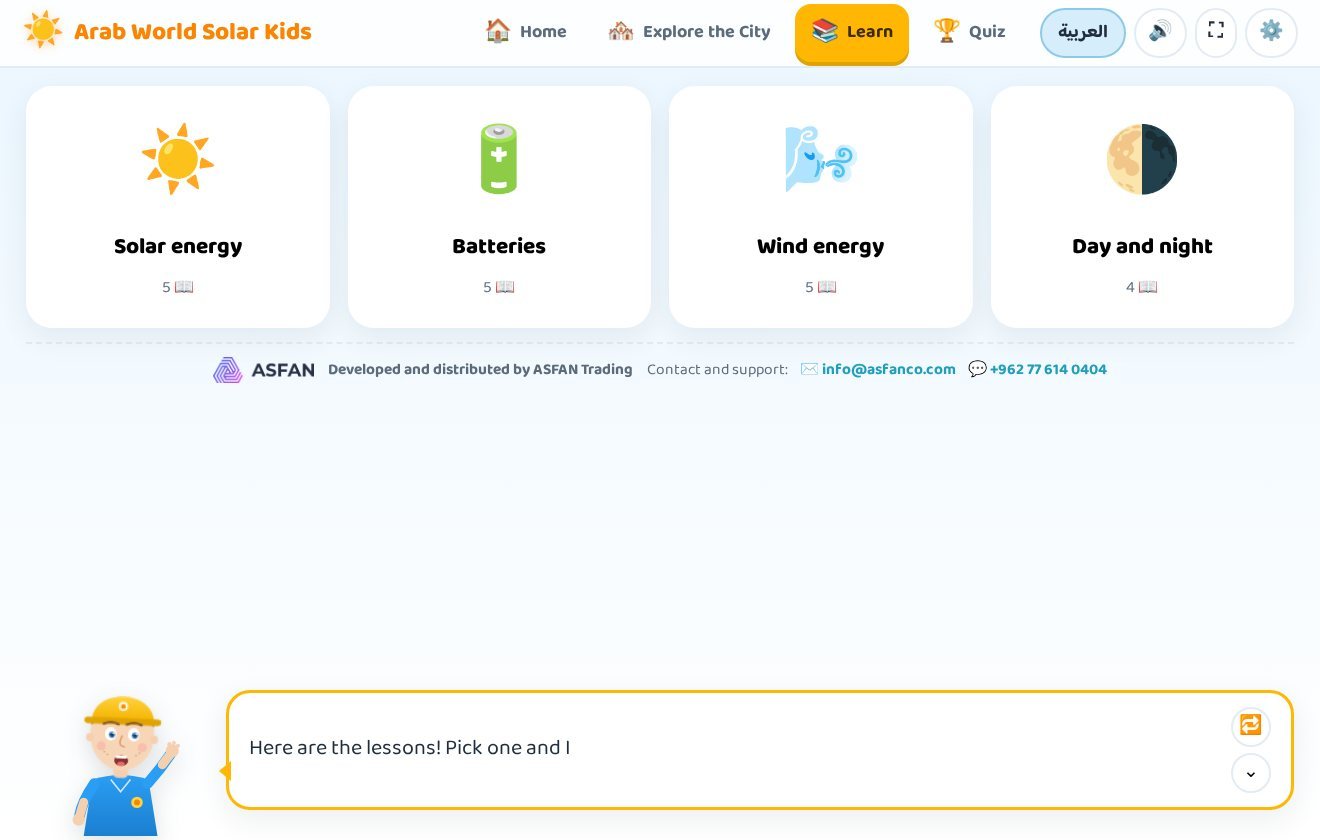
Four illustrated lessons turn big science ideas into simple pictures a child can understand and remember — each one read aloud, step by step.

The Sun & Solar Energy

Where energy comes from, how sunlight reaches the Earth, and why the sun is a clean source that never runs out.

Batteries & Storage

Why we store energy during the day, how a battery charges and discharges, and how a home keeps its lights on at night.

Wind Energy

How wind spins a turbine, how movement becomes electricity, and why some cities are far windier than others.

Day & Night

Why the panels stop at sunset, what takes over after dark, and how a neighbourhood stays lit for a full 24 hours.

Inside the program

Four sections, one energy adventure

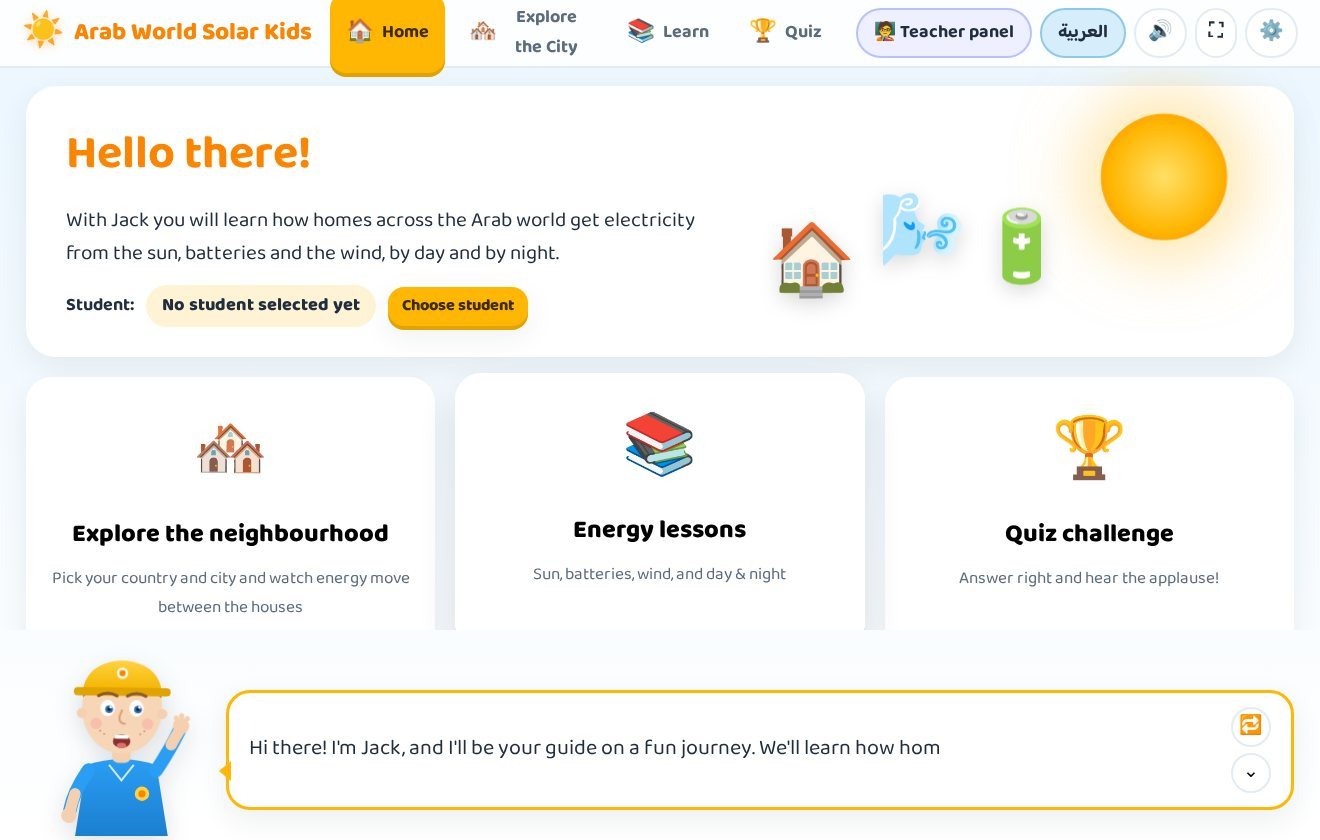
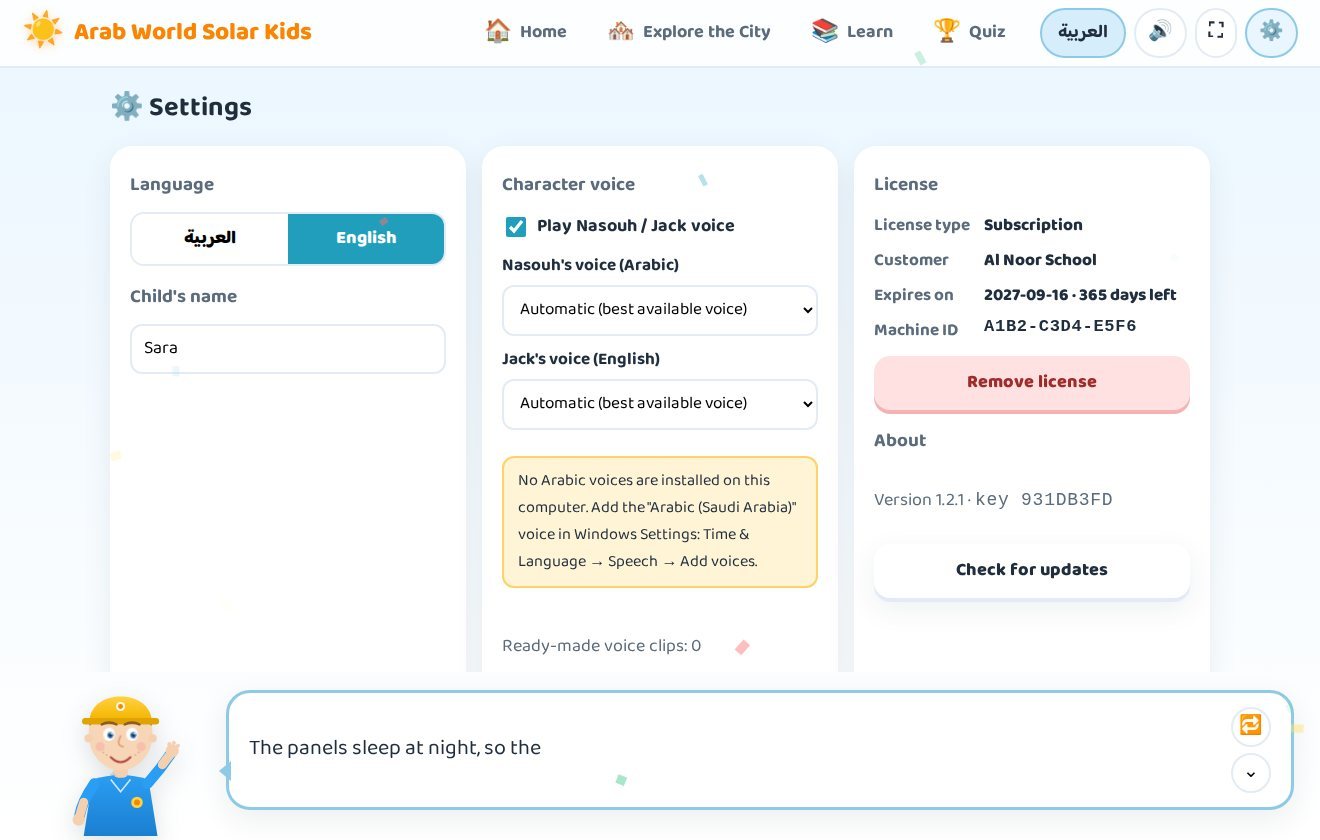
Home, Explore the City, Learn and Quiz — plus a settings screen for language, voice and licensing.

Explore the City

An energy neighbourhood for every Arab city

Pick one of the 22 Arab countries, then one of its cities. The scene changes to that city's real sunrise and sunset, the strength of its sun and wind, and its landmark in the background — the pyramids in Cairo, the Dome of the Rock in Jerusalem, the columns of Baalbek, the High Dam in Aswan.

  • Six houses with rooftop panels — their windows glow at night while power lasts, and go dark with a red mark when it runs out.
  • Wind turbines on the hill that spin faster as the wind picks up.
  • A battery station whose cells fill green while charging and empty at night.
  • Moving dots on the cables — orange from the sun, blue from the wind, green from the batteries — so the child can see where the energy is coming from right now.
  • Sun and moon crossing a sky that changes colour from dawn to midnight, with clouds in cloudy cities and seasons.
The Cairo scene in Arab World Solar Kids Digital Twin with the pyramids in the background and Egyptian sunrise and sunset times
Cairo — the pyramids in the background, with sunrise and sunset on real Egyptian time.
Time & seasons

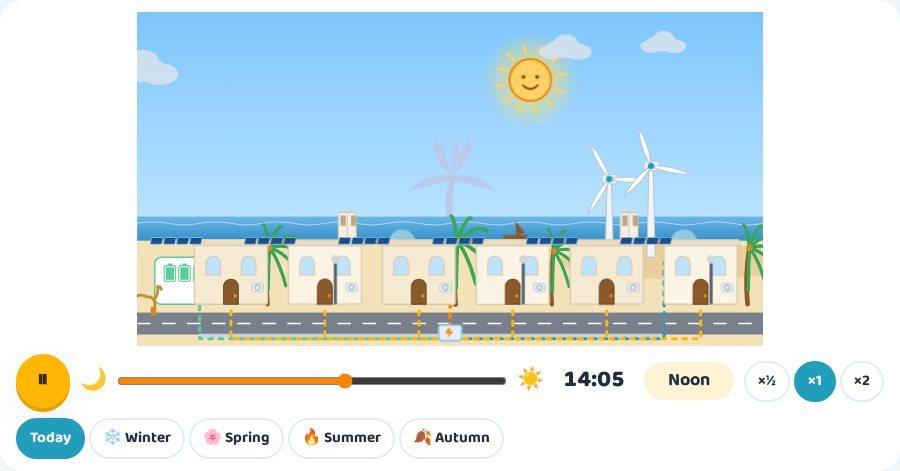
Run a whole day in one minute

A time bar under the scene lets the child pause time, drag to any hour, or speed it up. At dawn, noon, sunset and midnight the guide stops and explains where the electricity is coming from at that moment.

  • Play, pause and a slider covering all 24 hours.
  • Speeds of ×½, ×1 and ×2 — a full day takes one minute at ×1.
  • Today, Winter, Spring, Summer and Autumn — day length, temperature and air-conditioning demand all change.
  • Live cards showing solar power in kW, wind power with the wind speed, the battery charge level, and how many of the six houses are lit.
The neighbourhood at night in Arab World Solar Kids Digital Twin: the solar panels are asleep while the batteries and wind turbines keep the houses lit
After dark the panels sleep — the batteries and the wind keep the houses lit.
Be the energy engineer

Design the neighbourhood, then see the result

Three sliders put the child in charge: how many solar panels (0 to 40), how many wind turbines (0 to 4) and how many batteries (0 to 10). The result for the whole day appears immediately — the share of the day the neighbourhood stayed lit, the hours without power, and what the design cost in coins.

  • Three stars mean a neighbourhood lit around the clock at a sensible cost — over-buying loses a star.
  • The guide comments on every design, so a mistake becomes a lesson instead of a failure.
  • A ready-made mission: run Riyadh in summer, watch houses go dark before dawn, then fix it with more batteries or more panels.
The Be the energy engineer panel with sliders for panels, turbines and batteries and a star rating for the day
Three sliders and the day's result in stars.
The city information card showing sunrise, sunset, day length and sunny days per year
Sunrise, sunset, day length and sunny days per year.
Lessons

Short steps, read aloud, with the picture doing the explaining

Each of the four lessons has four or five short steps. The guide reads every step out loud while the matching part of the illustration lights up, so a child who cannot read fluently yet still follows along.

  • Next and Previous to move at the child's own pace.
  • Explain again repeats a step as often as needed.
  • The last step turns into "Well done! Lesson complete" with a small celebration.
The solar energy lesson in Arab World Solar Kids Digital Twin, with an illustration that changes at each step and Next, Previous and Explain again buttons
The solar energy lesson — the illustration changes with every step.
Quiz challenge

Ten questions, applause, and an Energy Hero certificate

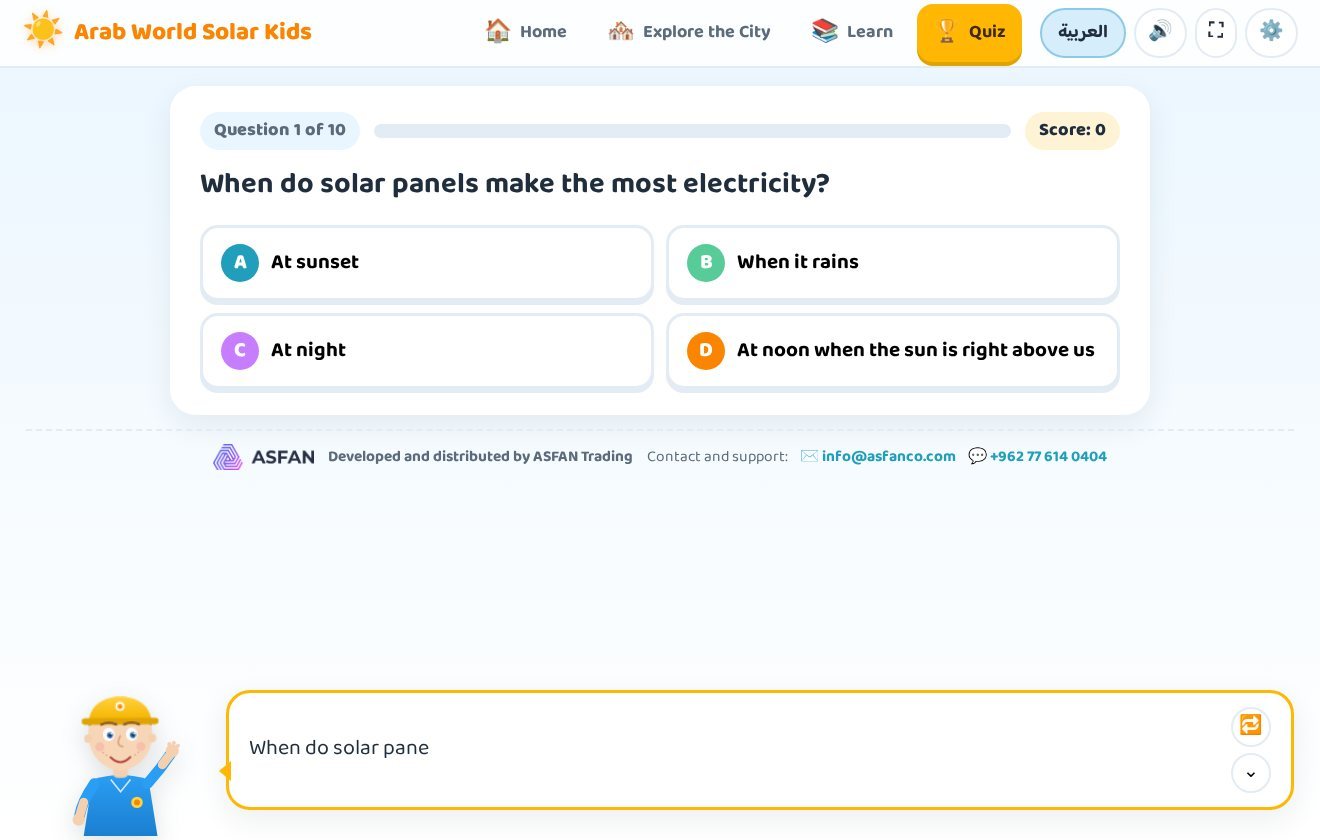
Every challenge draws 10 questions at random from a bank covering the sun, batteries, wind and Arab cities — so the quiz is different each time it is played.

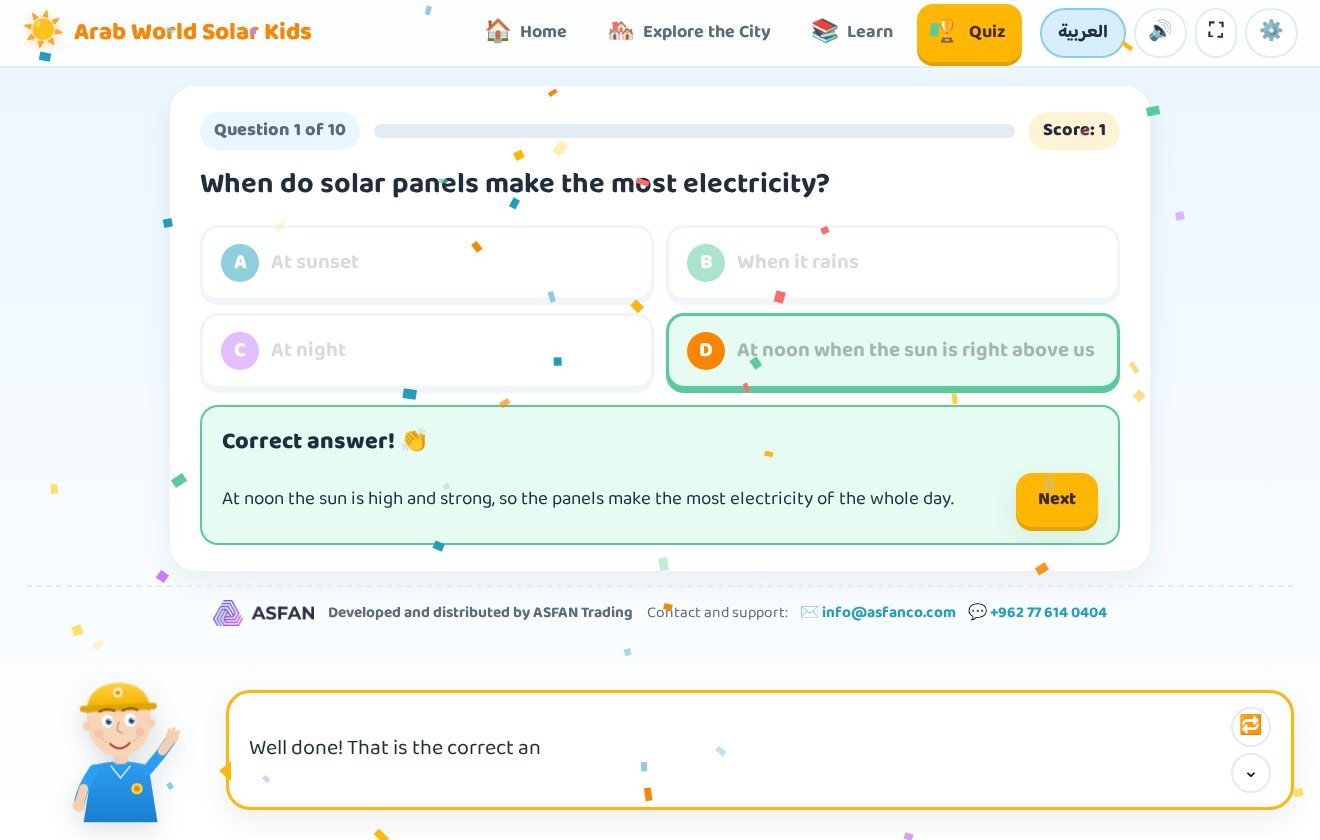
  • A correct answer brings applause, confetti and a short explanation of why it was right.
  • A wrong answer shows the correct option in green and a gentle explanation — no penalty, no scolding.
  • 9–10 correct earns three stars and the title "Little energy expert"; 6–8 earns two; 3–5 earns one.
  • At the end an Energy Hero Certificate appears with the child's name and the date.
The quiz result screen in Arab World Solar Kids Digital Twin showing stars and the Energy Hero certificate with the child's name
The result screen with stars and the Energy Hero certificate.
Arabic edition

The whole program in Arabic, with Nasouh

One button in the top bar switches everything to Arabic: the menus, the lessons, the quiz questions and the voice of the guide Nasouh, speaking clear, simple Arabic. The English button switches it back — which makes the program a natural way to pick up energy vocabulary in both languages.

  • Both voices are recorded inside the program, so no internet is needed to hear them.
  • Speaking speed can be slowed down or sped up to suit the child's age.
  • A school license keeps both languages: each student answers in the language they chose, and the teacher sees the attempt exactly as the student saw it.
The Arabic interface of Arab World Solar Kids Digital Twin with the guide Nasouh, laid out right to left
The Arabic interface with the guide Nasouh.
For schools

A teacher panel that grades itself

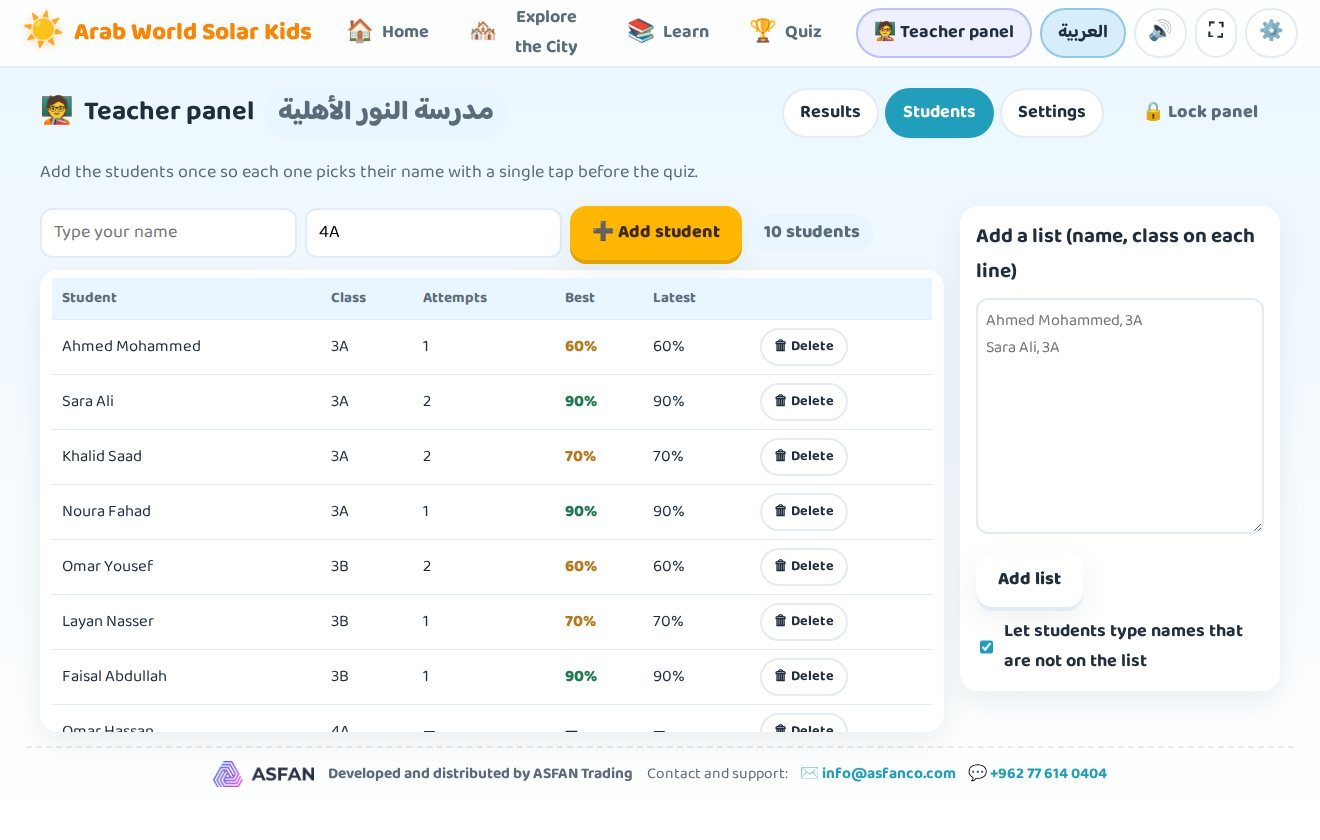
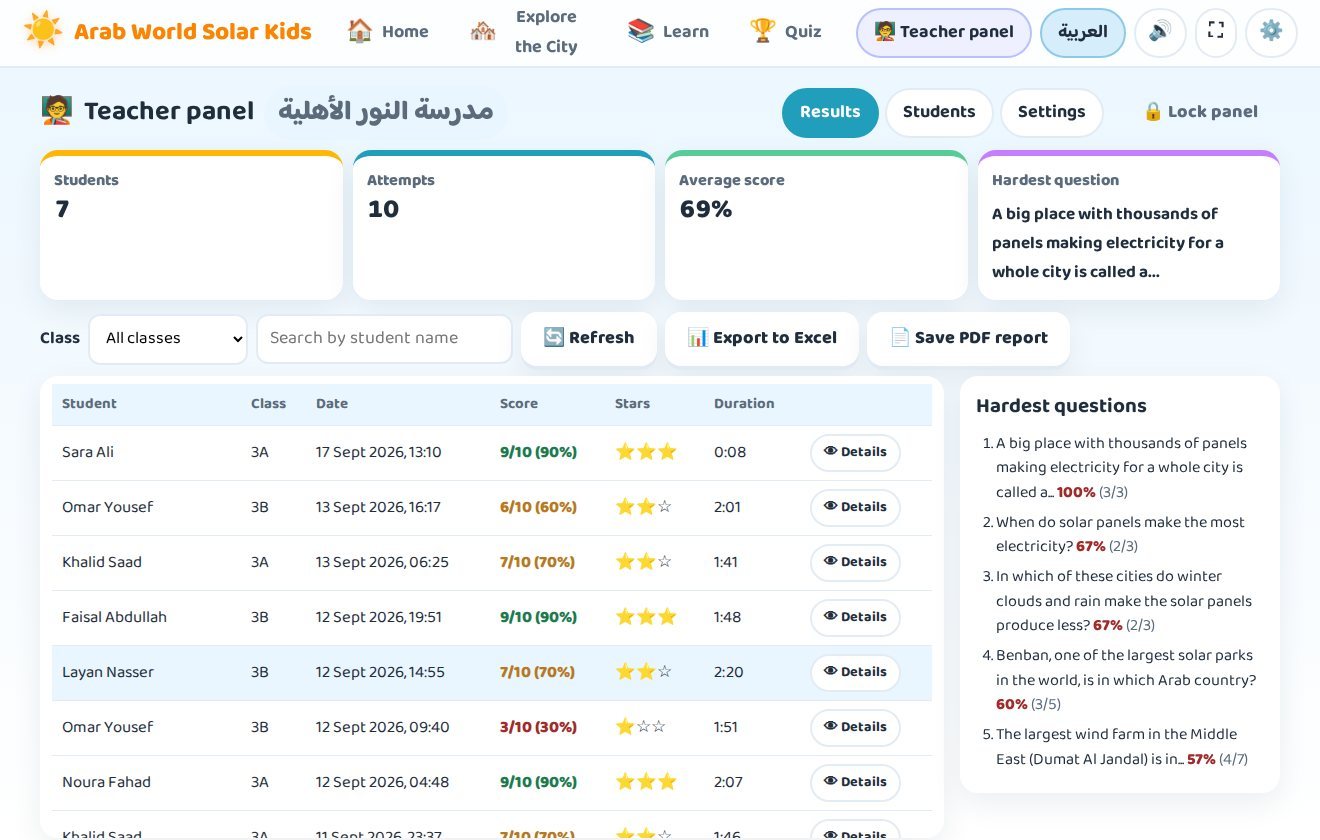
With a school license the program adds a private panel where the teacher sees every student's answers, scores and hardest questions — with no server, no accounts and no internet.

Students pick their name

A "Who are you?" screen appears before the quiz; names can be filtered by class or searched.

PIN-protected panel

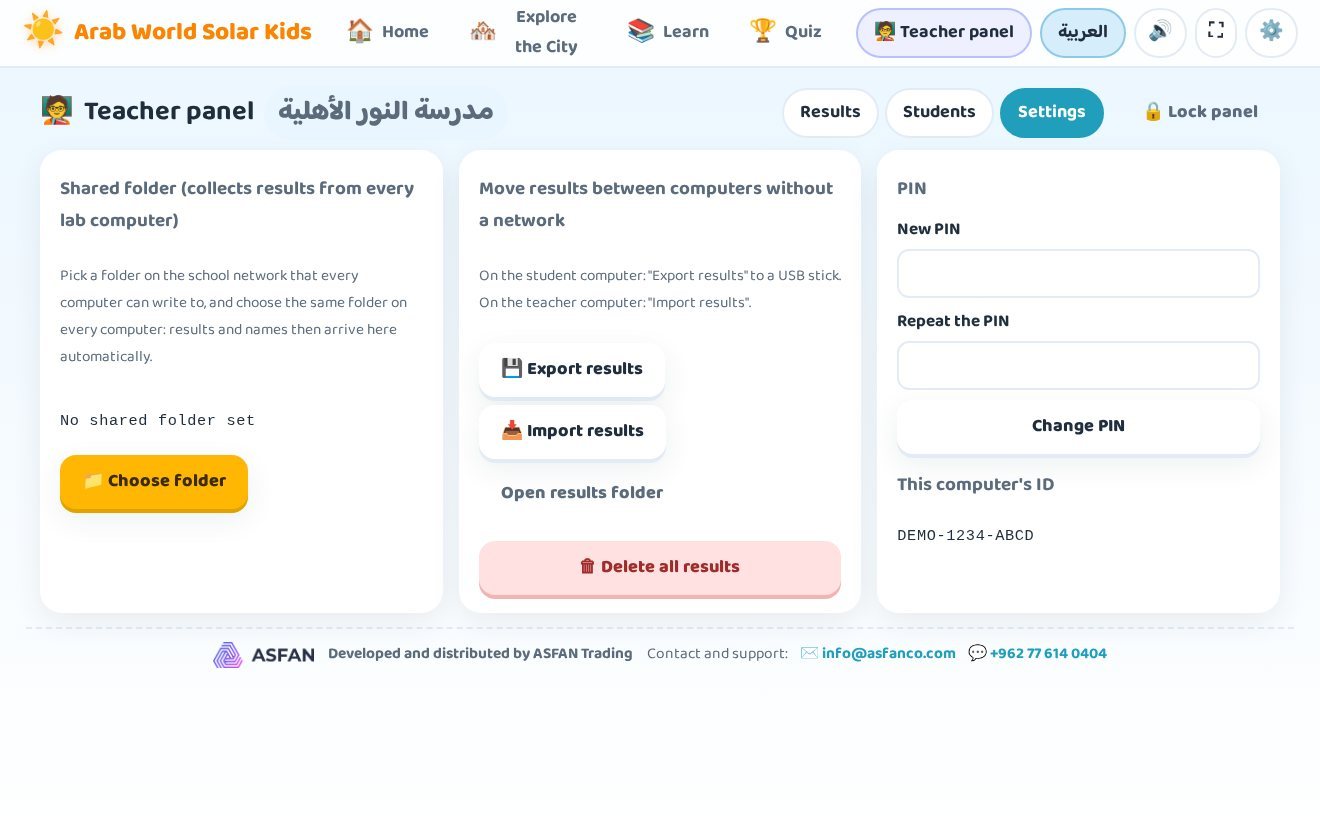
The teacher sets a 4–8 digit PIN. Students can never open the panel or see another student's results.

Results & hardest questions

Every attempt with its score, stars and duration — plus the questions most often answered wrongly.

Excel & PDF reports

Export a results summary and a table of every answer, or print a PDF report per class.
Screenshots

See it before you install it

Real screens from version 1.2.1.
How it works

Try it for 14 days, then unlock the full version

No payment is needed to start, and nothing you do during the trial is lost when you activate.

Download & install

Run GulfSolarKids-Setup.exe, choose English or Arabic and keep the default folder. No administrator rights are needed — the program installs for the current Windows user.

Start the 14-day trial

The program opens straight away with part of its content unlocked, so you can explore the neighbourhood and see whether it suits your child or your class.

Activate your license

Send us the machine ID shown on the activation screen. We send back a key or a .lic file — paste it once and the program never asks again.
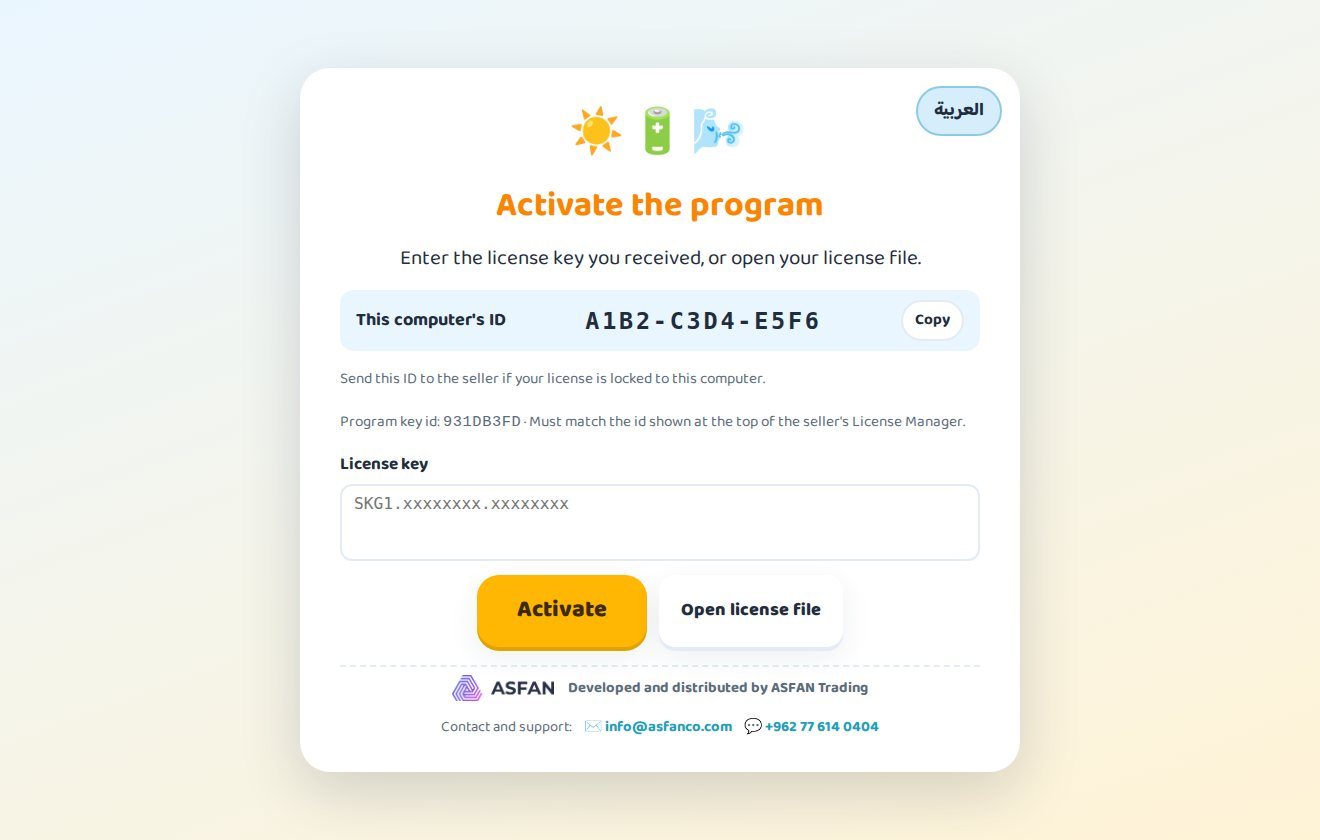
The activation screen of Arab World Solar Kids Digital Twin showing the machine ID, the license key box and the Activate and Open license file buttons
The activation screen: machine ID, key box, and Activate / Open license file.

What the 14-day trial gives you

The trial runs from the first start and needs no key. It is meant for evaluating the program before you buy.

  • A selection of the program's content, enough to judge how it teaches
  • Both languages and both guides
  • The rest of the content unlocks the moment a license key is entered
Start the free trial
Licensing

Monthly or Annual — your choice

Every license unlocks the complete program in both languages. Contact us and we will issue your key the same working day.

Not sure yet? Install the 14-day trial first — no key, no payment, no account.

Download Trial

Monthly

Flexible access, renewed every month.

Contact us

for current pricing

  • The complete program, Arabic and English
  • All 22 countries and 84 cities
  • All four lessons and the full question bank
  • Free updates while the subscription is active
  • Renew month by month — ideal for one term
Request Monthly License

Buying for a school, a lab or several computers? Ask about the school license with the teacher panel — contact us or message us on WhatsApp at +962 77 614 0404.

System requirements

Before you install

Operating system
Windows 10 or Windows 11 (64-bit)
Installer
GulfSolarKids-Setup.exe — about 130 MB
Administrator rights
Not needed — installs for the current user
Internet
Only for the first download and for updates; the program runs fully offline
Sound
Speakers or headphones — the guide reads every step aloud
Activation
License key or .lic file issued by ASFAN
Current version
1.2.1, with automatic updates

Installation & user guide

31 pages covering installation, activation, every screen and the teacher panel.

FAQ

Questions parents & teachers ask

It is designed for children aged 6 to 12. Younger children follow the animated neighbourhood and the spoken lessons easily because the guide reads everything aloud; older children get more out of the "Be the energy engineer" challenge and the quiz.

Yes. The 14-day trial starts the first time you open the program, needs no license key and no payment details, and gives you part of the program to evaluate. When you activate a license nothing you did during the trial is lost.

Both unlock exactly the same program. Only the term differs: a Monthly license is renewed each month and an Annual license each year — when either ends the program shows "Subscription ended" and you paste a new key. Your license details are always visible under Settings.

No. The program works fully offline, including the recorded voices of Jack and Nasouh. Internet is only needed to download the installer and to fetch automatic updates, which the program checks for at start-up and every four hours.

That is a generic notice Windows and browsers show for any new file without a widely recognised publisher signature — it does not mean the file is dangerous. In Edge choose Keep, in Chrome Keep, and if the blue "Windows protected your PC" window appears click More info then Run anyway. Sections 1 and 2 of the user guide show every step. If you are unsure, send us a screenshot first.

Yes. The school license adds the teacher panel, and a computer lab can point every machine at one shared network folder so that all students' results arrive in the same panel. Where there is no network, results can be exported to a USB stick and imported on the teacher's computer. Tell us how many computers you have and we will prepare an offer.

Not at the moment. Arab World Solar Kids Digital Twin is a 64-bit Windows program for Windows 10 and Windows 11.

Yes — contact us and we will issue a key for the new machine ID. On the old computer use Settings → Remove license first.