Available now for Windows 10 / 11

Robotics & Industrial Automation Simulator

A complete virtual automation cell on one PC: a 6-axis industrial robot arm you can jog, teach and program, and a software PLC you program in the ladder notation of five world brands — wired together live, with no robot, PLC or hardware needed.

14-day free trial English & Arabic (RTL) No server, no internet needed Version 0.3.1
Robotics & Industrial Automation Simulator
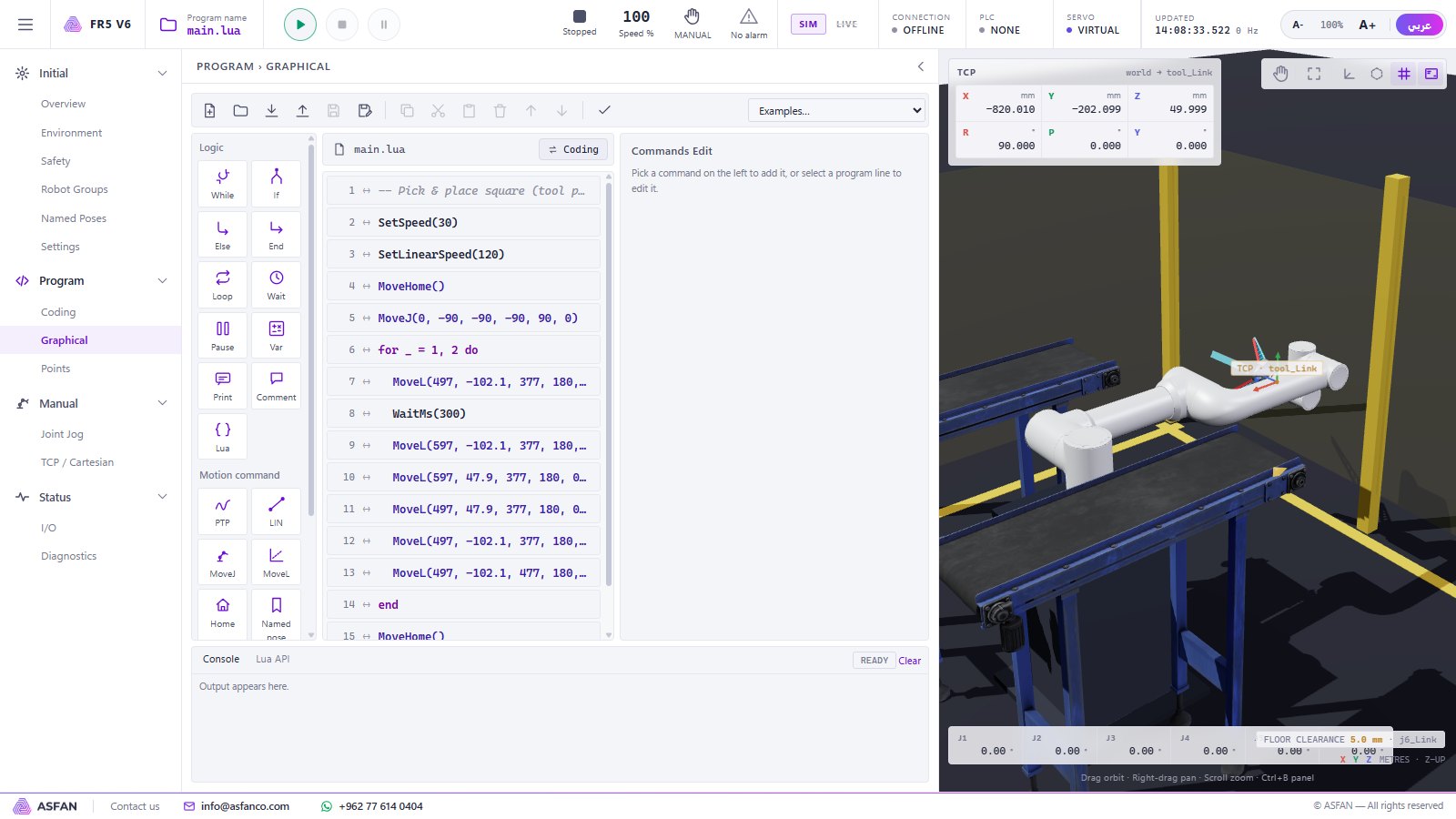
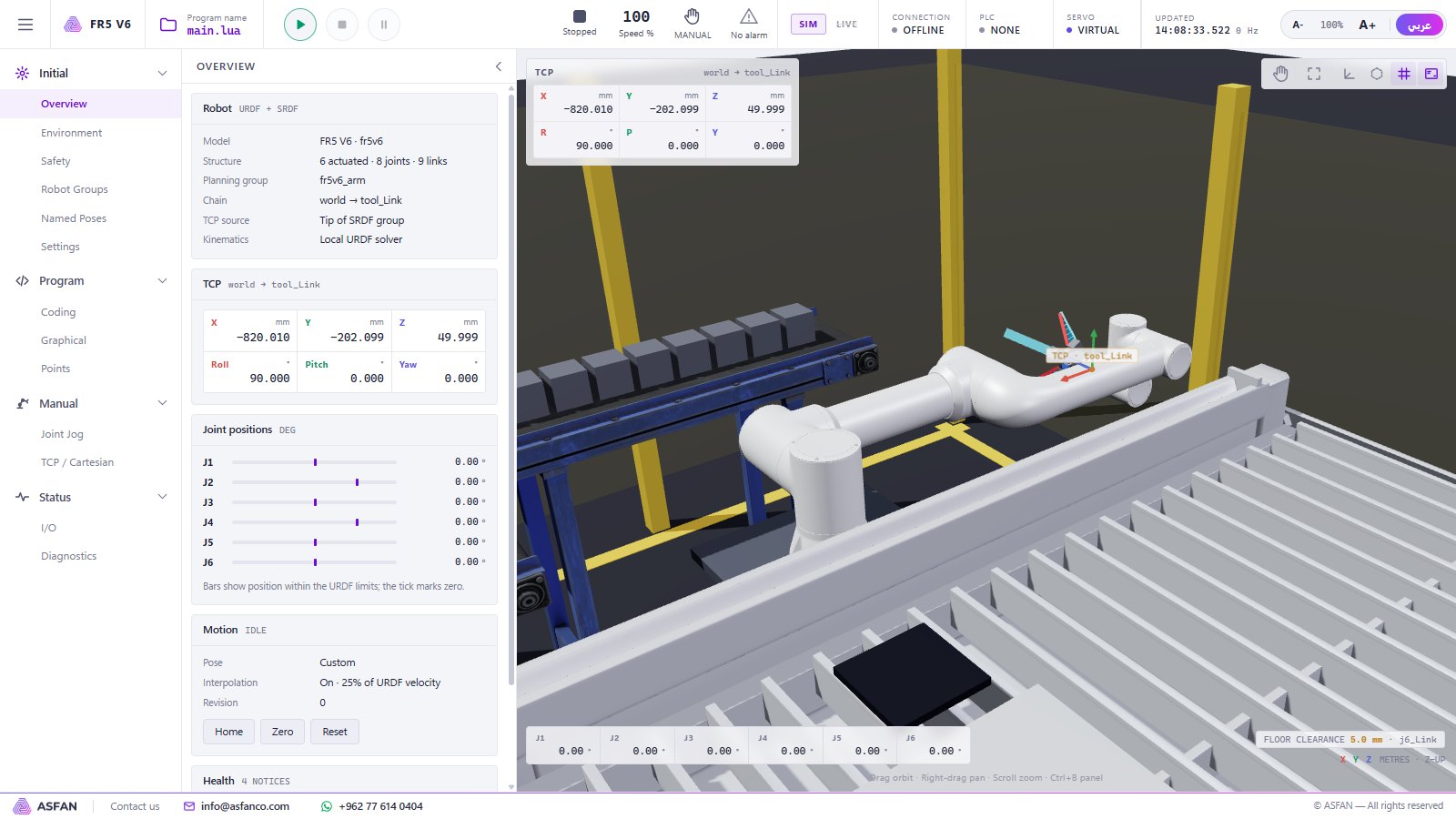
The robot arm digital twin main window with navigation, 3D view, TCP readout and joint values
The robot arm digital twin: navigation, live 3D view, TCP readout and joint values.
2simulators in one program — Robotic + Industrial
6robot axes with real kinematics
5PLC brands, 14 CPU models
4ready production cells
2interface languages
Two simulators

Two simulators, one program

Teach robotics, PLC programming or both — on an ordinary Windows PC.

ROBOTICS

Robotic Arm Simulator

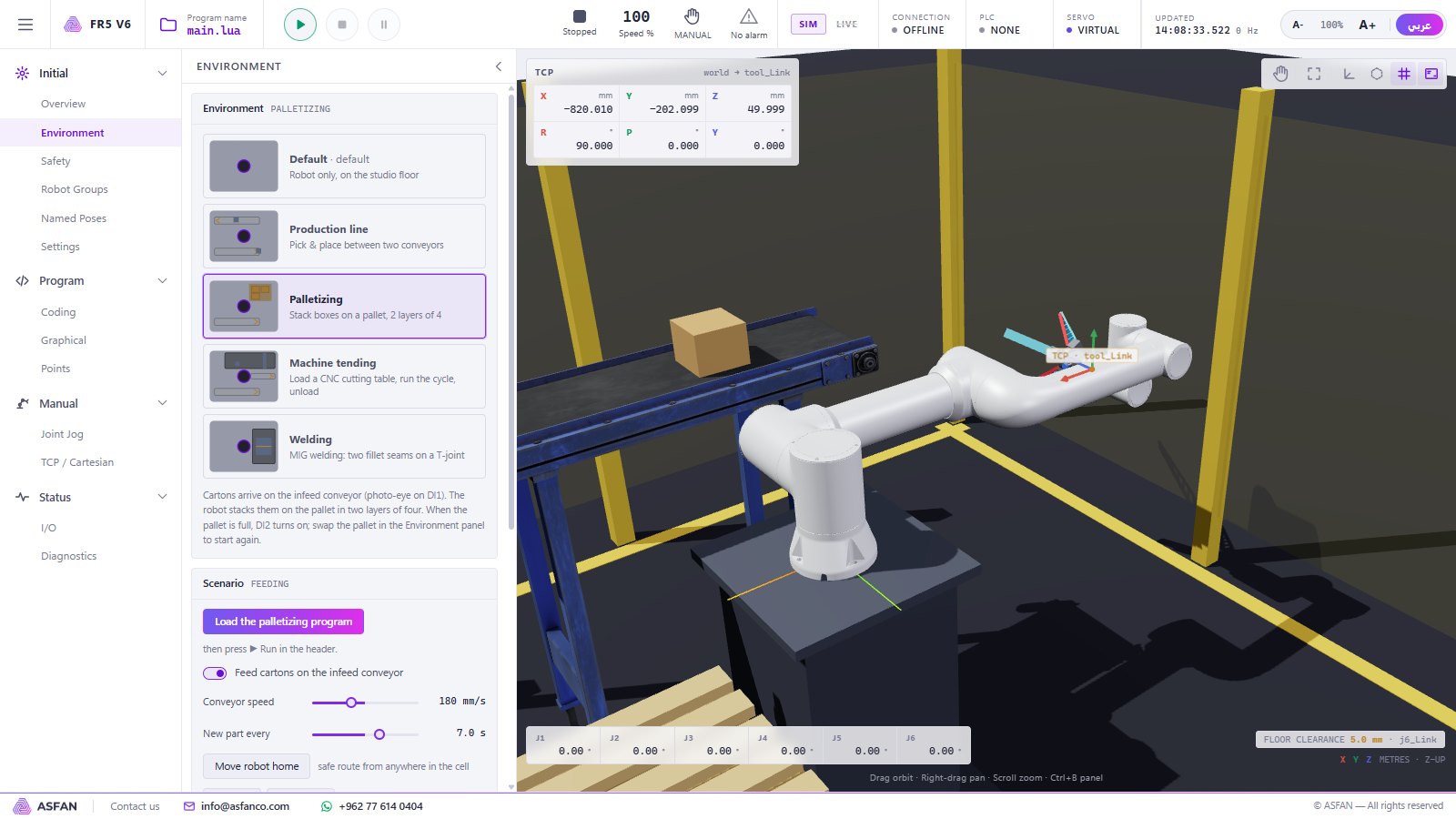
The Fairino FR5 six-axis collaborative robot as a live 3D digital twin. Jog joints or the tool, teach points by dragging the arm, write programs graphically or in Lua, and run them in four real production cells — with safety limits that stop every unsafe move.

  • Joint & Cartesian jog with inverse kinematics
  • Drag teach and named points
  • Graphical and Lua programming
  • Palletizing, welding, machine tending, production line
  • Workspace, speed and floor-clearance safety
Explore the Robotic Arm Simulator →
INDUSTRIAL

PLC Controllers

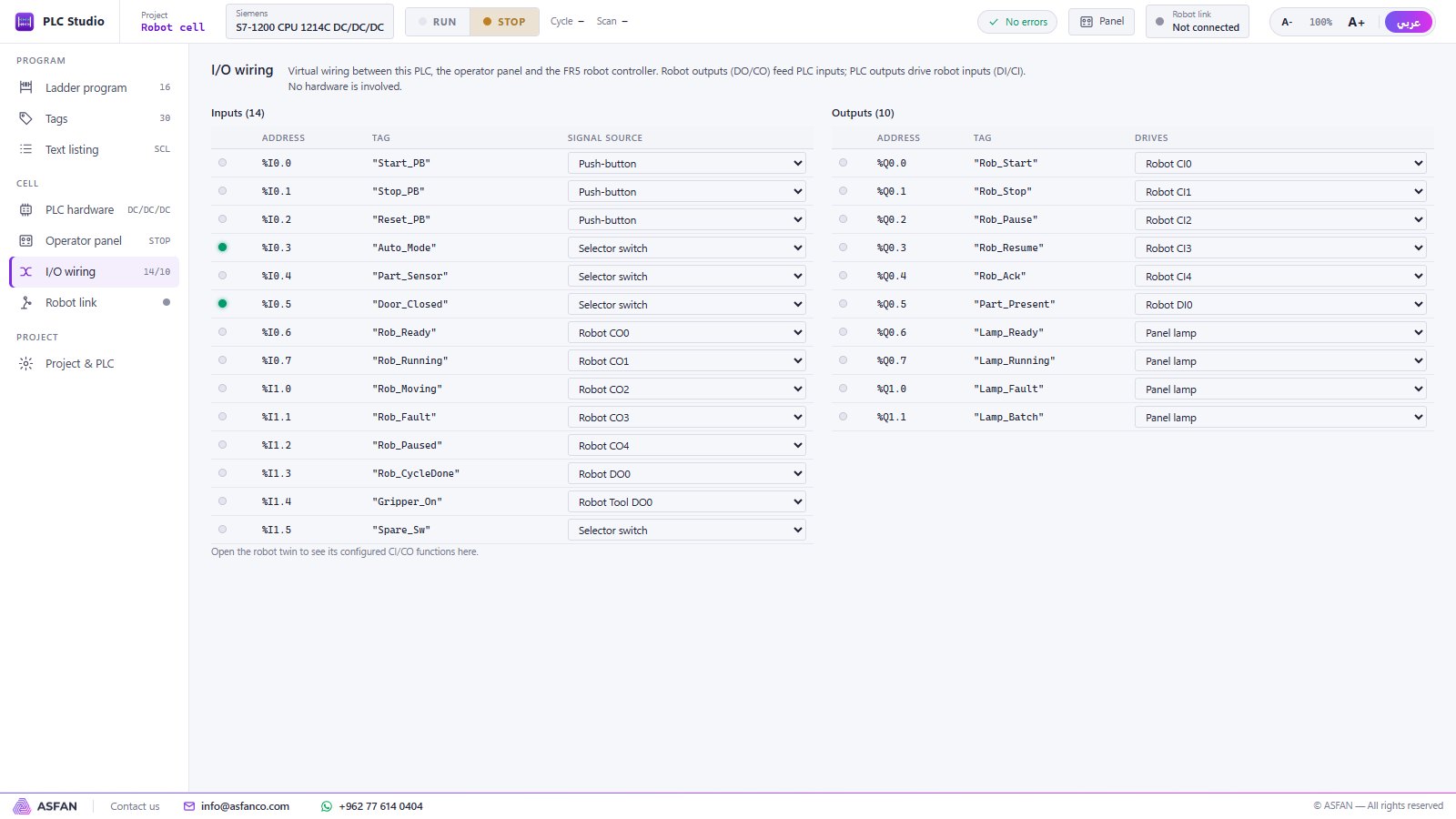
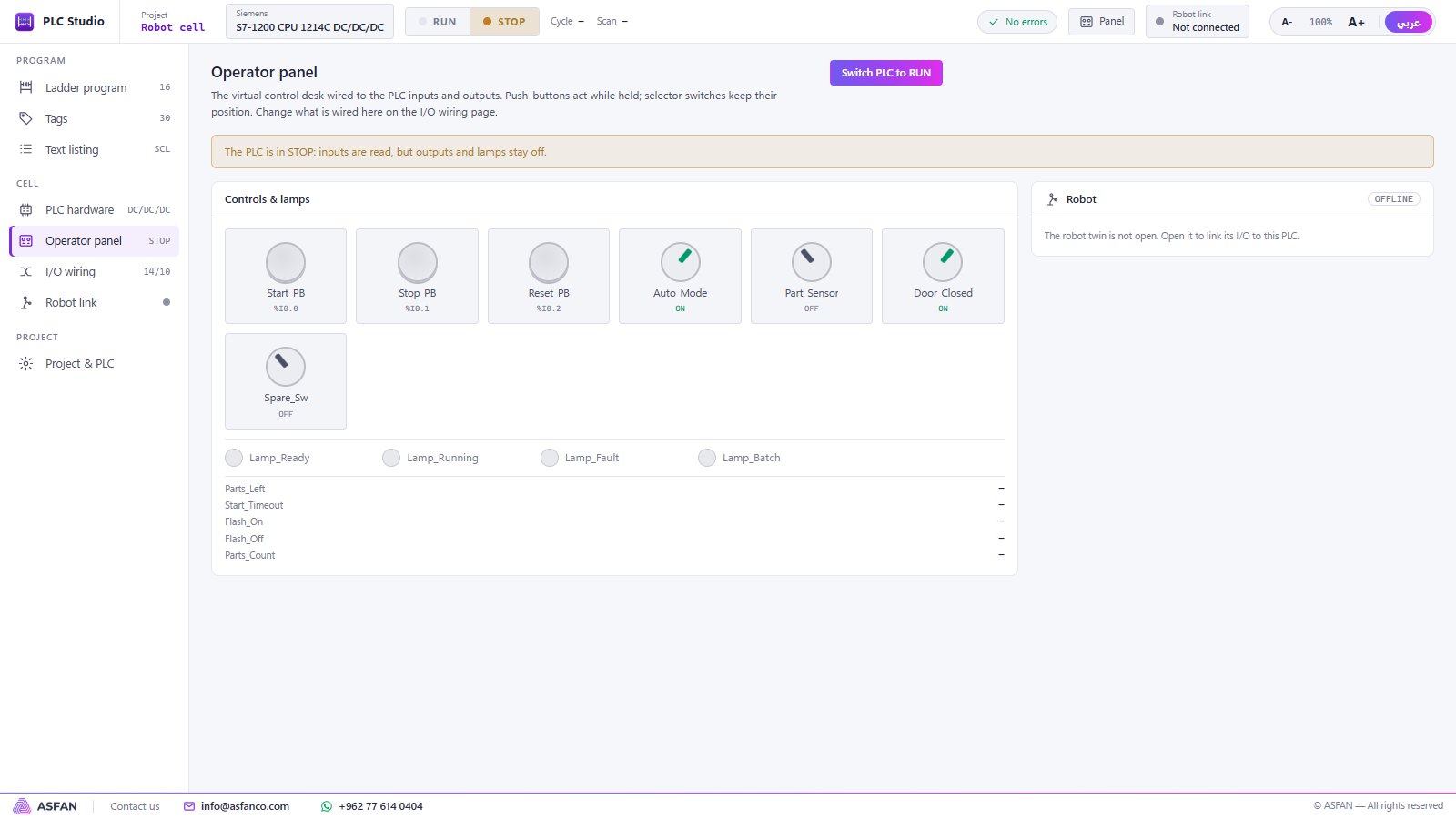
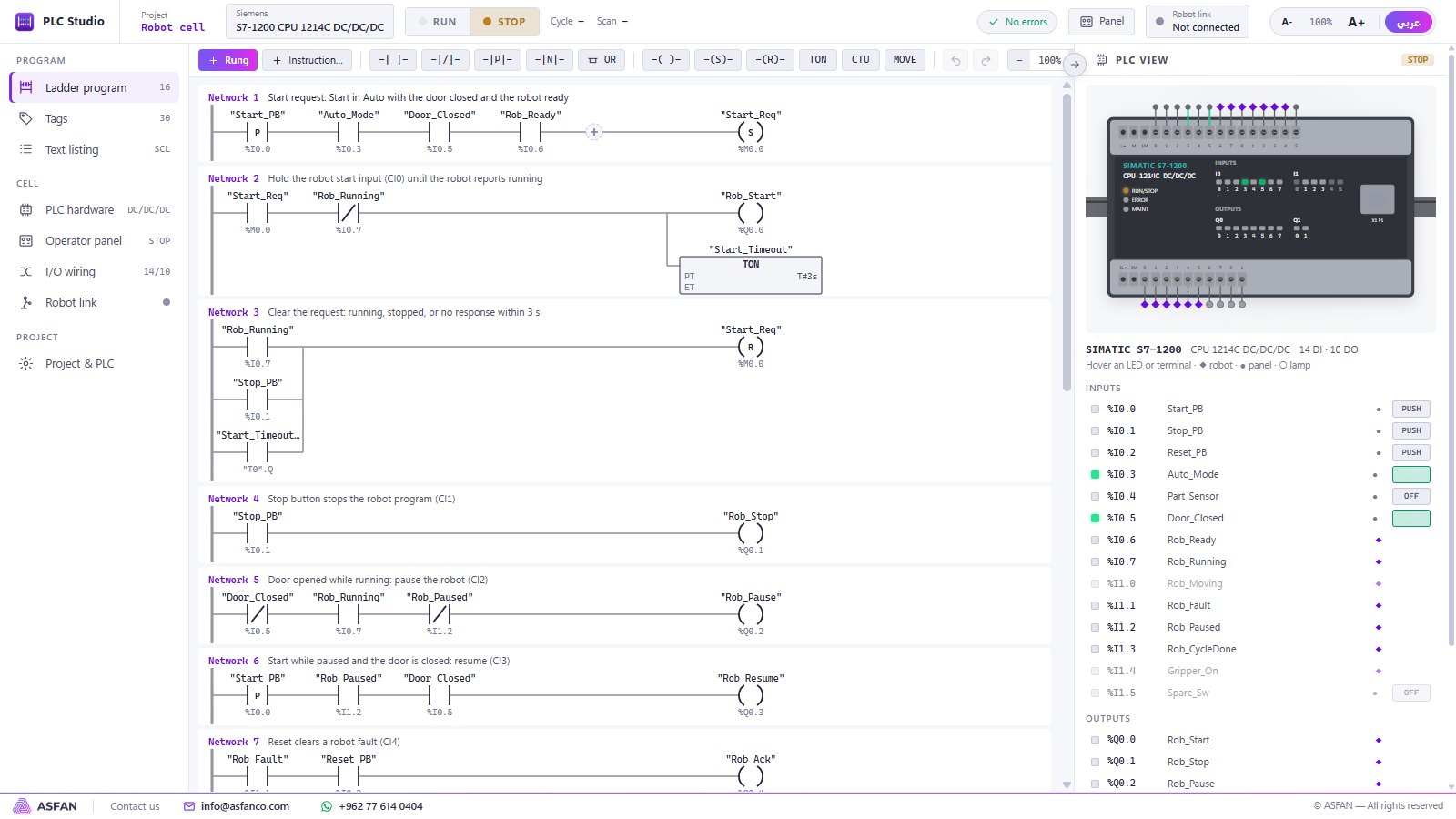
PLC Studio, a software PLC you program in ladder logic in the notation of Siemens, Schneider Electric, Mitsubishi Electric, Rockwell (Allen-Bradley) and Omron. Live power flow, an operator panel, I/O wiring and a real hardware view of the chosen CPU.

  • 5 brands, 14 CPU models
  • Contacts, coils, timers, counters, compare & math
  • Operator panel with buttons, switches and lamps
  • Live LEDs on the PLC hardware view
  • Change the brand — the program follows
Explore the PLC Controllers →
Better together

Robot + PLC: a full automation cell

The two simulators exchange their I/O live on the same computer. PLC outputs drive the robot's inputs (DI / CI), robot outputs (DO / CO) feed the PLC, and the operator panel starts, pauses and resets the cell — exactly the handshake used on a real production line.

  1. Create the Robot-cell demo in PLC Studio.
  2. Load the "PLC cell" example in the robot twin.
  3. Switch the PLC to RUN, turn Auto mode on and press Start.
  4. Watch the PLC count finished parts while the robot runs its cycle.
Who is it for

Who is it for

Universities

Mechatronics, robotics, electrical and control engineering courses and labs.

Vocational & training centres

Robot operator and PLC technician courses without hardware risk.

Companies & integrators

Prepare and test programs before going on site.

Before you buy hardware

Train on the twin, then move to the real robot or PLC.

Screenshots

See it before you install it

Real screens from version 0.3.1. Click a screenshot to enlarge it.

How it works

Install, try, activate

Download & install

Run the setup file. It installs into your own Windows profile without administrator rights, creates shortcuts for the Robot twin and PLC Studio and starts the program.

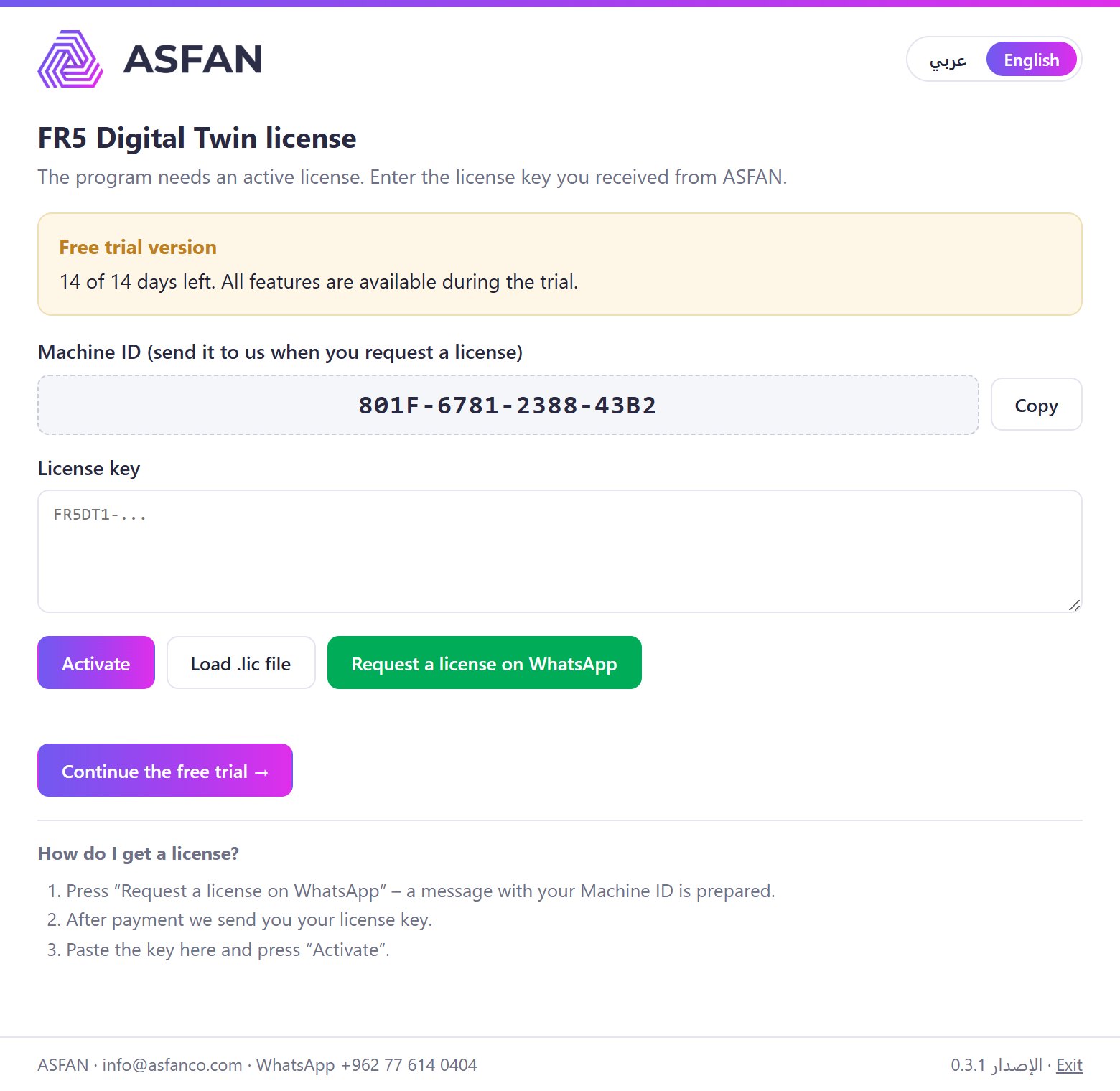
Explore with the 14-day trial

Press Continue the free trial: every feature of both simulators is open for 14 days.

Activate your license

Paste the key we send you (it starts with FR5DT1-) or load the .lic file. Activation is checked on your own computer — no internet connection needed.

If Windows shows "Windows protected your PC", click More info → Run anyway.

Licensing

Monthly or Annual — Robotic, Industrial or Complete

Choose the simulator you teach, or both. Not sure yet? Install the 14-day trial first — no key, no payment, no account.

Not sure yet? Install the 14-day trial first.

Free Trial

Robotic

Robotic Arm Simulator: jog, teach, programming, four production cells, safety.

Contact us

for current pricing · Monthly or Annual

Request Robotic License

Industrial

PLC Controllers: five brands, ladder editor, operator panel, I/O wiring.

Contact us

for current pricing · Monthly or Annual

Request Industrial License
  • Monthly — renewed every month, ideal for a semester or pilot
  • Annual — one payment for 12 months
  • Free automatic updates while the license is active
  • Reminder 7 days before the license ends
  • Multi-PC pricing for labs and classrooms

Equipping a lab? Ask about multi-seat pricing — contact us or message us on WhatsApp at +962 77 614 0404.

System requirements

Before you install

Operating system
Windows 10 or 11, 64-bit
Processor
Dual-core 2 GHz minimum · quad-core recommended
Memory
4 GB minimum · 8 GB recommended
Graphics
Any chip with WebGL 2 (Intel HD 500 series or newer)
Disk space
600 MB minimum · 1 GB recommended
Screen
1366 × 768 minimum · 1920 × 1080 recommended
Internet
Not required. Recommended for automatic updates
User rights
Standard user — no administrator rights needed
Current version
0.3.1, with automatic updates
User manual

User manual

User manual

Full user manual — 21 pages covering both simulators, every page, the Lua commands, the PLC instructions and a robot + PLC tutorial.

FAQ

Common questions

No. Both the robot and the PLC are simulated on your computer. The program never connects to real hardware.

The Fairino FR5 V6 six-axis collaborative robot, built from its original robot description (URDF/SRDF) with its real joint limits.

No. It is ASFAN's own software PLC; the brand names identify the ladder notation and CPU models that are modelled, so students learn the look and addresses they will meet on the real tools.

Everything — both simulators, all cells, all brands. After 14 days a license key is needed.

Yes — Robotic, Industrial or Complete licenses.

No. Activation is checked offline. Internet is only used for automatic updates.

Click More info → Run anyway. The installer is safe; the warning appears because it is new.

Programs, points, PLC projects and your license are kept. Updates install themselves after you click "Update now".