
Graphic Design Training in VR
Graphic design, learned on a real job. Students take a brand from the client’s brief to the printed sign on a shop front — and see for themselves what works and what does not.
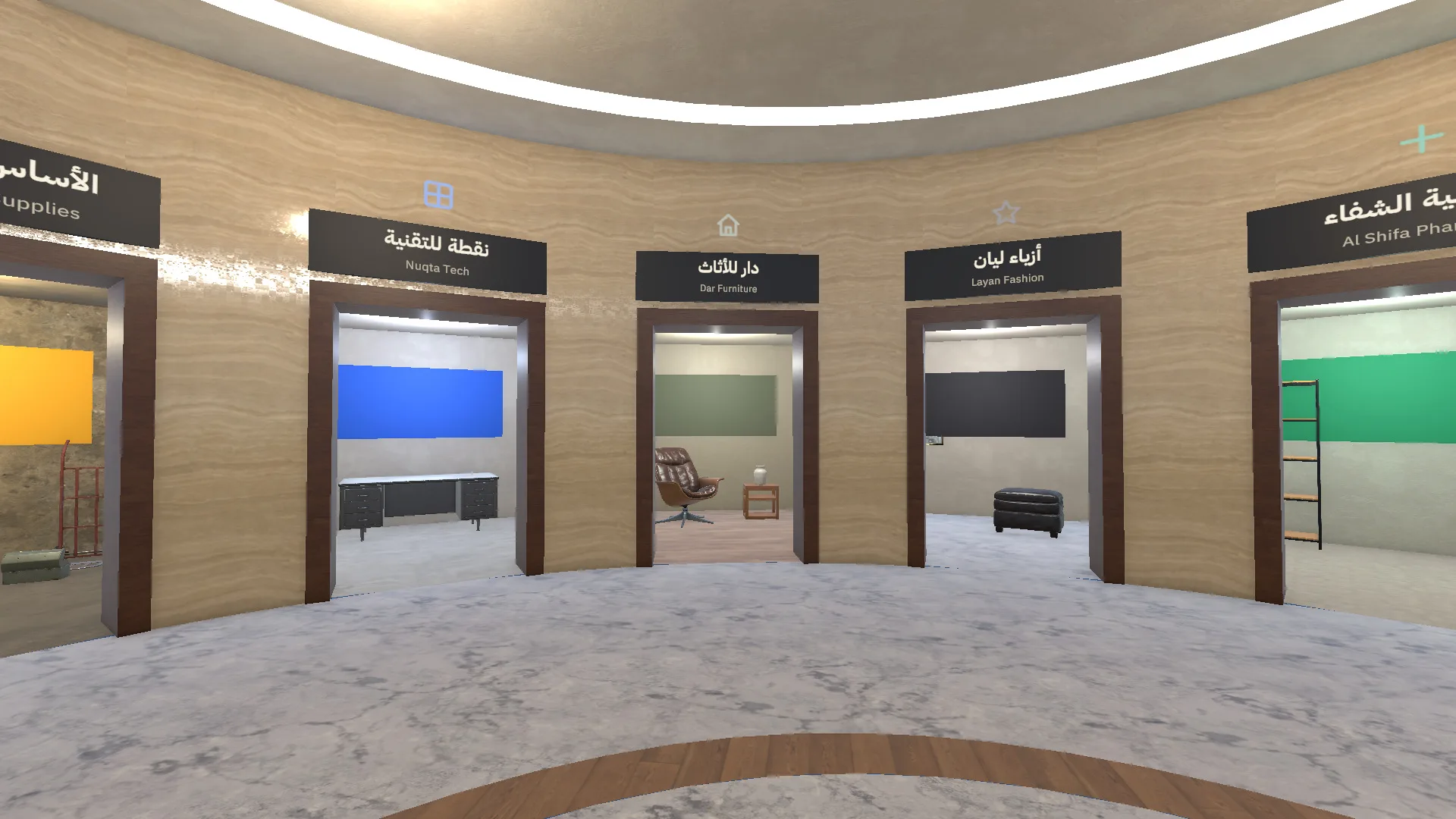
Graphic Design Training in VR – Brochure
Graphic Design Training in VR is a complete virtual-reality course designed and built by ASFAN in Amman. It runs on Meta Quest 3 and 3S with hands or controllers, in Arabic and English, and turns design theory into a real job: a real client, real products, real print machines and a real street where the finished work is judged.
The Journey: One Project, from the Brief to the Street
Every student works through the same five places a working designer does. Each one can also be opened on its own as a 10–15 minute station.
- Choose a client – eight doors, eight businesses: a bakery, a café, a pharmacy, a fashion shop and more, each with its own character and audience.
- Take the brief – in the client’s shop the student hears what is needed: the products, their real sizes and the information that must appear.
- Design in the lab – seven guided steps on a large studio screen: mood board, logo, typefaces, colours, layout on each product’s real template and a print-ready file. A short lesson opens each step.
- Print it – four machines: large format, digital press and cutter, bag printer and cup line. The student chooses the stock, loads it and runs the job.
- Check it on the street – the work goes up on the shop in an Amman street: measured, compared for colour and viewed up close, from 30 metres and at night.
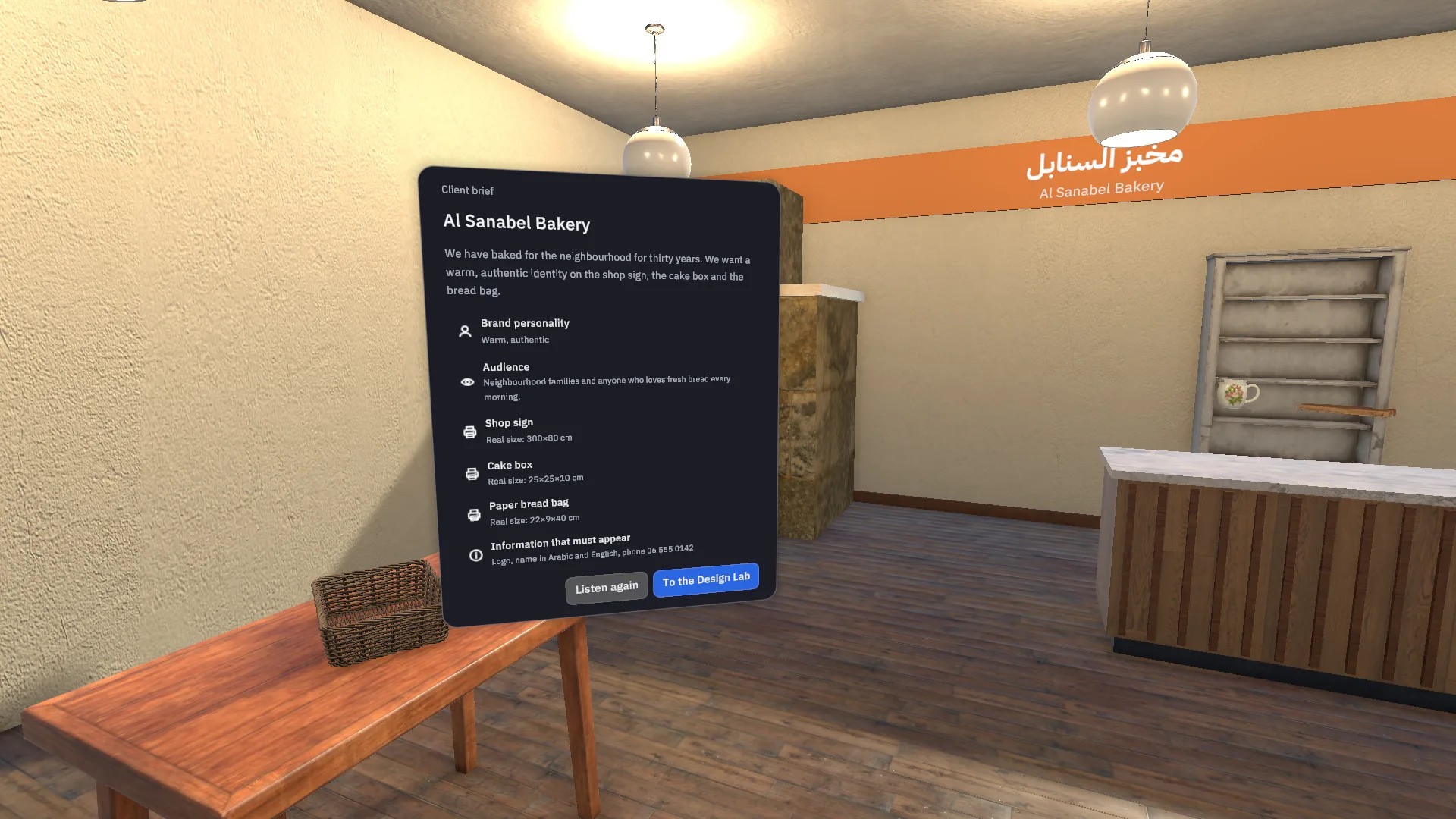
The client brief: products, real sizes and the information that must appear.
How Students Learn: Mistakes They Can See, Not Just Read About
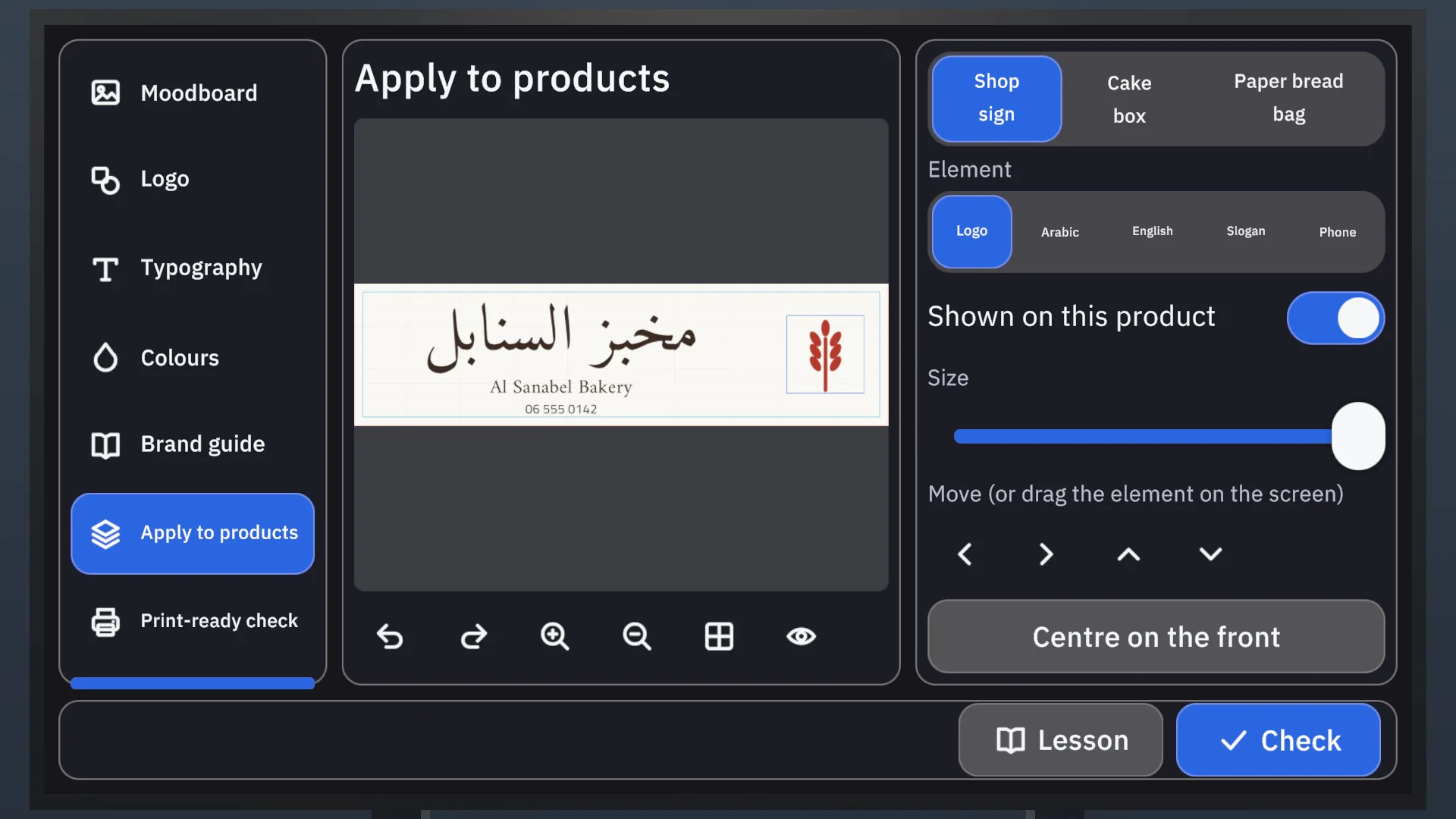
The design tool works on each product’s real template: safe area, bleed, folds and glue areas are visible while the student works.
- A wrong file prints wrong – send a low-resolution file, forget the bleed or leave it in RGB, and the print shows it: pixels, white edges, dull colour.
- A clear report, then a second try – each product is checked against nine rules. Anything that fails is marked on the design, and one press takes the student back to the lab to fix it.
The Nine Criteria Behind Every Score
The same rules for every student and every client, so a score out of 100 means the same thing in every class:
- Contrast
- Reading from a distance
- Number of colours and fonts
- Visual order
- Required information
- Forbidden zones
- Consistency
- Persona match
- Print readiness
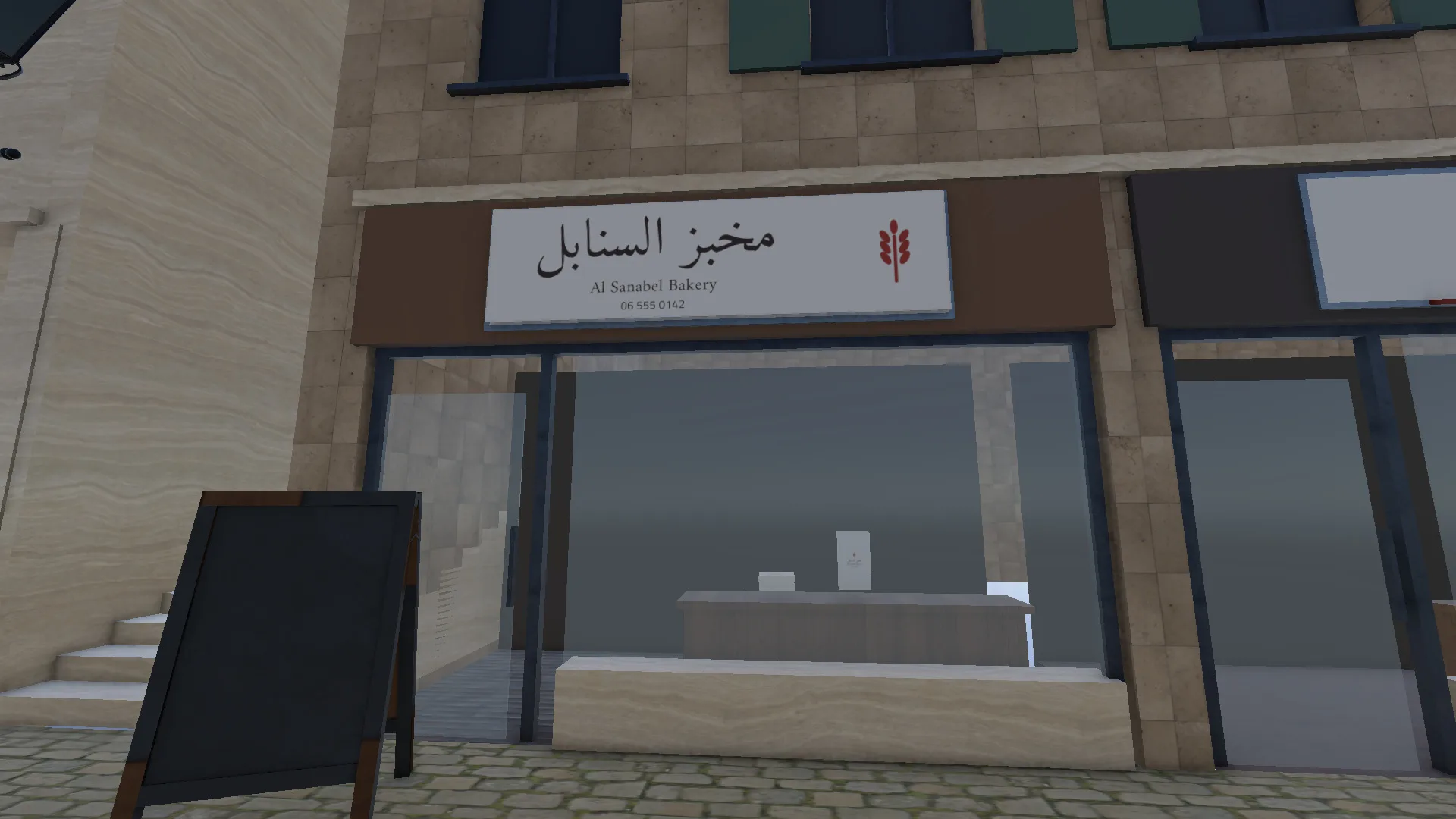
The street check: the printed sign on the shop front, viewed up close, from 30 metres and at night.
Built for Schools and Training Centres
- 8 clients, each with its own shop and brief; 7 design steps from mood board to print-ready file; 4 print machines the student runs; 9 criteria behind every score out of 100.
- Arabic first, English too – the whole experience, with voice-over, in Arabic (right-to-left) and English. The language can be changed at any time.
- No computer, no cables – runs on the headset itself (Meta Quest 3 and 3S) with hands or controllers.
- A report for the teacher – score, attempts, time and mistakes for each student, kept on the headset and opened from the lobby.
- Fits a lesson – the Design Lab, the Print Room and the street check can each be run alone in 10–15 minutes.
- A guided first step – a short tutorial in a training studio teaches looking, pointing, pressing, grabbing and moving before the work starts.
- Something to take away – a certificate with the final score and a gallery of the student’s finished work.
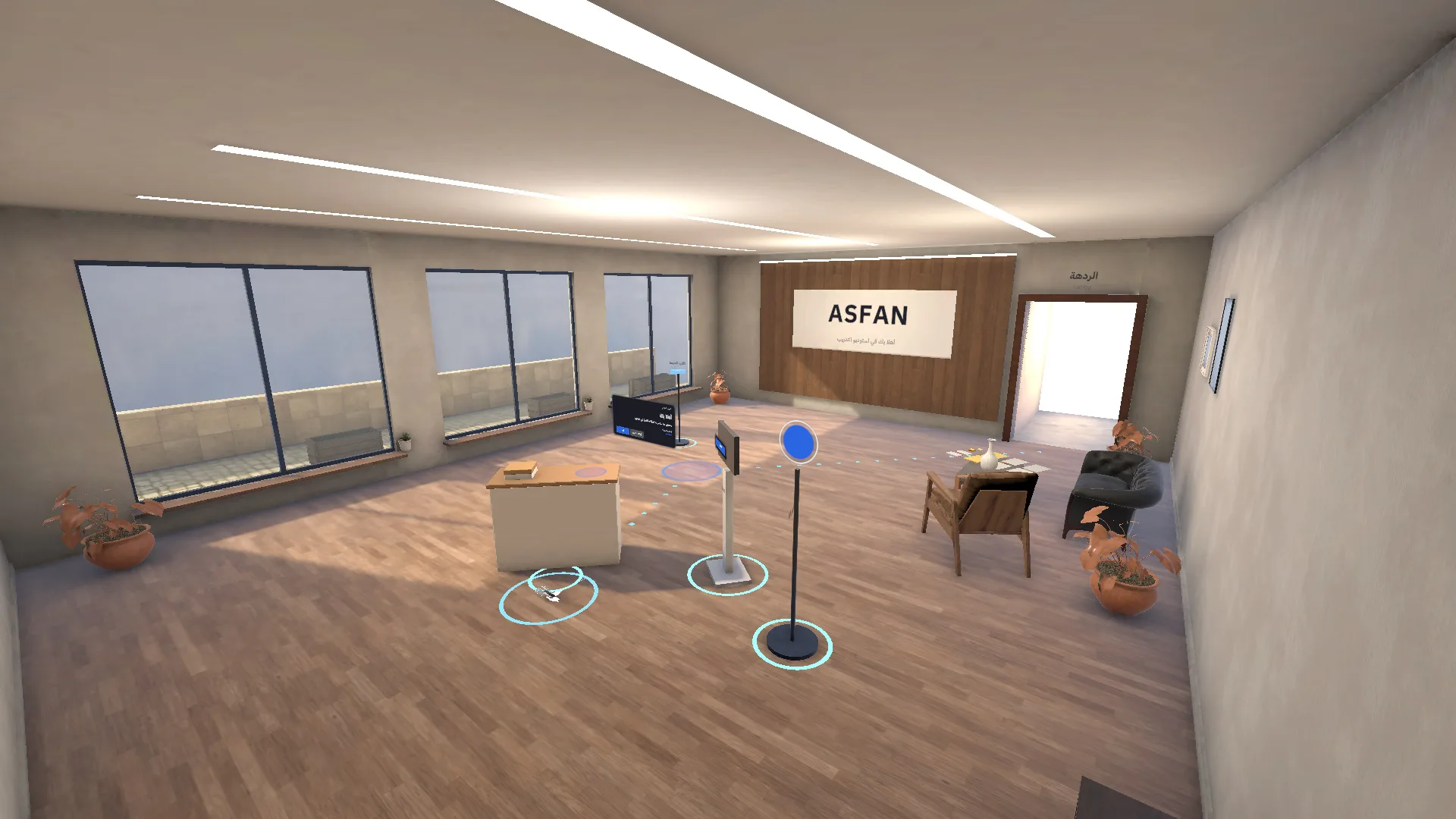
The training studio where every student starts.
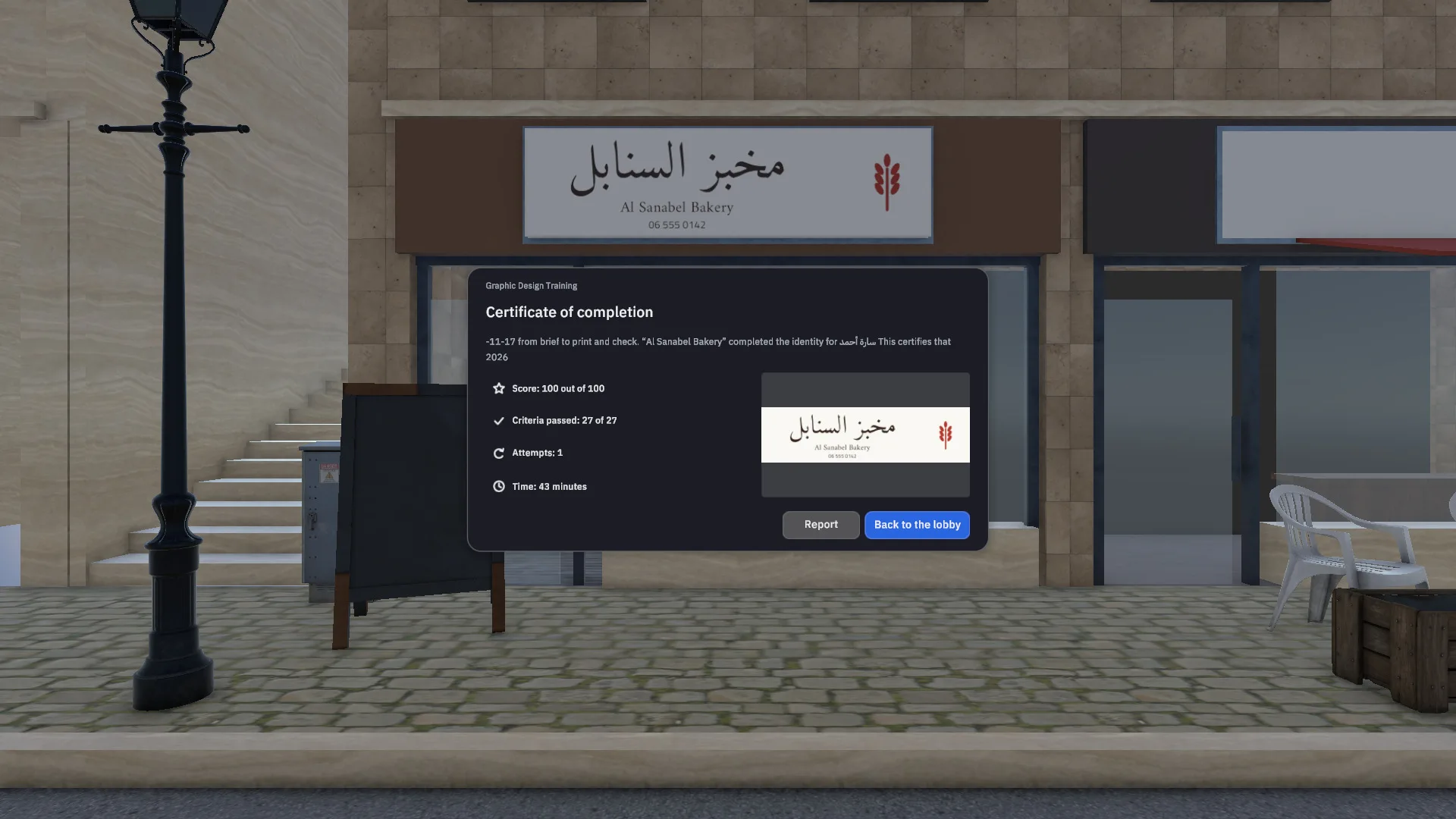
The certificate at the end of the project.
Conclusion
Graphic Design Training in VR gives schools, universities and vocational centres a complete, measurable design project in one headset: students learn branding, typography, colour, layout and print production by doing the real job, make mistakes safely, and get a clear, comparable score every time.
Call us
Interested in VR graphic design training for your school or training centre? Book a free demo on Meta Quest and see the full project in action.
Explore More Projects


We welcome your questions, do not hesitate to contact us
- Create virtual reality and augmented reality experiences at the best prices
- Equipping engineering laboratories with the best equipment
- Virtual tours with 360° technology and also feature that you can see them through just one link
Client & Visitor Reviews
Share your experience, feedback, or opinion about this page content.
Write a Review
Latest Reviews