PC Edition · Version 0.9 beta
Electrical Training Twin – 3D Electrical Labs on Any Windows PC
Twenty-four live 3D labs on any Windows PC. Trainees change a value and watch the circuit answer: current flows, meters move, lamps glow and protective devices trip, all following real circuit laws.
- 24 interactive 3D labs
- 9 workshop trainers twinned
- No internet needed
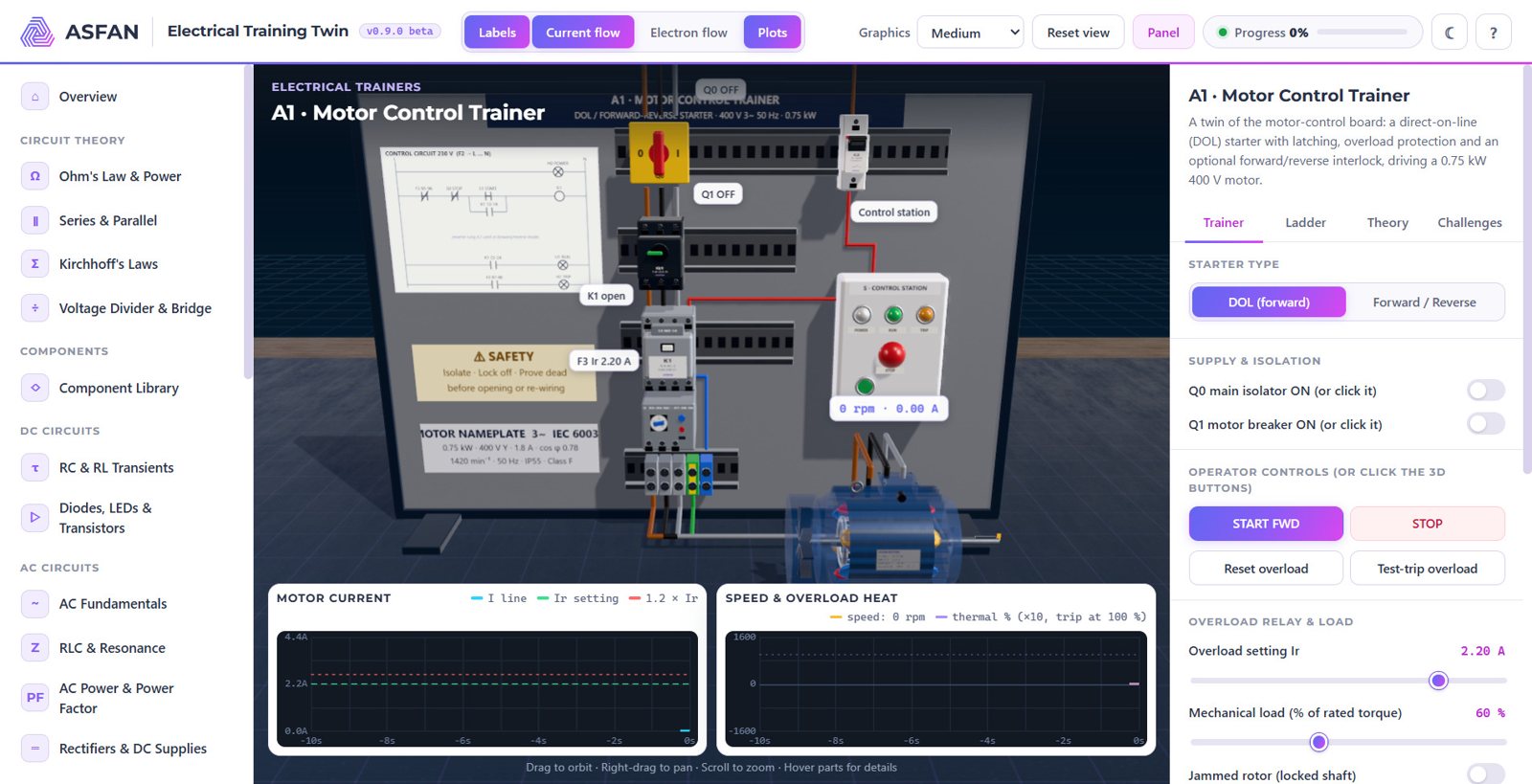
Version 0.9 beta: screens shown may change. Electrical Training Twin is a training aid and does not replace supervised practical work or your workshop’s safety procedures.
A live circuit, not a slideshow
Every lab is a working simulation. Nothing is pre-recorded: the readings, traces and trips come from the circuit the trainee has just set up, so cause and effect are always in view.
See what the meter cannot show
Switch on current flow or electron flow and watch it move through the wiring. Labels name every part, and hovering explains what it does.
Lab, theory and challenges together
Each lab has its controls, the theory behind it and a set of challenges that are ticked off as the trainee achieves them.
Instruments that behave
Oscilloscope traces, phasor diagrams, trip curves and live readings update as values change.
Safe to get wrong
Overload a circuit, cause an earth fault or leave an isolator on. The twin shows the consequence and the trainee tries again.
Progress that is kept
Completed labs and the best assessment score are saved on the PC for each Windows user.
Made for the classroom
Light and dark themes, full screen for projection and a guided tour for new trainees.
From first lesson to assessment
1. Demonstrate
Project a lab and change values as you teach. A guided tour introduces the screen to new trainees.
2. Practise
Trainees work through the challenges in each lab at their own pace, on a lab PC or at home.
3. Assess
The knowledge assessment draws from 92 questions. Every answer comes with an explanation, and 80% completes the module.
Watch the laws of electricity at work
From Ohm’s law to resonance, every plot follows the operating point the trainee sets on the bench.
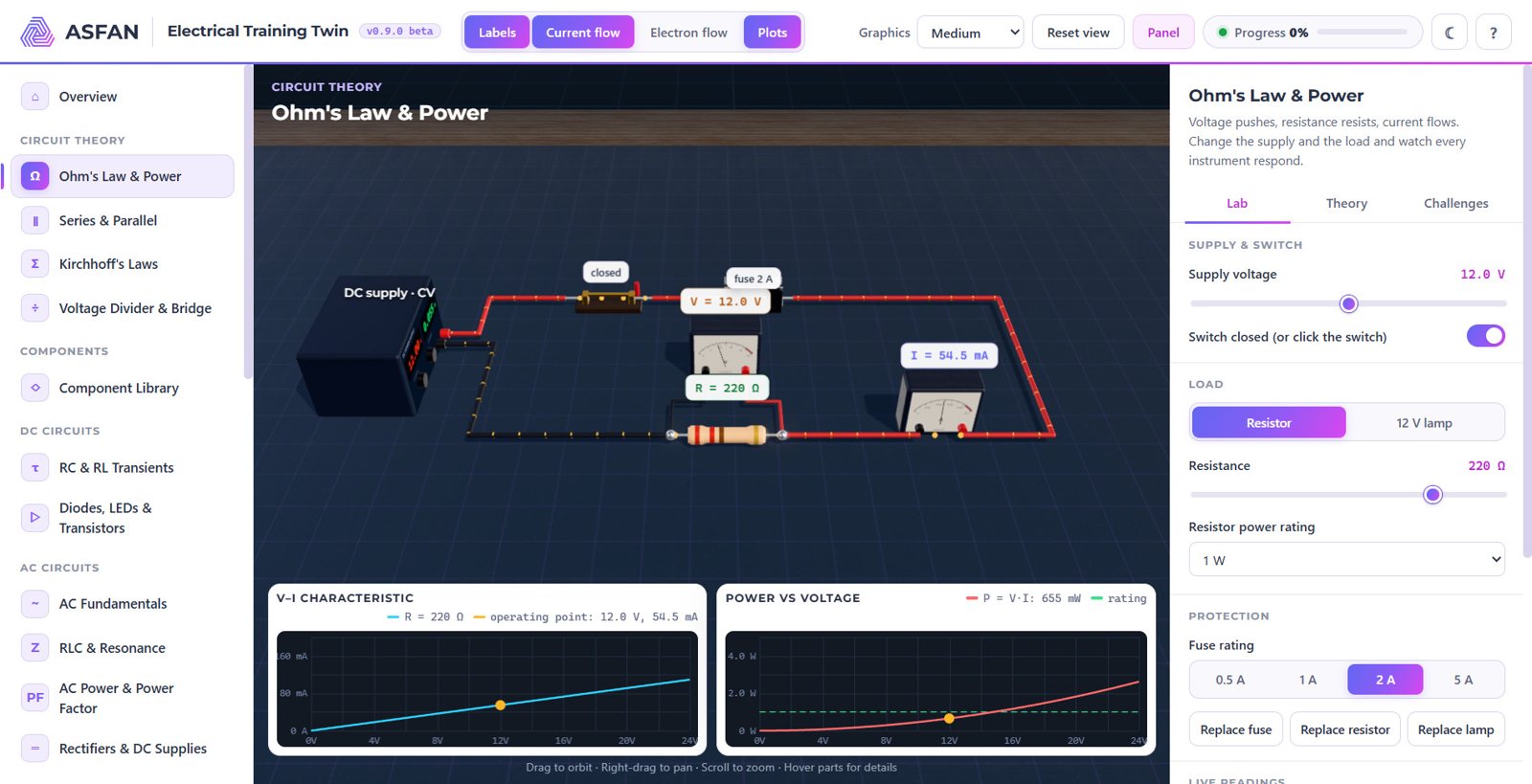
- Ohm’s Law & Power: supply, switch, fuse and meters on one bench
- Series & parallel, Kirchhoff’s laws, voltage divider and bridge
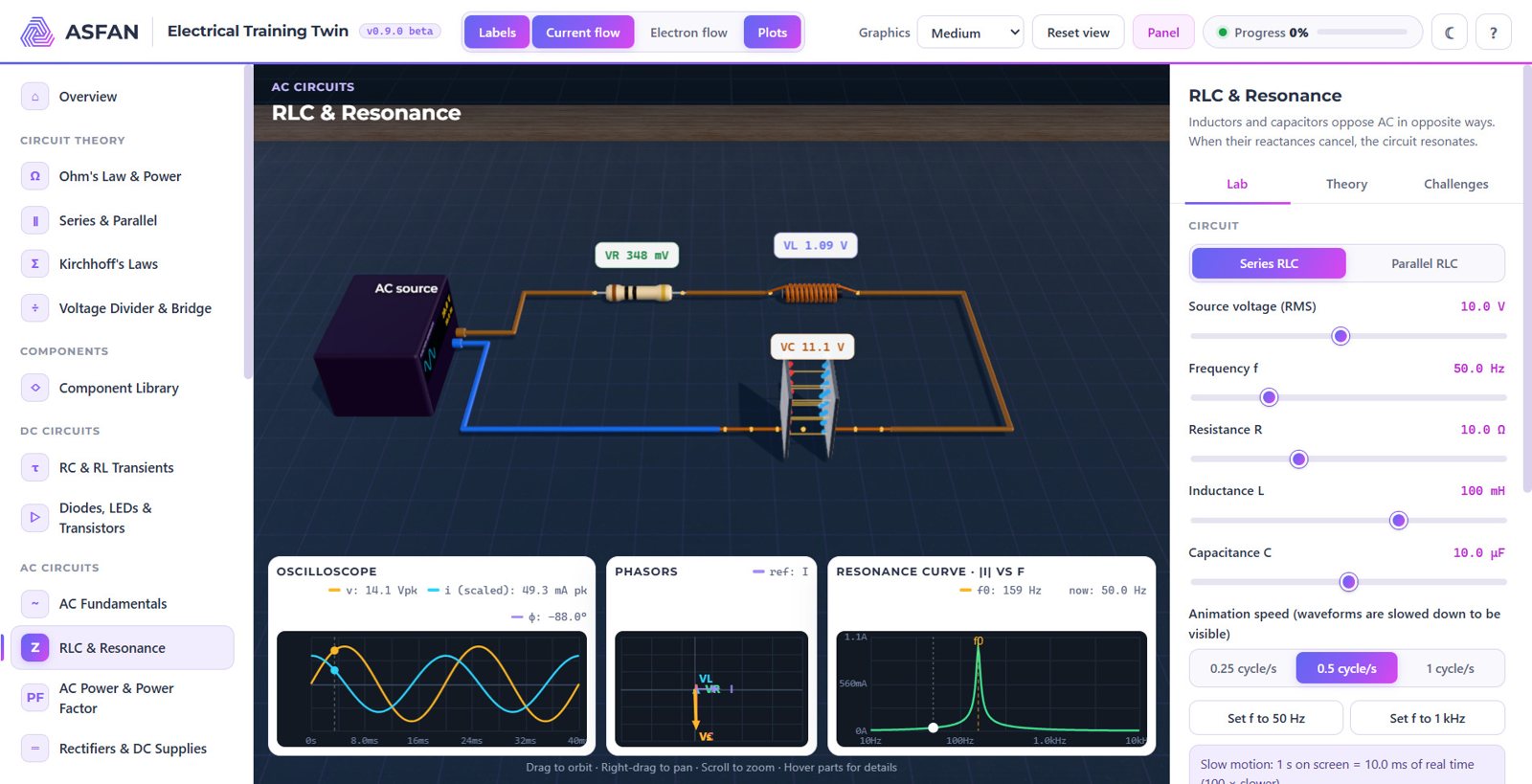
- RLC & resonance: oscilloscope, phasors and resonance curve respond to R, L, C and frequency
- RC/RL transients, diodes, LEDs, transistors and rectifiers
Three-phase, transformers and protection
Power-system labs let trainees load, unbalance and fault a network safely, then read what happened.
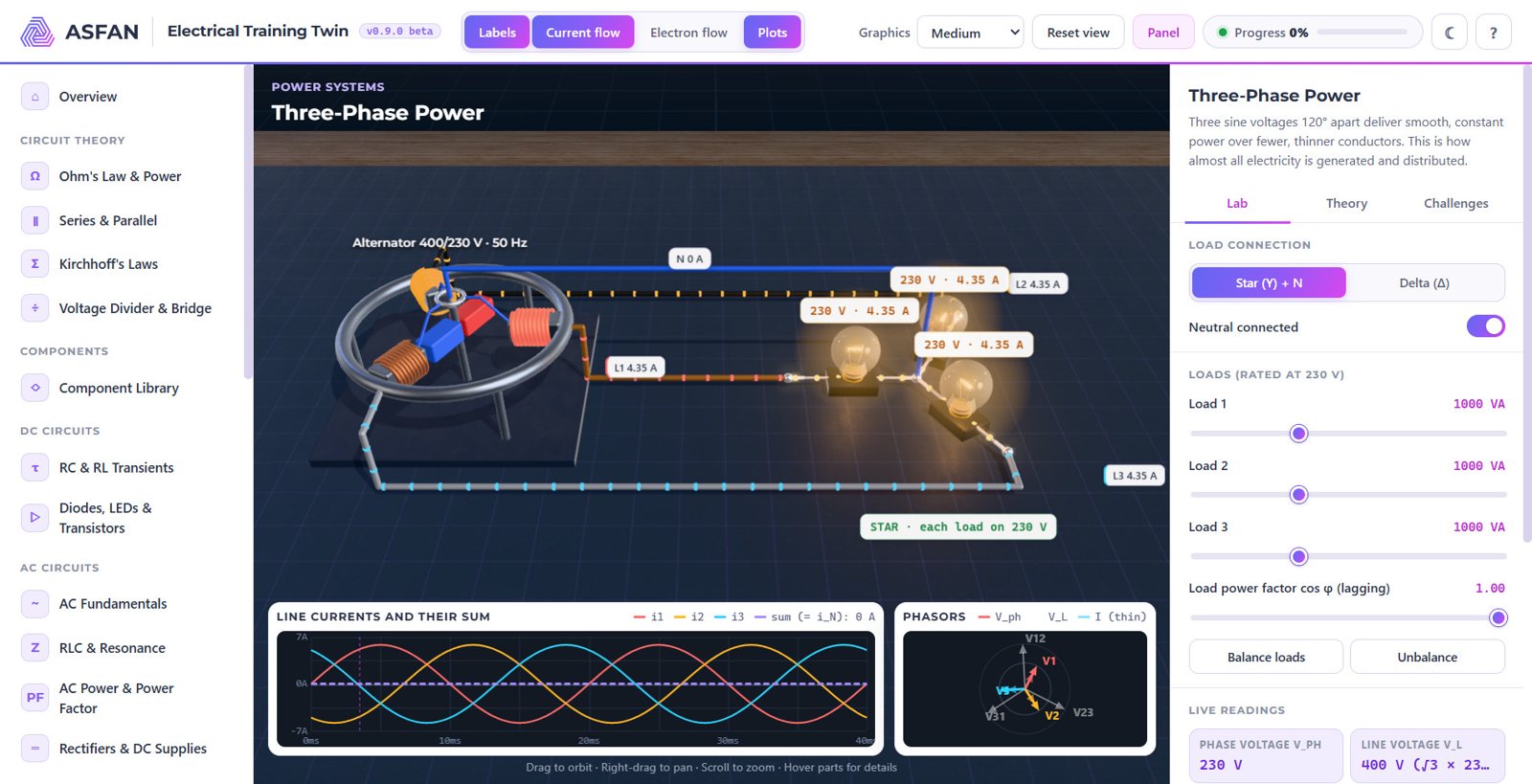
- Three-phase power: star and delta loads, line and phase values, live phasors
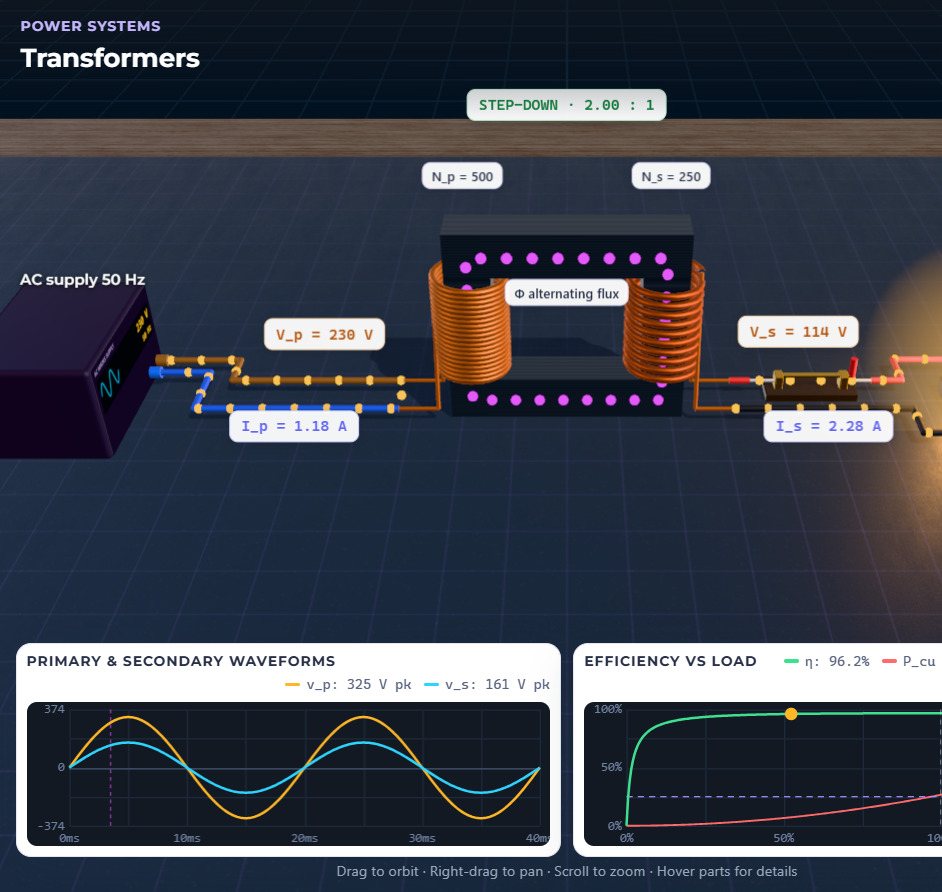
- Transformers: turns ratio, core flux, losses and efficiency under a set load
- Electric motors and AC power factor
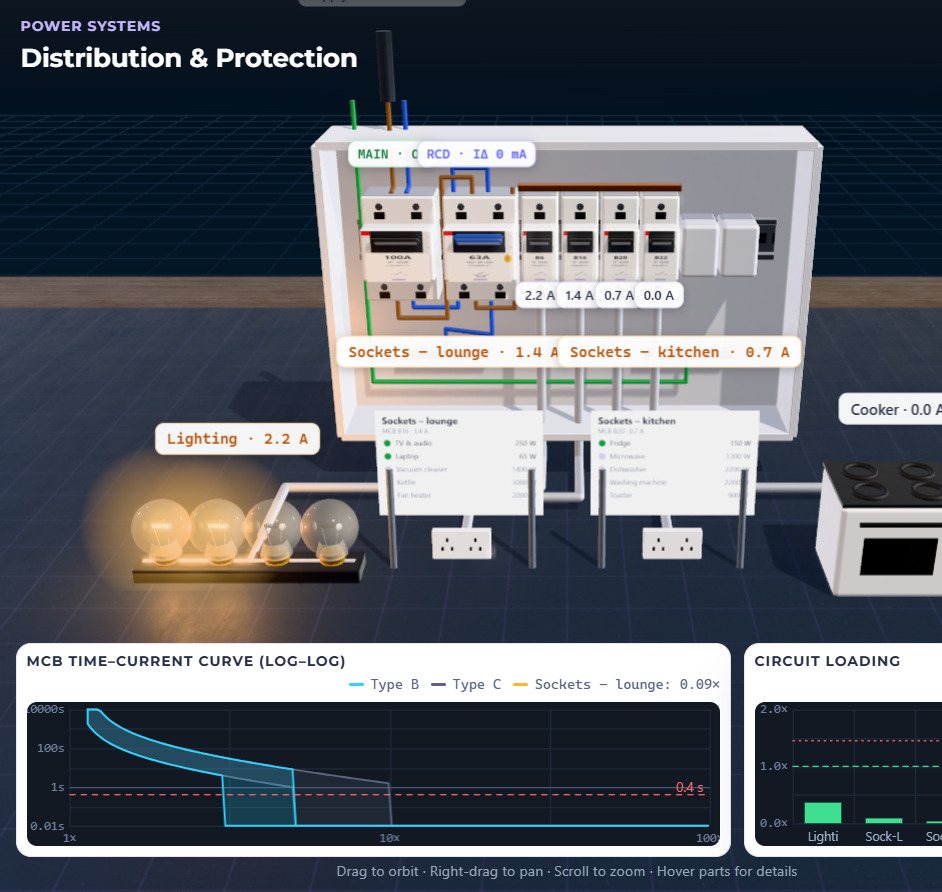
- Distribution & protection: a consumer unit with overloads, short circuits and earth faults to clear
24 labs and an assessment
Fifteen theory labs take a trainee from Ohm’s law to three-phase power and protection. Nine more are twins of the workshop trainer rigs, so the bench can be practised before it is touched.
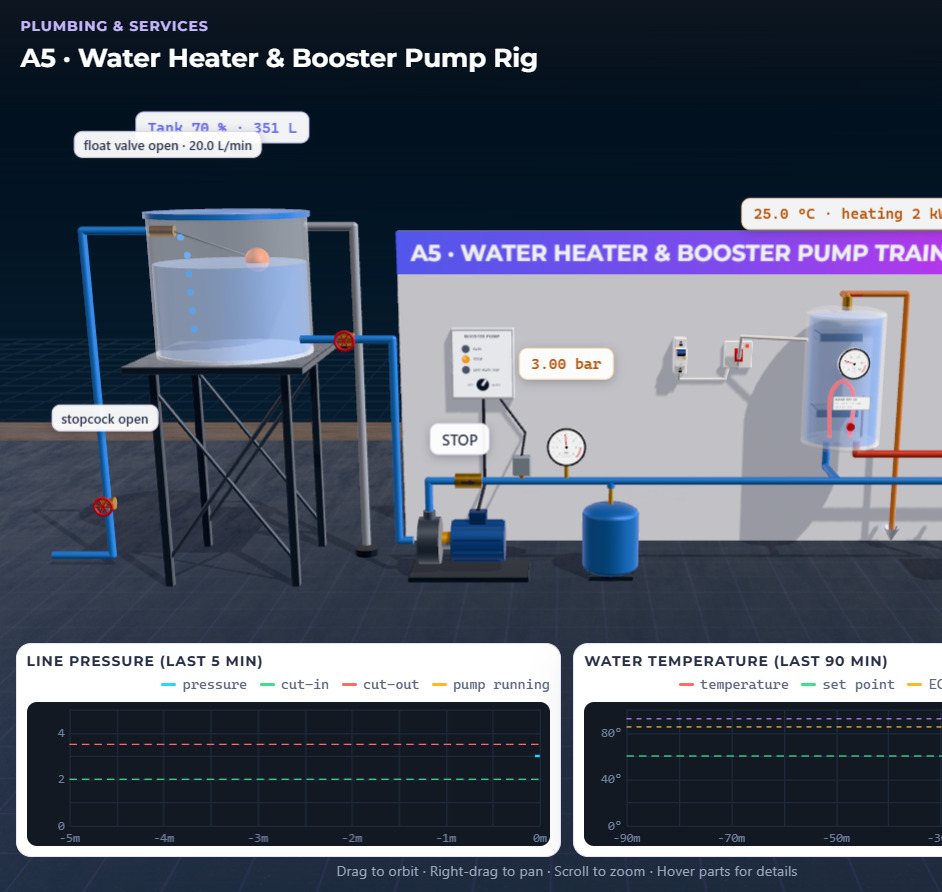
Every lab in the PC edition
Circuit theory
- Ohm’s Law & Power
- Series & Parallel
- Kirchhoff’s Laws
- Voltage Divider & Bridge
Components & DC
- Component Library
- RC & RL Transients
- Diodes, LEDs & Transistors
AC circuits
- AC Fundamentals
- RLC & Resonance
- AC Power & Power Factor
- Rectifiers & DC Supplies
Power systems
- Transformers
- Three-Phase Power
- Electric Motors
- Distribution & Protection
Electrical trainers
- A1 Motor Control Trainer
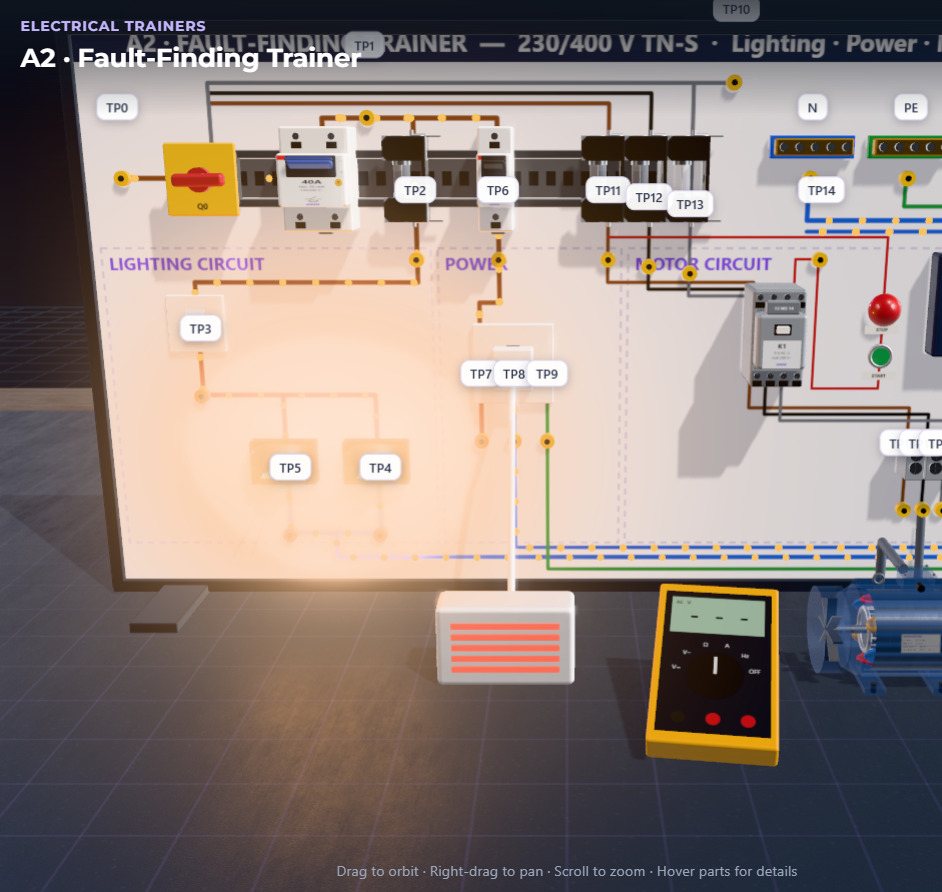
- A2 Fault-Finding Trainer
- A3 Electrical Tools & Materials
Plumbing, services & safety
- A4 Plumbing Tools & Fittings
- A5 Water Heater & Booster Pump Rig
- A6 Electrical Safety Board
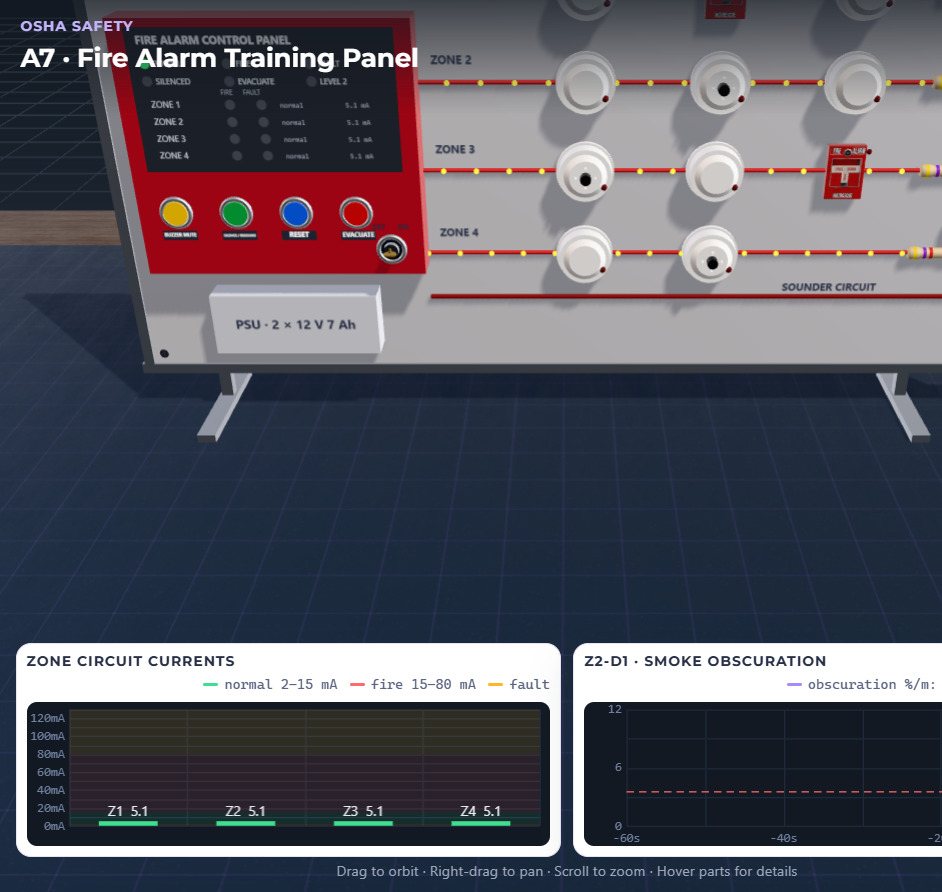
- A7 Fire Alarm Training Panel
- A8 Machine Guarding Trainer
- A9 Permit to Work Station
Assessment
- Knowledge Assessment · 92 questions
The same electrical trainers — on a PC or in VR
Both editions run the same live circuit simulations of the nine workshop trainer rigs. Pick the PC edition for the full theory course and assessment, the VR edition to stand in front of the rigs at real size — or use both together.
Electrical Training Twin – PC Edition
24 live 3D labs from Ohm’s law to protection, 9 twinned workshop trainers and a 92-question assessment, on any Windows PC.
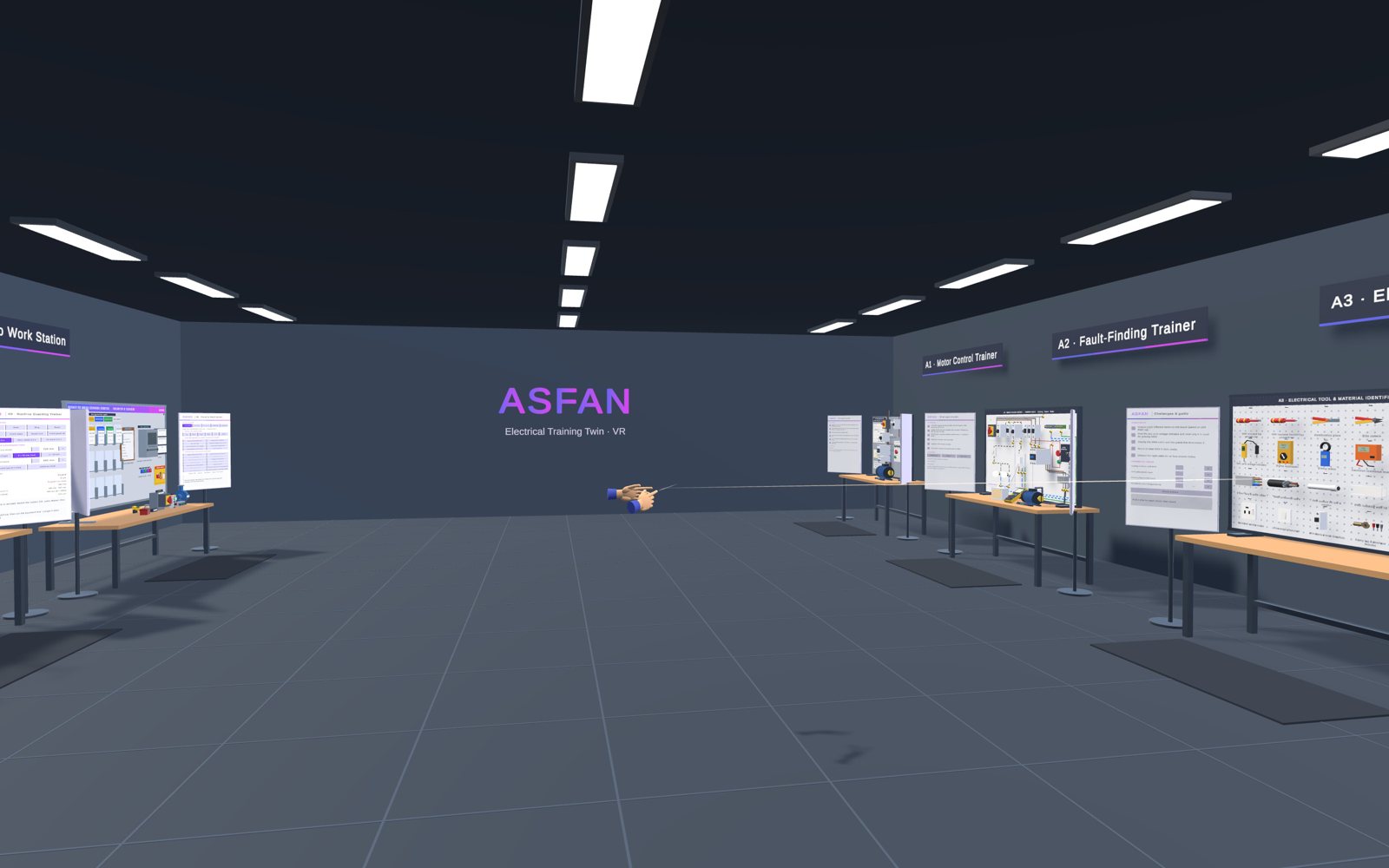
Electrical Training Twin – VR Edition
A virtual workshop with the nine trainer rigs on their own tables at 1:1 scale, operated with your own hands and no live voltage.
Open this edition| PC Edition | VR Edition | |
|---|---|---|
| Content | 15 theory labs + 9 trainer twins | 9 trainer rigs in one lab |
| How trainees work | Mouse, keyboard or projector | Their own hands, at real size |
| Assessment | 92 explained questions, 80% to pass | Challenges ticked off at each rig |
| Hardware | Any Windows PC | VR-ready PC + OpenXR headset |
| Best for | Theory, demonstration, homework | Hands-on practice before the bench |
Technical details
- Computer
- A Windows PC. Runs on integrated graphics; a dedicated graphics card gives the highest quality.
- Graphics
- Three quality levels, chosen automatically and stepped down if the PC is slow.
- Installation
- A Windows installer or a portable version that needs no installation.
- Internet
- Not needed to run the labs.
- Display
- Light and dark themes, full screen for projection.
- Version
- 0.9 beta
Frequently asked questions
Does the PC edition need a VR headset?
Is the circuit behaviour real or animated?
How are trainees assessed?
Does it replace the real workshop?
Bring the workshop to every trainee
Ask for a demo of the PC edition, or both editions together, for your school, college or training centre.